">

AI Services for Businesses

Practical AI services for growing businesses — AI agents, workflow automation, chatbots and AI-generated images and video that take over repetitive work while your team stays in control.

AI AgentsAnswer, Qualify & Route
AutomationMake, n8n, Zapier & WhatsApp
Human ControlYou Approve What Matters
AI services dashboard, chatbot and automation flow
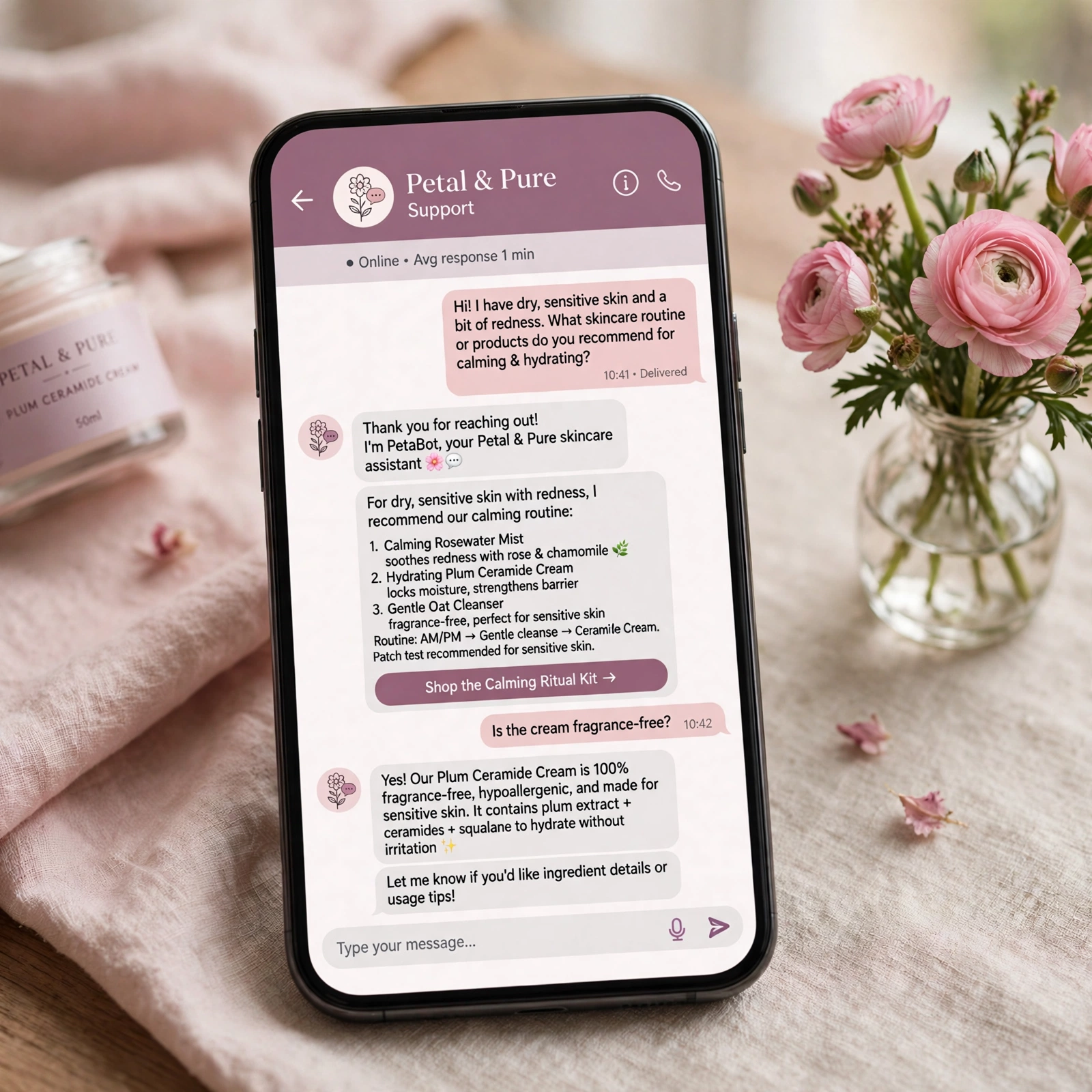
AI support chatbot for skincare store Petal and Pure
AI Services

AI agents, workflow automation, chatbots and AI-generated images and video for everyday business work.

Selected Brands in Our Portfolio
Asset 38 brand logo Asset 4 brand logo Asset 45 brand logo Asset 46 brand logo Asset 47 brand logo Decent Solar logo Dentesthetix logo Gazal Lounge logo GH Landscape logo Asset 38 brand logo Asset 4 brand logo Asset 45 brand logo Asset 46 brand logo Asset 47 brand logo Decent Solar logo Dentesthetix logo Gazal Lounge logo GH Landscape logo
Ghazoor logo Goodluck Trader logo Kingsley logo Lahoris logo MOI logo Naqaa Salt logo Nature Hug logo Netsole logo Ghazoor logo Goodluck Trader logo Kingsley logo Lahoris logo MOI logo Naqaa Salt logo Nature Hug logo Netsole logo
Nexcell Energy logo Roots logo Sheikh logo Shellbee logo Softcore logo Solvac Lifesciences logo Trendex logo Zameenex logo Nexcell Energy logo Roots logo Sheikh logo Shellbee logo Softcore logo Solvac Lifesciences logo Trendex logo Zameenex logo
AI Services Overview

One business, many repetitive jobs — AI should take the routine, not the decisions.

Every business has work that repeats: answering the same questions, copying details between tools, chasing follow-ups, preparing routine images and updates. None of it is difficult, but together it eats the hours that should go to customers, products and growth.

That is where practical AI earns its place. An AI agent can answer common questions instantly, a workflow can move an order from form to sheet to message without retyping, and AI-generated images and video can give a launch something to show without a full shoot every time.

DesignBub provides AI services for companies, startups and growing brands that want automation they can understand and control. Work can include AI automation, AI agents and chatbots, AI image and video generation, and workflow automation with Make, n8n, Zapier and WhatsApp — scoped around the jobs that actually repeat in your business.

What The Service Covers

Different AI tools solve different problems, so the setup should start with the work itself.

Practical AI services can cover one repetitive job or become a connected system across sales, support, marketing and operations. One business may need a chatbot that answers pricing questions. Another may need orders, invoices and follow-ups moving between tools without manual copying.

The work can involve mapping the workflow, choosing the right tool for each step, connecting apps and data, writing the prompts and replies, and testing the result with realistic examples before it goes live.

Where your team already uses tools such as a CRM, spreadsheets, email or WhatsApp, the automation should fit around them. Where the process is still manual, the project can create a simple, documented flow first — then automate it, rather than automating a mess.

Core AI Applications

AI services for the everyday places where a business loses time.

The areas below share one idea — remove the repetitive step — but each one is built around its own tools, data and handover points.

01

AI Automation

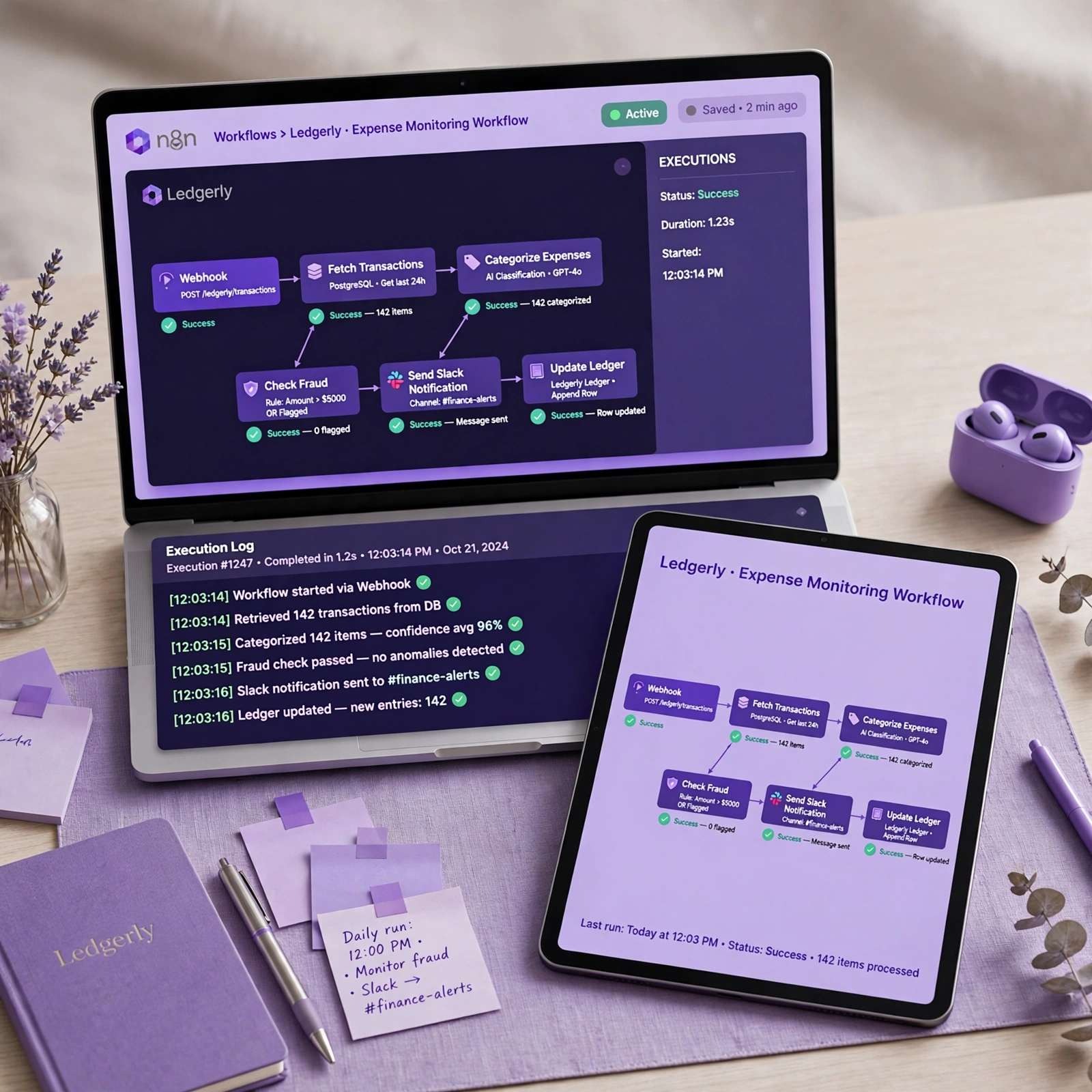
Repetitive admin, lead handling, follow-ups and reporting, connected so information moves once instead of being retyped in three places.

02

AI Agent Development

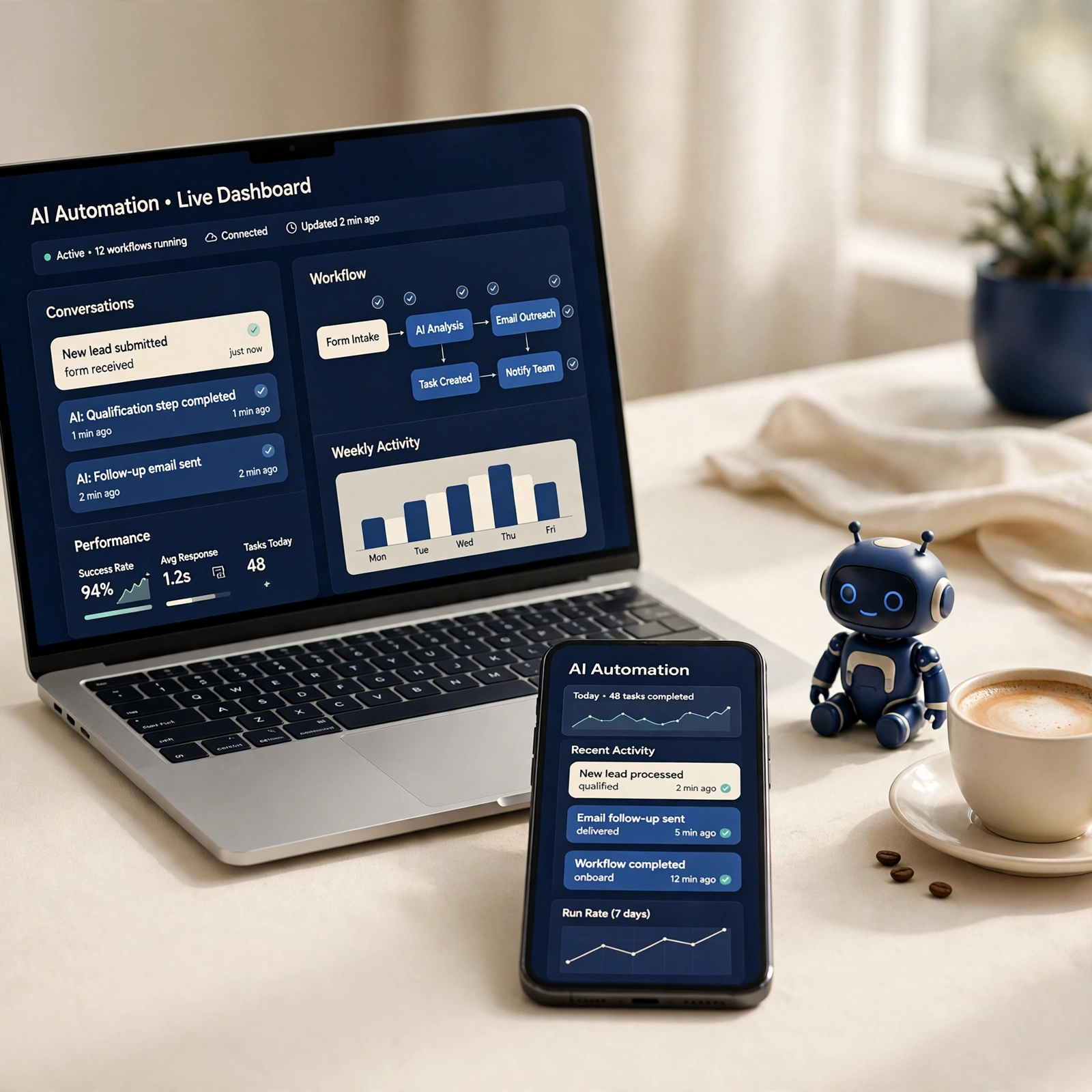
Agents that answer questions, qualify enquiries, book appointments and route conversations, with clear rules for when a person takes over.

03

AI Image Generation

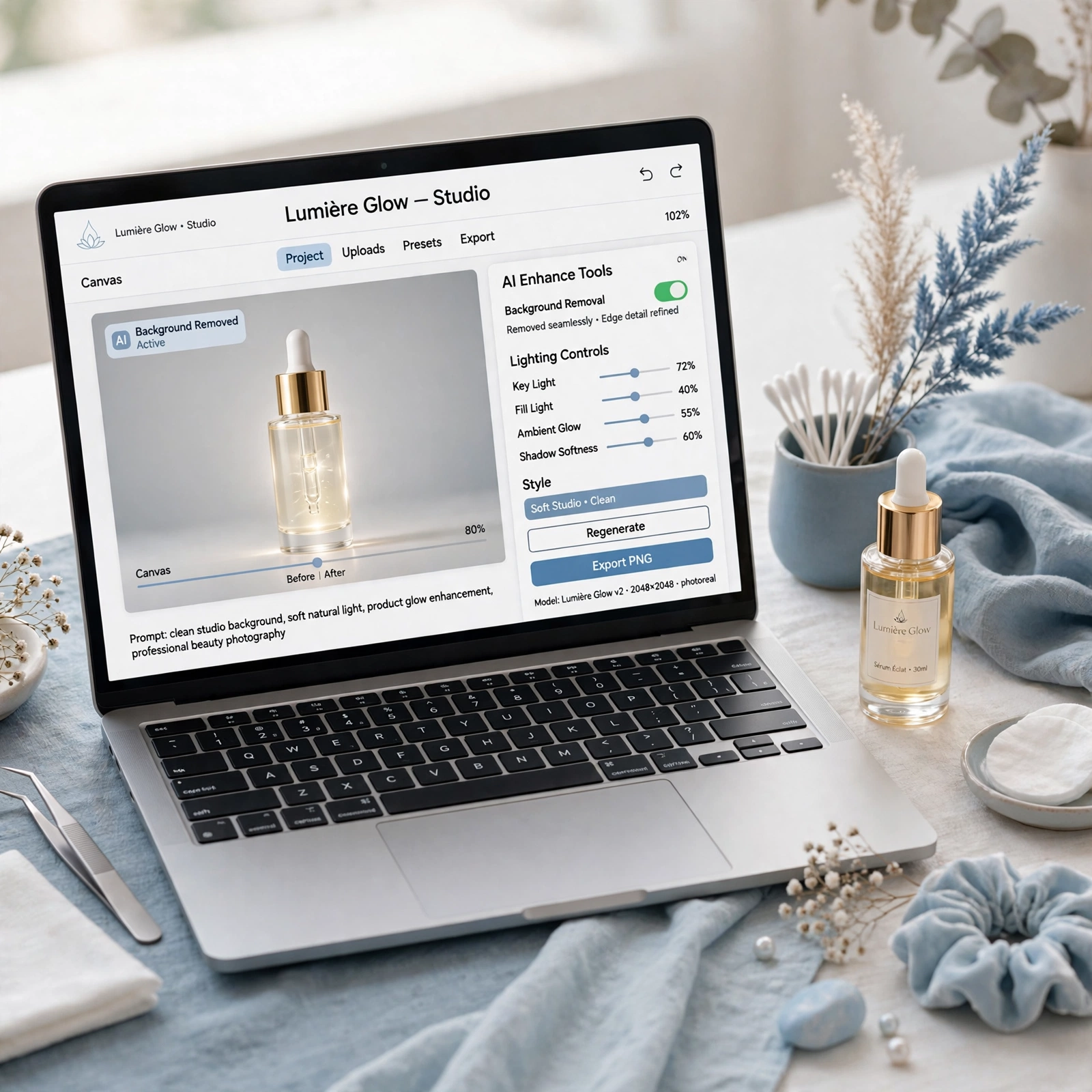
Product shots, campaign visuals and social images generated to match your brand, ready for the website, ads and marketplace listings.

04

AI Video Generation

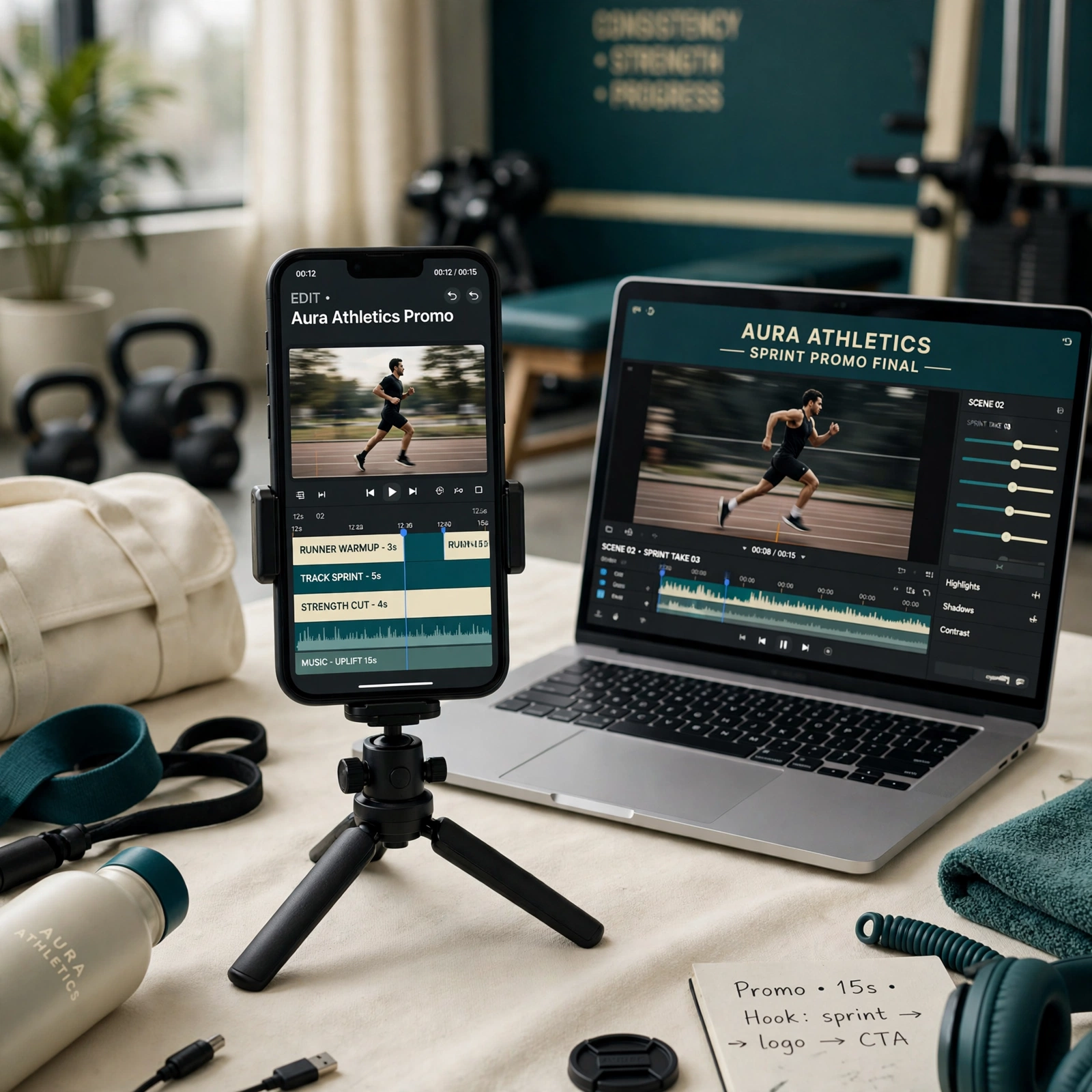
Short promo clips, product videos and explainers generated from your images, copy and brand direction, without a shoot for every idea.

AI Agents & Chatbots

AI agents that answer, qualify and route — then hand over to a person.

An AI agent is most useful when it knows its limits. It can greet a visitor, answer common questions, collect the details your team needs, and pass the conversation to the right person with the full context attached.

AI agent development can include website chatbots, WhatsApp assistants, lead-qualification flows and support triage. The agent works from approved answers, prices and policies — not from guesses — so customers get consistent replies.

Handover matters as much as the answer. When a question is unusual, a customer is unhappy or a sale needs human judgement, the agent should step aside cleanly instead of looping the customer through more automated replies.

DesignBub can build agents around your real questions and your real escalation rules, then test them with the awkward examples — not just the easy ones — before launch.

AI Image Generation

AI-generated images that stay on brand and ready to use.

Product and campaign imagery used to need a shoot, a studio and a retoucher for every new idea. AI image generation changes the cost of trying something — a new angle, a seasonal background, a lifestyle scene — without losing the product itself.

AI image generation can include product shots, lifestyle scenes, campaign visuals, social images and marketplace photos. Each set is guided by your brand colours, product photos and the style your customers already recognise.

The product should still look like your product. Generated images are checked against real product photos, corrected where the AI invents a detail, and delivered in the sizes each channel needs.

For teams that publish often, a shared image direction keeps new visuals consistent instead of drifting into a different look with every generation.

AI Video Generation

AI video for product launches, explainers and social campaigns.

Short video now carries launches, product pages and social feeds, but filming every variation is slow and expensive. AI video generation can turn product images, copy and brand direction into moving visuals far faster.

AI video generation can support product promos, launch teasers, explainer clips and social video. We start from the message — what the viewer should understand in the first seconds — and build the visuals around it.

That starting point does not have to be loud. Some products suit a calm studio-style clip, while others need energy, movement and a clear offer. The visual style should fit the product and the audience, not the tool that made it.

AI video can make an idea visible quickly, but it cannot guarantee views, clicks or sales. The offer, the audience and where the video is shown all influence performance, and generated footage is always checked for invented details before delivery.

Workflow Automation

Workflow automation that connects the tools you already use.

Most businesses already pay for the tools they need — forms, CRMs, sheets, email, project boards. The waste is in the gaps between them: copying a lead from a form into a CRM, updating a sheet after an order, sending the same follow-up by hand.

Workflow automation with Make, n8n or Zapier can close those gaps: a new enquiry lands in the CRM and the sheet at once, an order triggers the right notifications, a completed job schedules its own follow-up.

A good workflow starts as a map, not as a build. Triggers, data fields, filters, approvals and the steps where a person must check something are agreed first, so the automation is understandable months later.

The setup should reflect how work actually flows through your team — not how much can be connected in one afternoon.
WhatsApp Automation

WhatsApp automation that replies, books and follows up for you.

Customers already message businesses on WhatsApp, and they expect a fast reply. When every chat is handled by hand, the same questions get answered again and again, and good enquiries wait behind routine ones.

WhatsApp automation can greet customers, answer common questions, take bookings, send order updates and collect lead details — then route the conversation to the right person with the context included.

Message templates, broadcast rules and opt-in requirements shape what can be sent and when. The setup respects those rules from the start, so campaigns and reminders stay compliant instead of risking the number.

Automation handles the routine; people handle the relationship. A clear handover point keeps sensitive or valuable conversations with your team.

Data, Privacy & Human Control

Data, privacy and human control come before any automation goes live.

Automation touches customer data — names, numbers, orders, questions. Before a workflow goes live, it should be clear what data moves where, who can see it, and how long it is kept.

Responsible AI setup starts by asking which data the automation actually needs. A chatbot does not need a customer's full history to answer a pricing question, and a lead flow should not copy sensitive details into tools that do not need them.

Human control is part of the design, not an afterthought. Approval steps, review queues and the ability to pause a workflow give your team a way to stop something that is behaving badly — before customers notice.

We document data flows, access and handover points as part of the build, so the system can be reviewed, audited and changed without guessing how it works.

Keeping AI Accurate

Keeping AI systems accurate as your business changes.

Prices change, products change, policies change — and an AI agent working from last year's answers will happily give last year's prices. Accuracy is a maintenance job, not a launch-day job.

We can set up a simple review routine: approved answers in one place, a schedule for checking them, and a clear owner for updates. When a price or policy changes, the agent, the templates and the follow-ups change with it.

Customer conversations are also a source of improvement. The questions people actually ask reveal gaps in the agent's answers — and the fixes are usually small, once someone is looking.

A short regular review keeps the system honest. Without it, even a good setup slowly drifts away from what the business actually offers.

AI For Sales & Support

AI that helps sales follow up faster and support answer sooner.

A slow first reply loses enquiries. A chatbot that answers instantly, qualifies the lead and books the next step can keep a warm prospect warm while your team is busy elsewhere.

AI for sales and support combines instant replies with useful structure: the right questions asked in the right order, the answers stored where the team can see them, and a handover that does not make the customer repeat everything.

Follow-ups need the same care. Reminders, quote chases and abandoned-enquiry recovery work best when they are timed, personal and easy to stop — not when they feel like a machine that will not take no for an answer.

We work from your real sales process and your real support questions, so the automation supports the team instead of getting in its way.

Working With Your Existing Tools

AI that fits the tools and processes you already have.

Most businesses do not need a new platform. They need the platforms they already pay for to work together — the CRM, the forms, the sheets, the inbox, the WhatsApp number.

We can work with your current stack, your logins and access rules, your data formats and the way your team already handles enquiries. Automation should reduce the number of places work lives, not add another dashboard nobody opens.

A form and a CRM can share the same lead fields while still serving different jobs. A chatbot and a human inbox can use the same escalation rules while sounding like the same business.

If the existing setup is too fragmented to automate safely, we say so — and identify what needs tidying first, rather than building automation on top of a broken process.

AI For Startups & Small Teams

AI for startups and small teams that need leverage, not headcount.

An early-stage business often needs sales replies, follow-ups, content and reporting before it can hire for all of them. AI can cover the repetitive parts while the founders stay close to customers.

The risk is automating everything at once and ending up with a system nobody understands. A better start is one or two workflows with clear rules: a chatbot for common questions, a lead flow into the CRM, a weekly report that writes itself.

AI support for startups benefits from a few repeatable rules early: approved answers, clean data fields, and one handover path to a person. Those decisions make the next automation easier to add.

The goal is not to make a young business feel automated. It is to give a small team the capacity of a bigger one, without losing the personal replies customers remember.

Testing, Monitoring & Handover

Testing, monitoring and handover: automation you can actually rely on.

Some AI setups run once. Others need to keep working every day, with real customers, real data and real edge cases. In those cases, testing and monitoring matter as much as the build.

Reliable AI automation should define what success looks like, what should happen when a step fails, and who gets told. A failed order flow should raise an alert — not fail silently while customers wait.

Monitoring should fit the team. A small business may need a simple daily check and a clear place to look when something goes wrong; a busier operation may need alerts, logs and a regular review.

We test with realistic examples, document the workflow, and hand over notes your team can actually use — so the automation survives staff changes and tool updates.

What Good AI Setup Looks Like

What good AI setup looks like when it is working quietly in the background.

Before a system goes live, triggers, data fields, reply wording and failure behaviour need to match the real workflow — not just the demo. Edge cases, wrong inputs and missing data should all have a planned response.

We can prepare the setup from approved content using the confirmed tools and accounts, including the right permissions and access. Special cases such as payments, bookings or sensitive customer data may need their own checks or approval steps.

Reviewing the wording still matters, because no tool can know whether a supplied price, date, policy or phone number is correct. Approval of factual content should happen before the automation starts replying to customers.

For busier or more sensitive setups, a trial period with real conversations — monitored by your team — can reveal issues that are much harder to judge from a test run.

AI Services Pricing

Starting packages for businesses that want AI doing real work.

These packages are built around standard AI setups — an AI agent or chatbot, a workflow automation, or AI-generated images and video. Larger, multi-system builds and custom integrations are quoted separately because their workload is different.

Focused Design Support

Essential Visual Pack

Starting at$199

For a small business need, launch task or short set of coordinated visuals.

  • Up to 3 standard single-layout assets
  • One visual direction based on supplied brand assets
  • Digital or print-ready exports as agreed
  • Two consolidated revision rounds
  • Source files for the approved artwork
Choose Essential Visual Pack
Multi-Channel Campaign

Campaign Design System

Starting at$899

For a broader campaign that needs a master direction and multiple coordinated outputs.

  • Up to 15 standard campaign assets
  • Master visual direction for the campaign
  • Multi-channel format adaptations
  • Reusable graphic elements where appropriate
  • Organized handoff for marketing or internal teams
Choose Campaign Design System
Standalone Starting Prices

Need one specific deliverable?

Useful when you do not need a multi-asset package.

Social Media / Ad Graphic$59+
Business Flyer or Poster$99+
Business Card Design$99+
One-Page Sales Sheet$129+
4-Page Brochure$249+
Infographic Design$199+
Editable Template Set$199+
Website / Campaign Banner$79+
Additional Size Adaptation$29+
Monthly Design Support$699+/mo

Prices are starting USD fees and depend on content volume, number of concepts, complexity, asset count, revision scope and production requirements. Printing, paid stock assets, custom photography, complex illustration, motion design, copywriting, translation, premium font licensing and third-party costs are separate unless specifically included.

Our Process

An AI project that starts with the workflow, not the tool.

The steps scale up or down depending on whether the project is one chatbot or a connected automation system.

01

Map the Work

We clarify which repetitive job the AI should take, what triggers it, what data it needs and where a person must stay involved.

02

Check Tools & Access

We review your apps, data, permissions and any API or account requirements before building anything.

03

Build the Flow

Prompts, replies, modules, filters and connections are configured around the agreed workflow and your approved content.

04

Test With Real Examples

We run realistic enquiries, orders and edge cases through the system, including the ones most likely to break it.

05

Launch & Hand Over

We activate the approved setup, document how it works, and show your team how to monitor it and update it.

Possible Deliverables

What you receive when the AI system goes live.

The final list depends on the brief rather than an artificial bundle of items the project may never use.

AI Agent / Chatbot Build
Workflow Automation Map
Make / n8n / Zapier Scenario
WhatsApp Chatbot Flows
Message Templates
AI-Generated Images
AI-Generated Video Clips
Lead Capture & Routing
CRM / Sheet Integration
Order & Booking Updates
Error-Handling Plan
Testing Checklist
Monitoring & Alert Notes
Team Handoff Notes
Prompt & Reply Library
Launch Support
Why DesignBub

AI is only useful when it fits how your team actually works.

AI becomes more useful when a chatbot relates to the CRM, a WhatsApp flow still feels like the same business as the website, and a workflow does not introduce a completely new set of tools just because the automation changed.

DesignBub approaches AI services with that wider relationship in mind. We can work from your existing tools or help create practical structure from a manual process. The workflow, the data and the handover influence the setup before any tool is chosen.

We also separate what AI can influence from what it cannot promise. Faster replies can improve the customer experience. Cleaner data can support better follow-up. Proper testing can reduce avoidable failures. None of those points amount to a guarantee of sales, leads or business growth.

The aim is more grounded: build AI that takes the repetitive work, keeps a person in control, and feels like a natural part of how your business already operates.

AI Services FAQs

Questions about AI services in general.

These answers cover scope, setup, accuracy, human control and what AI can — and cannot — promise for your business.

Typically the repetitive work: answering common questions with an AI agent or chatbot, moving information between tools with workflow automation, sending order and appointment updates on WhatsApp, and creating AI-generated images and video for products and campaigns. The exact scope follows the jobs that repeat most in your business.

No. You need to be able to describe the process — what happens now, what should trigger the automation, and what a good result looks like. We handle the setup, connections and testing, and hand over notes your team can follow without technical knowledge.

The aim is the opposite: AI handles the routine questions and admin so your team spends more time on the conversations that need a person. Customers still reach a human for anything unusual, valuable or sensitive, and the handover carries the full context with it.

Agents work from approved answers, prices and policies that you supply, rather than inventing replies. We test with realistic examples, set review points for content changes, and document where each answer comes from so updates are easy to make.

Timing depends on the number of workflows, the tools involved and how ready your content is. A single chatbot or workflow is usually quicker than a connected multi-system build. To start, share the manual process, the tools you use, sample questions or orders, and the steps where a person must approve or review the result.

Related Search Intent

AI topics this page covers without turning the copy into a keyword list.

These topics are supported by the sections above and help clarify the kinds of AI work clients commonly look for.

ai services
ai automation services
ai agent development
ai chatbot development
ai image generation
ai video generation
make automation
n8n automation
zapier automation
whatsapp automation
workflow automation services
business process automation
ai for small business
chatbot for business
whatsapp business api automation
lead automation
ai content generation
ai customer support
automation agency
ai services for ecommerce
ai services for clinics
ai services for estate agents
ai workflow consultant
ai automation agency
Final Thought

Start with one repetitive job, then let AI earn the next one.

Businesses do not automate everything at once. The same company may need a chatbot answering questions in the morning, a workflow moving orders in the afternoon, and a set of AI product images for a launch the following week.

Those systems do not need to be built in one project. They do need a shared understanding: the same approved answers, the same data fields, the same handover to a person when it matters.

That is how individual automations begin to feel like one system instead of a folder full of disconnected tools.

DesignBub provides AI services for businesses that need both the individual automation and the wider consistency around it. You can come with a clear repetitive job, a manual process that eats hours, or a set of tools that do not talk to each other.

We can start from the work itself, define what the AI should take over, and build the setup around the way your team actually operates.

Ready to put AI to work on your repetitive tasks?

Send the process, the tools you use and the job that repeats most. We can recommend the most sensible starting point or a custom scope.

WhatsApp DesignBubChat with us now