Make Automation
DesignBub builds Make.com scenarios for teams that need real control over multi-step automation. We connect forms, CRMs, sheets, project tools, databases, APIs and communication apps — with clear routing, filters, scheduling and error handling, so work moves on its own and nothing fails silently.

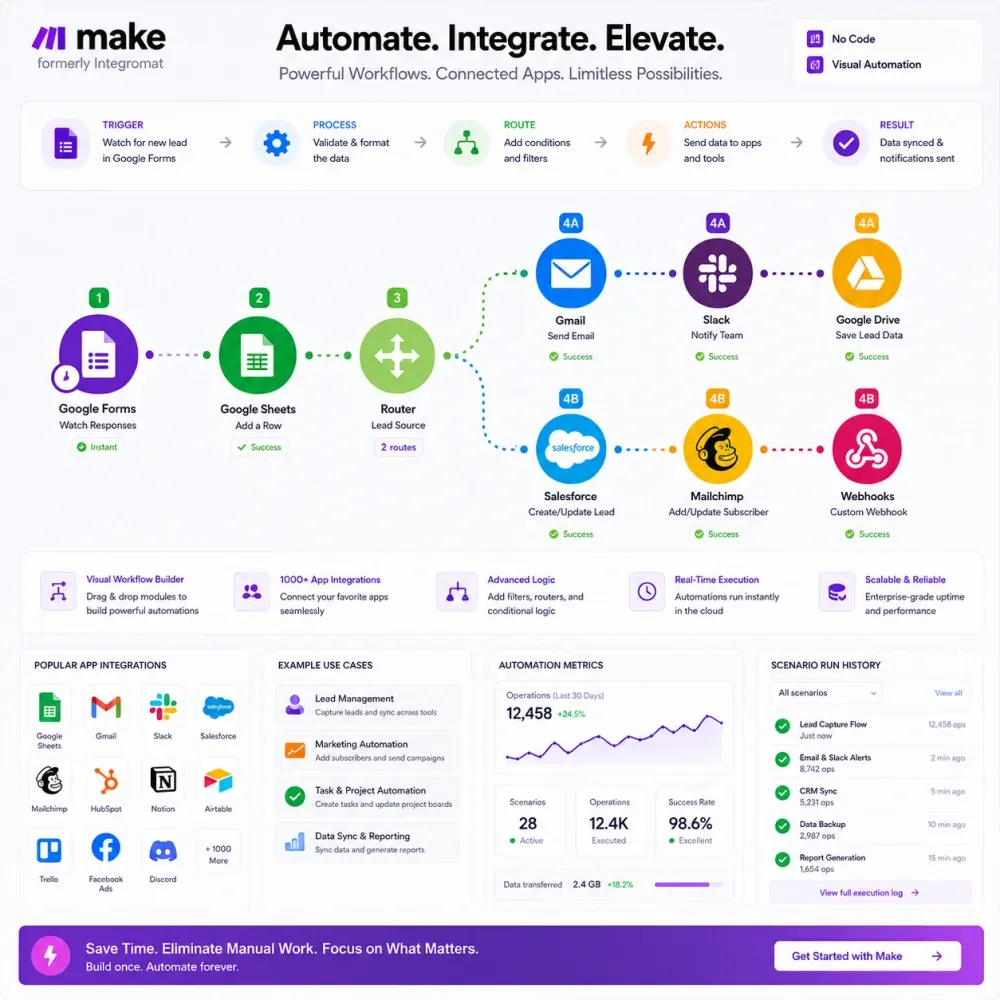
Make.com scenarios mapped, built and tested so multi-step work runs without manual chasing.


























Make.com scenario planning, mapped before anything is built
We document the business event that should trigger the scenario, the apps involved, the data fields and the branching rules — before building anything in Make. Connection limits, operation use and error cases are identified early, so the automation stays understandable as it grows.
- Scenario mapping with triggers, routers and filters
- Data structure and field mapping review
- API, webhook and app integration planning
- Error handling and notification workflow design

Building the scenario: modules, routers, filters and data mapping
The scenario is built with the required modules, filters, routers, iterators and data transformations, then tested with realistic records — including the awkward ones. Handoff notes explain the important connections, the assumptions made, and exactly where to look if a run fails.
- Make scenario setup and app integrations
- Router, filter and iterator configuration
- Webhook and API connection support
- Testing, documentation and optimisation notes
What a Make.com build can cover, from first trigger to final handoff
Make automation can include scenario mapping, app connections, webhooks, filters, routers, data transformation, scheduling, error handling and testing. The scope follows the number of systems, branches and operational edge cases involved.
Workflow Mapping
We document triggers, data fields, approvals and handoffs before anything is automated, so the scenario matches the real process.
Mapping 02App & API Integration
We connect business tools through native Make apps, APIs, webhooks or structured data flows — and flag where access is limited.
Integration 03Lead Routing Automation
New enquiries go to the right CRM, sheet, inbox or salesperson automatically, with the full details attached.
Leads 04Notifications & Alerts
Useful alerts for missed steps, failed runs or high-value actions — so problems surface instead of sitting quietly.
Alerts 05Reporting Automation
Routine data is compiled into dashboards, spreadsheets or scheduled summaries your team can actually read.
Reports 06Testing & Documentation
Real scenarios are tested and documented, so the workflow can be maintained and changed later without guesswork.
QAWhy Make.com suits visual, multi-step automation
Make is a practical choice for teams that want to connect everyday SaaS tools, transform data between them and build multi-step scenarios — without maintaining a full custom application for every workflow.
Visual Scenarios
See the sequence of triggers, actions, filters and routers in a workflow instead of relying on hidden manual steps.
Data Transformation
Reformat, combine and route data between tools so each destination receives the fields it actually needs.
Faster Operations
Automate recurring notifications, record creation, synchronisation and follow-up tasks across everyday business apps.
Easier Iteration
Adjust a scenario as processes change without rebuilding an entire software system for every workflow update.
From scenario map to live Make.com scenario in five steps
Process Map
We define the trigger, source data, destination tools and business rules for the scenario.
App & Access Check
We confirm available Make modules, permissions, webhooks and any API requirements.
Scenario Build
We configure modules, filters, routers and data mappings for the agreed workflow.
Test Runs
We test sample records, edge cases and error behaviour before relying on the automation in daily operations.
Launch & Handoff
We activate the approved scenario and document the key connections, logic and monitoring points.
What you receive with a Make.com automation build
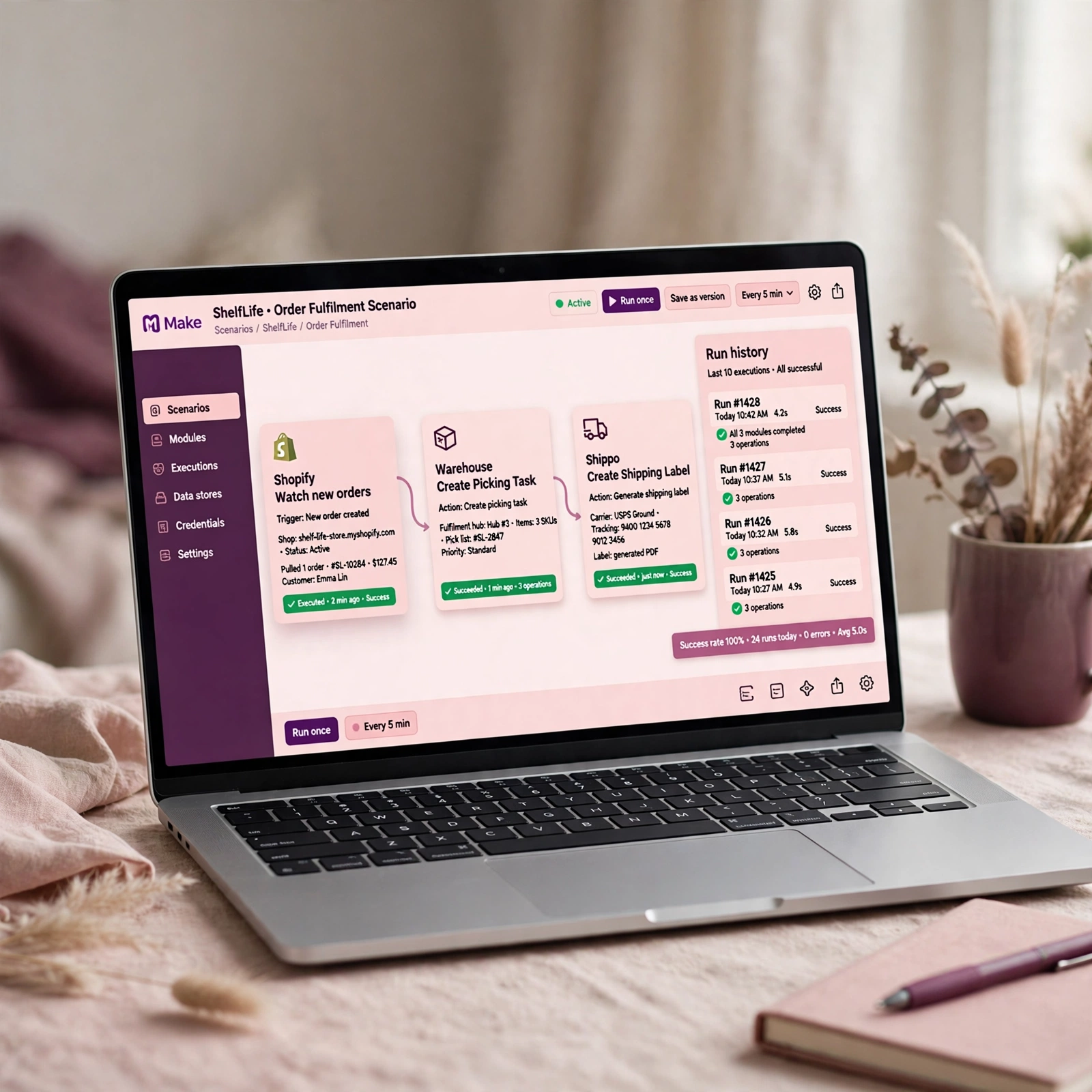
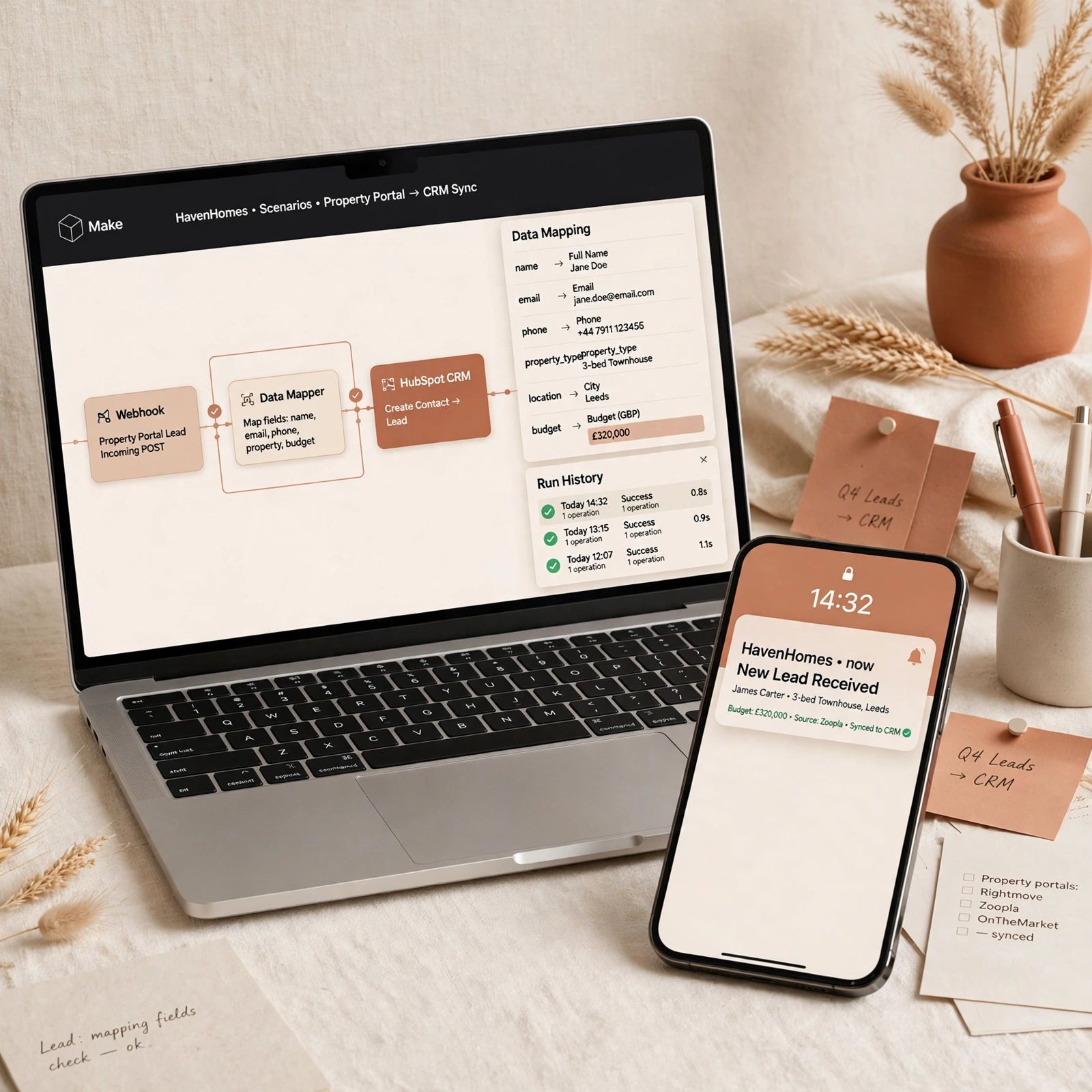
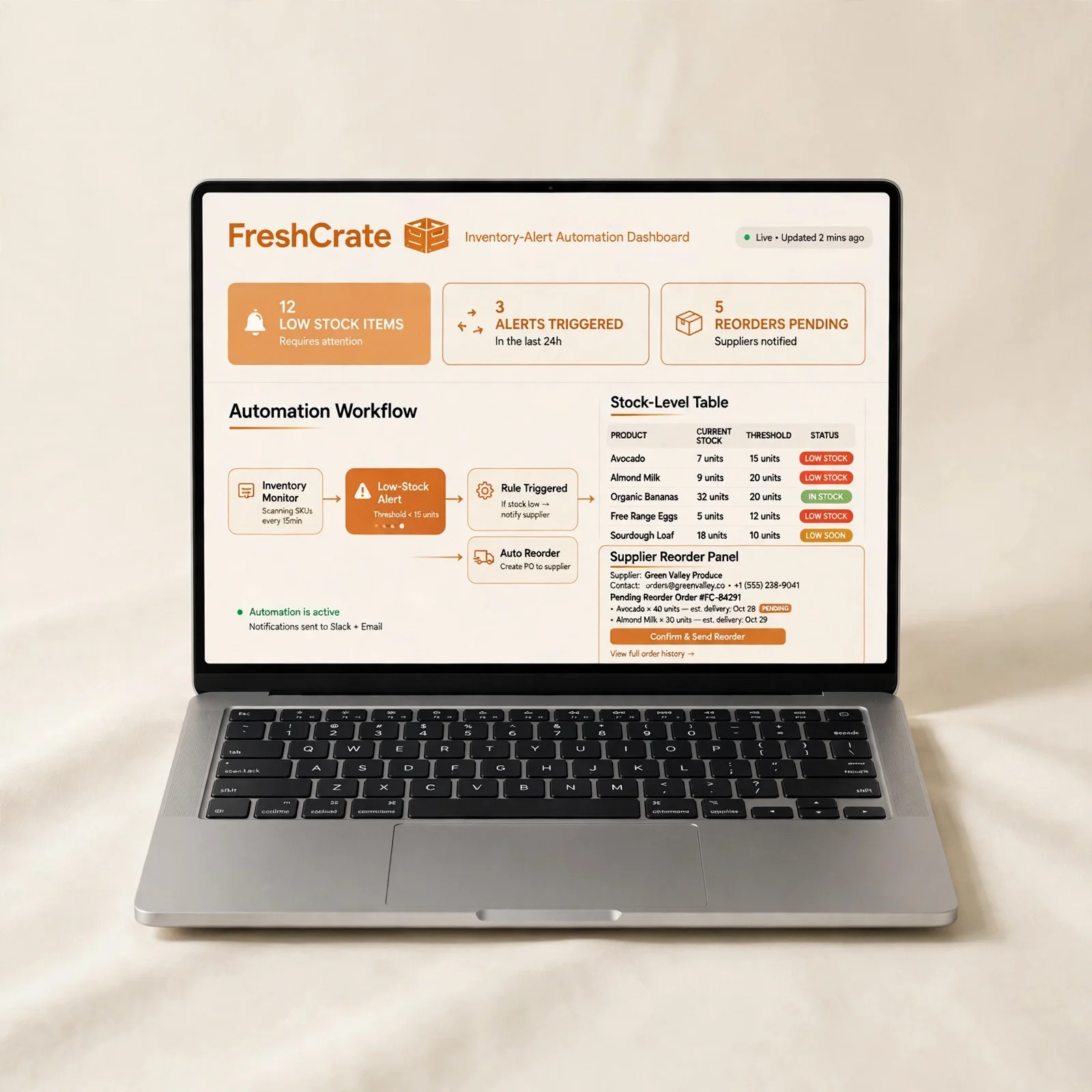
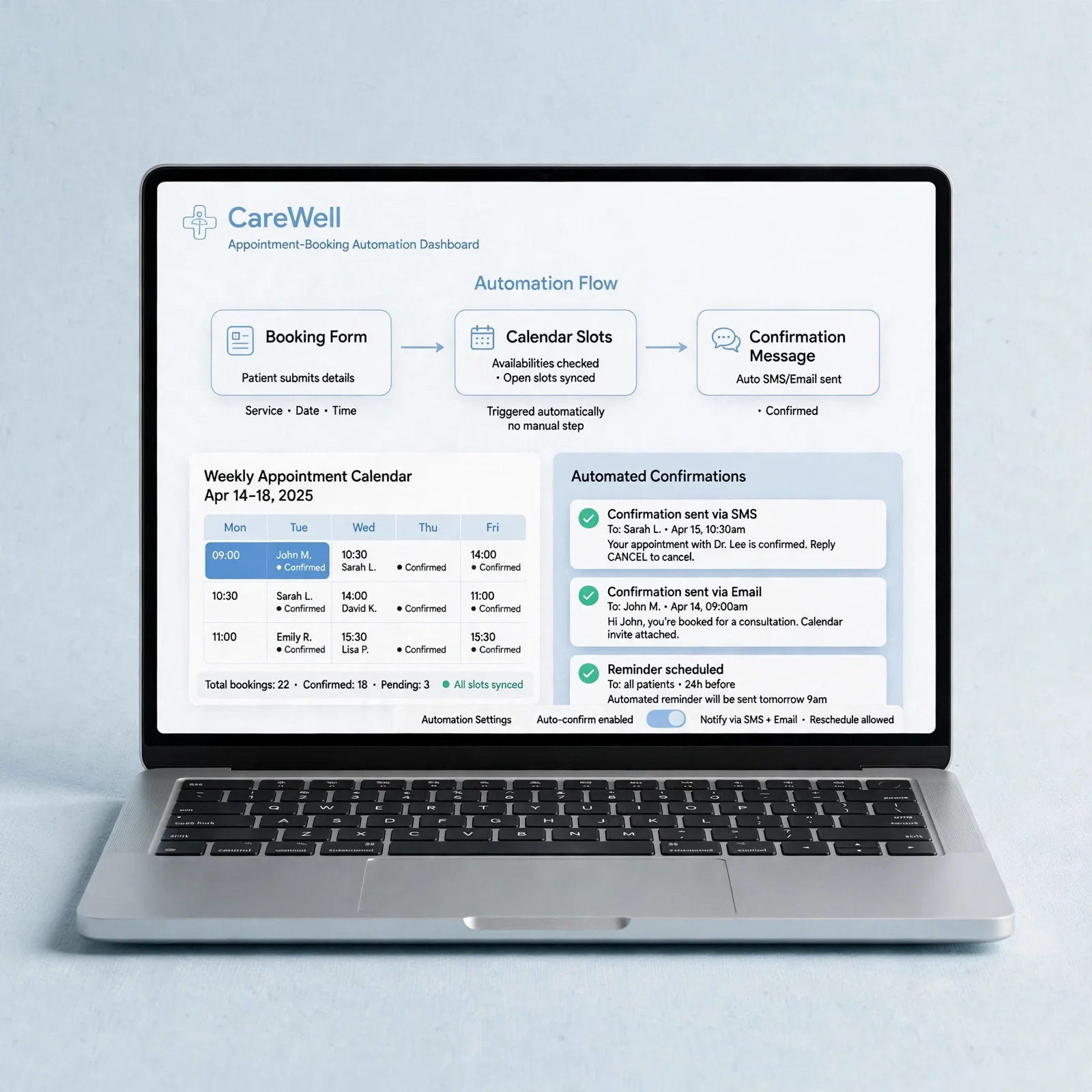
Make.com scenarios for orders, invoices, leads and bookings
Make.com scenarios we build — visual workflows for businesses, showing how multi-step automation works for yours.


Questions about Make.com scenarios and operations
Practical questions about Make.com scenarios, modules, scheduling, error handling and operations — and what to send before we start.
A scenario starts with a trigger module — for example a new form entry or a scheduled check — and then runs a chain of modules, each performing one action such as creating a record, sending a message or updating a sheet. Routers split the flow into branches, filters decide which records take which branch, and iterators handle lists item by item.
Scenarios can run on a schedule — for example every 15 minutes, hourly or daily — or immediately when a webhook receives data. Scheduled runs suit regular jobs such as reports and synchronisation, while webhooks suit instant events such as a new order. A scenario can also be run manually for testing or a one-off job.
Make records each run, so a failed execution can be inspected step by step to find where it stopped. We add error-handling routes for the steps most likely to fail — for example a missing field or a service being unavailable — so the run can retry, take an alternative path, or alert your team instead of failing silently.
Make counts operations per module execution, so a scenario with more modules, more records, or more frequent runs uses more operations. Routers, filters and scheduling all affect the total. During planning we estimate the likely usage from your volumes, and design the flow to avoid unnecessary runs and repeated processing of the same records.
Yes. We review the current scenario, map what it is supposed to do, and identify fragile steps, unclear mappings and missing error handling. Small fixes are made in place where practical; if the logic is too tangled, we rebuild it cleanly with documentation, so the result is easier to maintain than the original.
Work with DesignBub for Make.com automation that holds up in daily use
DesignBub builds Make scenarios around clear triggers, data mapping, scheduling and controlled branching — tested with real records, so repetitive work can run with less manual handling.