WooCommerce Theme Development
We can adapt an existing theme, build child-theme customisations or create a bespoke WooCommerce theme, depending on how far the design and functionality need to go beyond the defaults.
DesignBub plans and builds WooCommerce stores around products, customers, payments, shipping and the day-to-day work behind each order. We create practical ecommerce experiences inside WordPress, without treating every business like the same template.
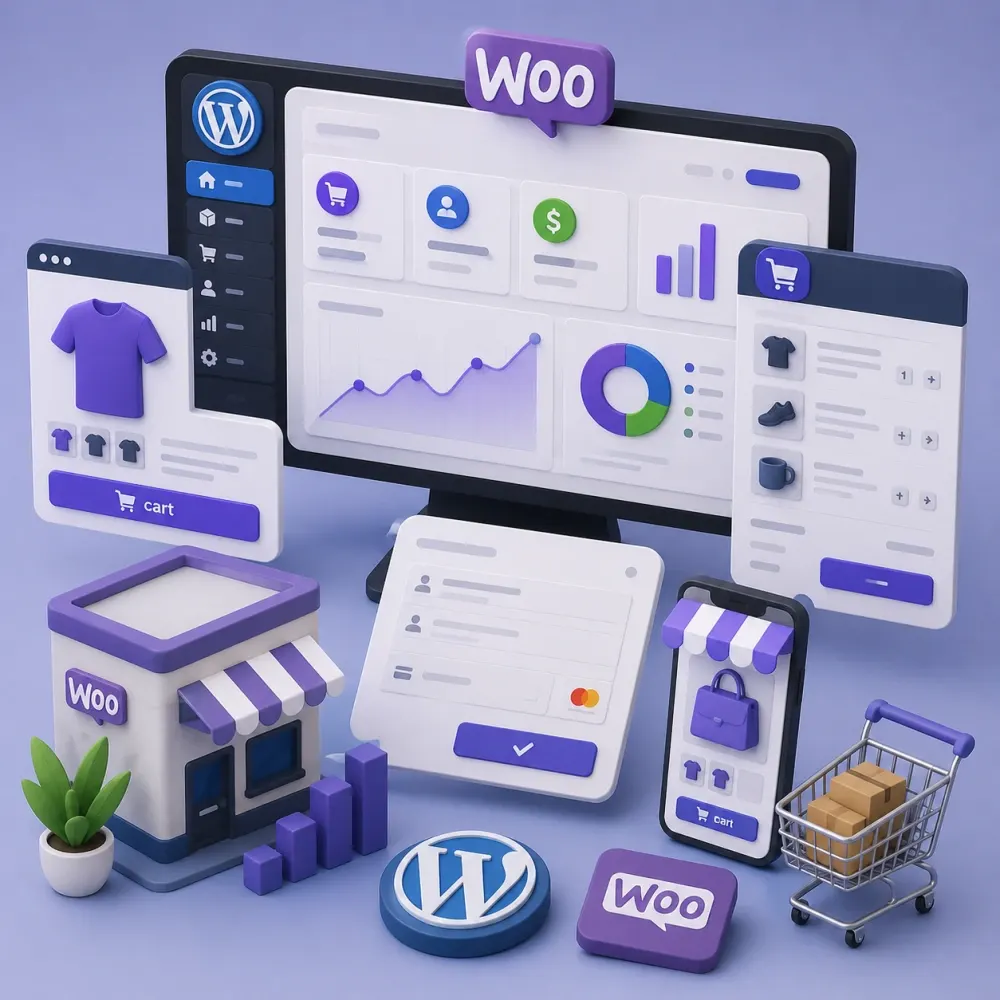
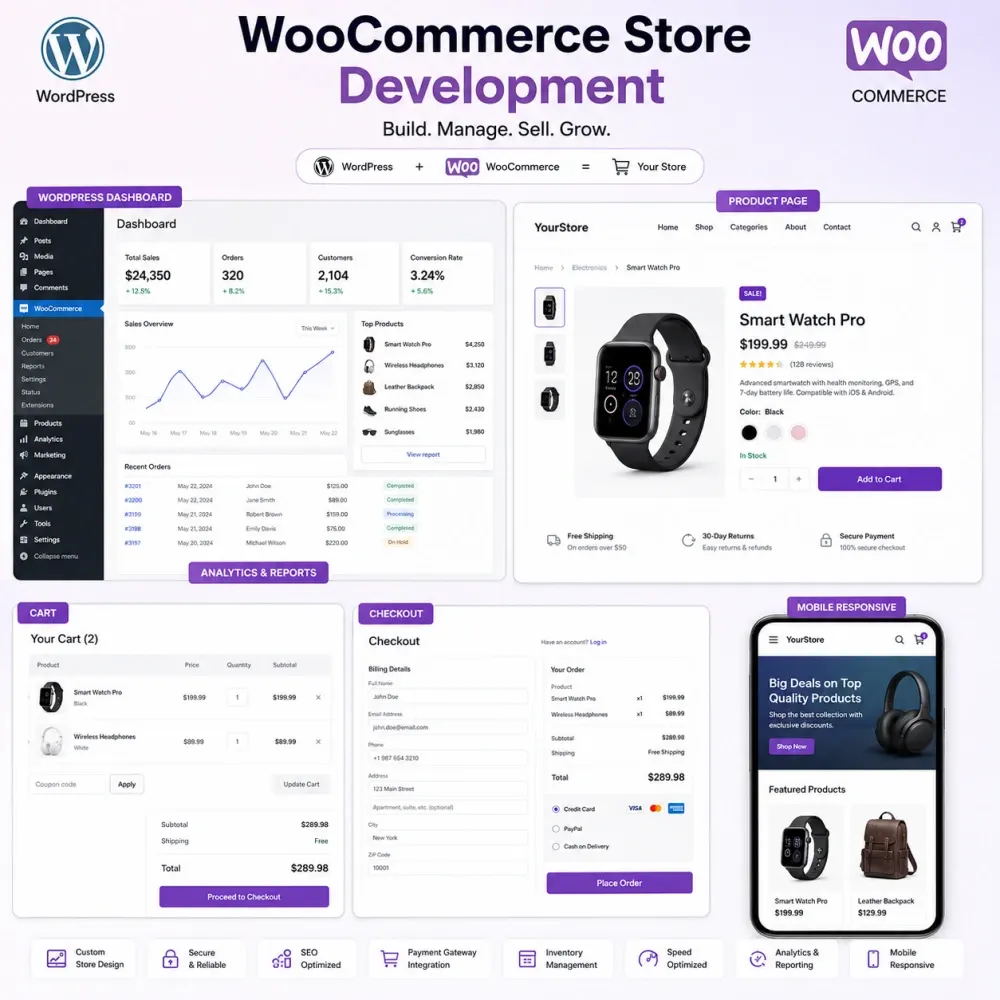
Storefront design, catalogue structure, checkout logic and integrations, planned as one ecommerce system.

























Selling online involves more than adding products to WordPress. Customers need to discover the right item, understand the offer, choose an option, trust the checkout, complete payment and receive useful order communication afterwards.
DesignBub provides WooCommerce development for businesses that need a new store, a redesign, custom functionality or a more stable ecommerce setup. We work on storefront templates, product and category pages, checkout, payments, shipping and the admin workflow behind them.
We define the architecture around the products and operations first. A small store with a simple catalogue needs a different system from a wholesaler with customer-specific pricing or a subscription business with recurring billing.
A project can involve a complete store build or a focused improvement to one part of an existing ecommerce website, and both start from the same question: what has to work for the customer and for your team?
WooCommerce website development can include information architecture, WordPress setup, storefront design, product templates, category pages, cart, checkout, customer accounts, payment gateways, shipping methods, store emails and integrations.
A smaller assignment may address one specific need, such as a custom product page, checkout field logic, an additional payment method, a product filtering system, a migration or an integration with another business platform.
We do not add features simply because they exist in a plugin marketplace. Every extension increases the amount of software the store depends on, so we prefer a controlled setup where each plugin or custom feature solves a defined problem.
A sample of WooCommerce stores — bakeries, outdoor gear, beauty, pets, jewellery and coffee, each planned around its own catalogue.


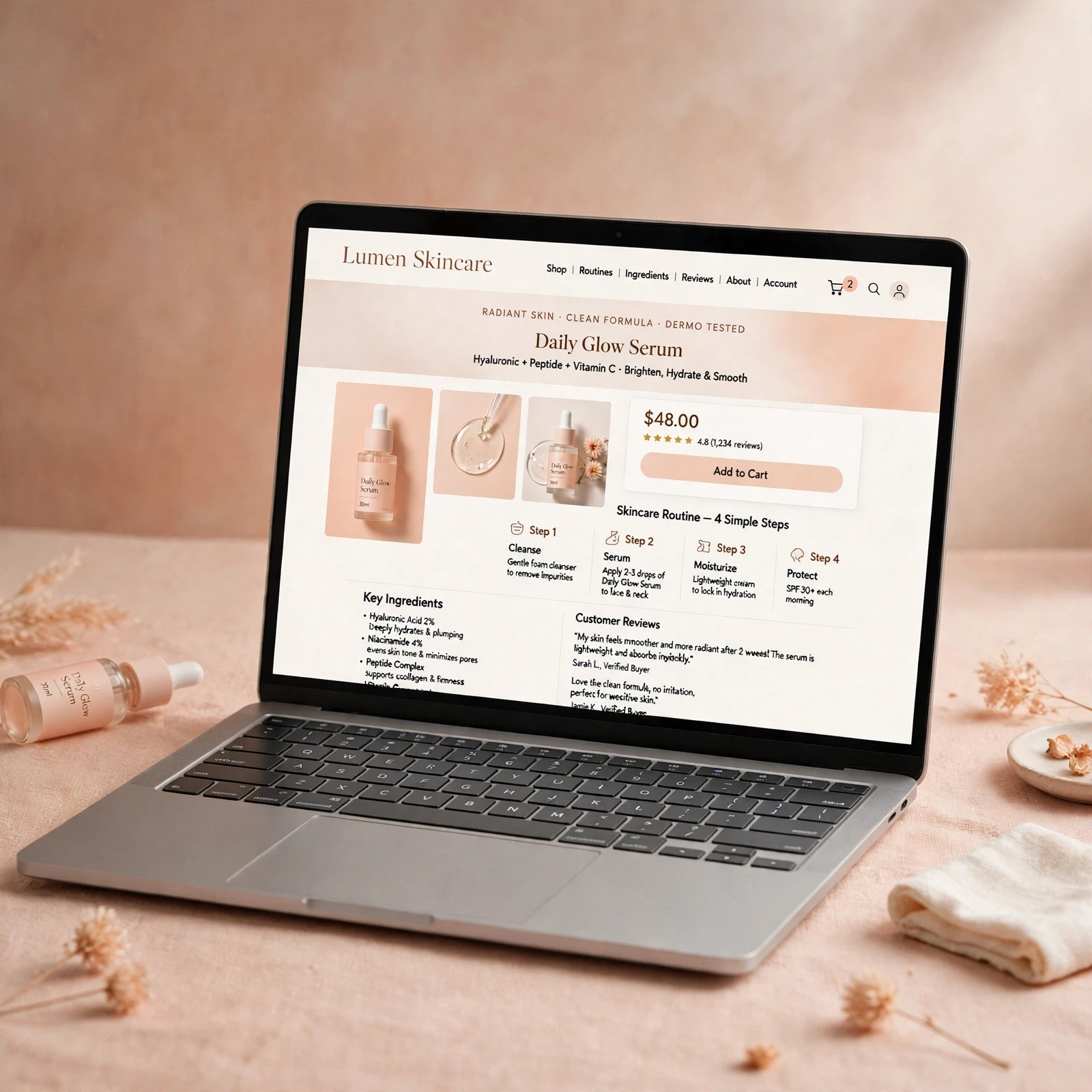


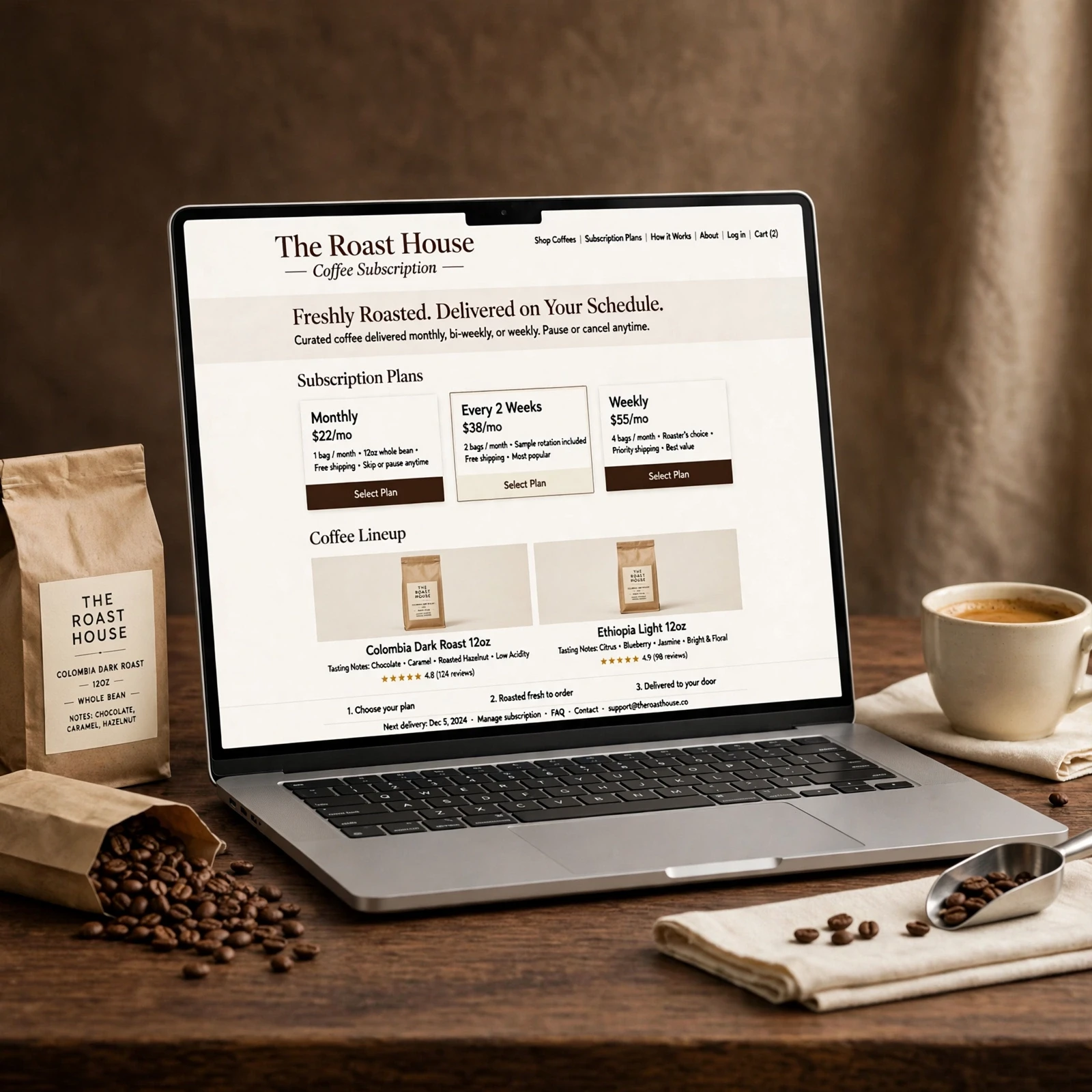
WooCommerce already handles many common ecommerce tasks, and custom development becomes useful when the normal product, pricing, account or order workflow does not match the business.
A custom requirement might involve special product fields, unique pricing logic, customer roles, quote requests, order rules, account tools, checkout behaviour, shipping conditions or data exchange with another system.
This approach also helps future maintenance. A store that depends on dozens of overlapping customisations can become difficult to update, so we aim for the simplest reliable architecture that supports the required workflow.
Visual design matters, but an ecommerce interface also has to help people make decisions. A beautiful store that hides the price or buries the delivery information is working against itself.
We organise the storefront around the information customers need at each stage. Category pages should make browsing and comparison easier, and product pages should explain price, options, specifications, availability and delivery clearly.
Typography, colour, imagery, spacing and brand elements support recognition, while the page hierarchy supports shopping. A decorative layout that creates unnecessary steps costs sales.
Responsive behaviour is part of the build. Product galleries, filters, variation selectors, cart controls and checkout fields need to remain usable on phones as well as on larger screens.
We can adapt an existing theme, build child-theme customisations or create a bespoke WooCommerce theme, depending on how far the design and functionality need to go beyond the defaults.
Product templates can organise galleries, pricing, variations, stock, delivery information and related products, so the customer has what they need to decide without hunting for it.
Category structure, grids, sorting, filters and subcategory navigation should help customers narrow a large catalogue quickly, without turning every archive into a wall of controls.
We review responsive layouts, sticky controls where appropriate, menus and checkout behaviour on small screens, because most shoppers will meet your store on a phone first.
Product and order setup should remain understandable for the people who run the store. We keep the admin workflow simple and remove settings your team will never use.
Before launch, we test representative products, variations, cart behaviour, checkout steps, payments and order emails, so the first real customer is not the first test.
A good checkout asks for what the business needs and nothing it does not. Every extra field is a reason for a customer to pause, so we keep the form focused on completing the order.
We plan the cart and checkout around your products: guest checkout, account creation, delivery options, discount codes, order notes and the fields your fulfilment team relies on.
Checkout rules should also be tested with real scenarios, such as a large order, a discounted order or a delivery to a different address, because those are the cases that break quietly.
The aim is a checkout that feels quick and trustworthy to the customer, while still giving your team everything it needs to fulfil the order correctly.
Payments and shipping are part of the store, not an afterthought. The methods you offer, the fees you charge and the delivery options you show all shape whether a customer completes the purchase.
We configure supported payment gateways, shipping methods, delivery zones, tax rules and order statuses around your real process, then test them with representative orders.
Clear delivery information on the product page matters too. Customers decide faster when they can see costs, timescales and options before they reach the checkout.
A store is only as good as its product data. Clear names, consistent attributes, accurate stock and honest imagery make every other part of the store easier to build and to use.
We plan variations, attributes, filters and search around the way customers actually compare your products, whether that means size, material, specification, compatibility or price.
Category pages and filters should narrow a catalogue quickly. Showing every available filter on every page slows shoppers down, so we choose the filters that genuinely help each category.
Good product data also makes the store easier to manage. When attributes are structured properly, your team updates information in one place instead of editing the same detail across dozens of pages.
Most stores need to connect with something: email marketing, accounting, stock control, a CRM, a courier or a payment provider. Those connections should be planned as part of the store, not bolted on afterwards.
We review what each integration needs to do, which system owns the data, and what should happen when an external service is temporarily unavailable, so a failed connection does not silently lose orders.
Each plugin is chosen for a defined purpose. If WordPress or WooCommerce already handles a requirement well, we do not add another plugin to do the same job.
A subscription store and a wholesale store look similar on the surface, but their rules are very different. Billing cycles, renewal behaviour, customer roles, negotiated pricing and bulk ordering all need to be agreed before development starts.
We define the access model first: who can see what, who pays how, and what happens when a subscription renews, fails or is cancelled. The build then follows those rules.
B2B selling adds its own layer: wholesale pricing, account approval, private catalogues and payment terms. Those rules shape the account area, the product pages and the checkout, so they need to be agreed with the sales team before we build.
Getting this wrong is expensive, because pricing and order logic touch payments, stock and customer accounts. A careful scope at the start saves far more than it costs.
A store launch is the beginning of daily work, not the end of it. Products change, stock moves, orders arrive, refunds happen, and the admin workflow has to keep up without constant developer help.
We set up product entry, stock handling, order statuses and the admin screens around the way your team actually works, removing steps and settings that only add confusion.
Clear order information also helps your customers. Order confirmations, status updates and delivery details should tell them what is happening without needing to email you for every update.
For larger catalogues, we also plan how product data will be imported or maintained. A clean spreadsheet import beats editing hundreds of products by hand, and it keeps prices, stock and images consistent.
Order emails are part of the shopping experience. A clear confirmation tells the customer what they bought, what they paid, when it will arrive and what to do if something is wrong.
We review the emails WooCommerce sends by default — new orders, processing, completed orders, refunds and account messages — and make sure they match your brand and your fulfilment process.
The wording should be plain and helpful, not a wall of system text. A customer who understands their order is far less likely to chase your team for an update.
WooCommerce stores are attractive targets because they handle payments and customer data, so security is an ongoing responsibility rather than a one-off setting.
We keep the setup lean: maintained plugins, appropriate user roles, secure credentials, backups and a clear process for applying updates, so the store does not quietly fall behind.
Custom code follows normal secure-development practice, and we remove unused components rather than leaving them installed. Fewer dependencies means fewer things that can break or be exploited.
Security also depends on hosting, access control and account practices. For significant updates, a staging environment and a backup give us a safer place to test before the live store changes.
A store changes constantly. New products arrive, prices move, campaigns launch and plugins release updates, and each change can affect something else if nobody is watching.
Ongoing maintenance can cover updates, backups, selected fixes and monitoring, so small problems are caught before they become lost orders.
New templates, integrations or larger features are normally estimated as separate development, because they need proper scoping rather than being squeezed into a maintenance slot.
An existing store may have useful products, customers, order history and search traffic that deserve to be kept. A rebuild should protect those assets rather than starting from a blank slate.
We review what is working before changing anything: the catalogue, the checkout, the integrations and the URLs that already bring visitors. The parts that work stay, and the parts that cause problems are rebuilt.
Redirects and URL mapping matter most when a store already receives organic traffic. A migration that forgets them can cost you visitors you spent years earning.
A slow store loses shoppers, and a store search engines cannot read loses visitors. Both problems usually come from the same place: oversized images, heavy plugins, unnecessary scripts and product pages that load far more than they need.
We review the factors that create avoidable work, from image handling and caching to theme code and plugin load, and prioritise the improvements that make a real difference to the store.
Technical SEO foundations — crawlable navigation, editable metadata, sitemaps, redirects and structured data where appropriate — give the store a stable base, while rankings themselves still depend on content, competition and reputation.
We keep that distinction clear, so performance and technical SEO work improves the foundation of the store without promising rankings or sales that development alone cannot control.
We keep the build tied to how your business actually sells, from the first conversation to the first real order.
We review your products, customers, pricing, shipping, payments and the work your team does behind each order.
Collections, navigation, product templates, checkout steps and order flows are planned before any building starts.
The storefront, templates and agreed functionality are built in WordPress and WooCommerce around that plan.
Payment gateways, shipping methods, taxes and order emails are configured and checked against real scenarios.
We test representative products, variations, cart behaviour, checkout, payments and emails before the store goes live.
Production settings are reviewed, redirects are checked, and your team is shown how to manage products, orders and stock.
These are starting prices for DesignBub development work. Final cost depends on catalog complexity, design depth, data quality, extensions, integrations and custom business rules.
For a small business launching a straightforward WordPress store with standard ecommerce requirements.
For stores that need a larger catalog, stronger product UX and more ecommerce configuration.
For ecommerce operations that need custom workflows, integrations, migration, B2B or subscription features.
| Scope | Starter | Growth | Advanced |
|---|---|---|---|
| Starting price | $660 | $1,710 | $2,900+ |
| Product entry | Up to 20 simple | Up to 75 supplied products | Custom / migration scope |
| Variable products | Limited / quoted | Included | Included |
| Payment gateways | 1 | Up to 2 | Custom |
| Shipping configuration | Basic zones/rates | Expanded rules | Advanced/custom |
| Filters | Basic catalog | Included | Advanced where needed |
| Custom business logic | — | Light scope | Included by quotation |
| Integrations | Core only | Selected tools | API/custom integrations |
| Revisions | 2 rounds | 3 rounds | 4 rounds |
Third-party costs are separate. Hosting, domains, premium themes or plugins, WooCommerce extensions, payment-provider fees, carrier accounts, email services, external APIs, CDN plans and other software subscriptions are not included unless a quotation states otherwise. Taxes, legal compliance, gateway approval and shipping-provider contracts remain the client's responsibility.
A small store with a simple catalogue costs less to build than a wholesaler with customer-specific pricing or a subscription business with recurring billing, because the ecommerce logic is genuinely different.
Product count, variation complexity, checkout rules, integrations and migration work all shape the scope. That is why we confirm a price after reviewing your products and your order process, rather than quoting from a feature list.
The packages on this page show the starting scopes, and a short conversation about how you sell is usually enough to place your project in the right one.
Third-party services stay separate from the development fee. We scope the project around deliverables and operational requirements, so the quote reflects the real work rather than a page count.
The smoothest WooCommerce projects begin with clear information: your product list, prices, options, shipping rules and payment methods, even if some of it is still in a spreadsheet.
If your pricing depends on customer type, quantity or delivery area, those rules need to be written down before development starts, because they shape the checkout and the order flow.
You do not need everything perfect on day one. We help you organise the essentials first, then build the store around them.
Ask how they plan the store around your products and order process, not just which theme they would use. A good answer talks about catalogues, checkout rules and the work your team does after launch.
Ask what happens when a plugin stops being maintained, how they test checkout before launch, and who owns the store once the project ends. The answers tell you a lot about how the store will age.
Ask to see how they handle a real purchase journey, from product page to order email. If the agency cannot walk you through that, the store probably has not been thought through either.
Also clarify what source code, admin access and third-party accounts you receive at handoff, because a store you cannot fully control is a store you do not really own.
These answers cover costs, migration, payments, subscriptions and managing the store day to day.
It depends on catalogue size, variation complexity, checkout rules, integrations and migration work. Our WooCommerce packages on this page show the starting scopes, and we confirm a final price after reviewing how your business sells.
Yes. We review the current store, move products, customers and order history where agreed, and plan redirects so existing product and category URLs keep working.
Yes, where the gateway supports it. We configure the payment methods your business uses, test representative purchases, and make sure order emails and stock updates follow each payment correctly.
Yes, with the right setup. Subscriptions and wholesale both need business rules defined first — billing cycles, renewal behaviour, customer roles and pricing — and we build the store around those rules.
Yes. We set up the admin workflow around your team, so adding products, updating stock, processing orders and handling refunds stays straightforward after launch.
Tell us about your products, your customers and your order process. We will plan a WooCommerce store that fits the way you work, and test the checkout before a single real order depends on it.