WhatsApp Automation
DesignBub builds WhatsApp automation that replies faster, qualifies leads, takes bookings and follows up — without losing the human touch. From auto replies and chatbot flows to WhatsApp Business API integrations, message templates and CRM connections, we build systems that turn more conversations into customers.
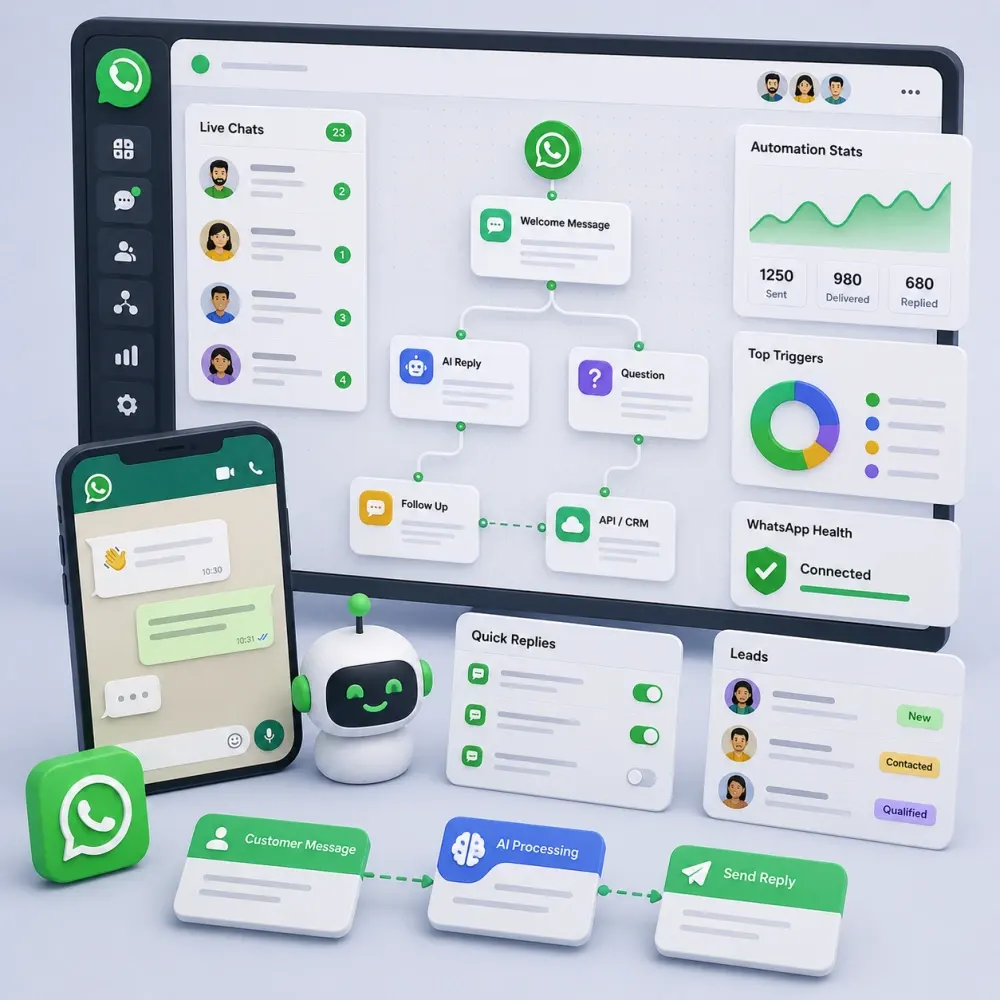
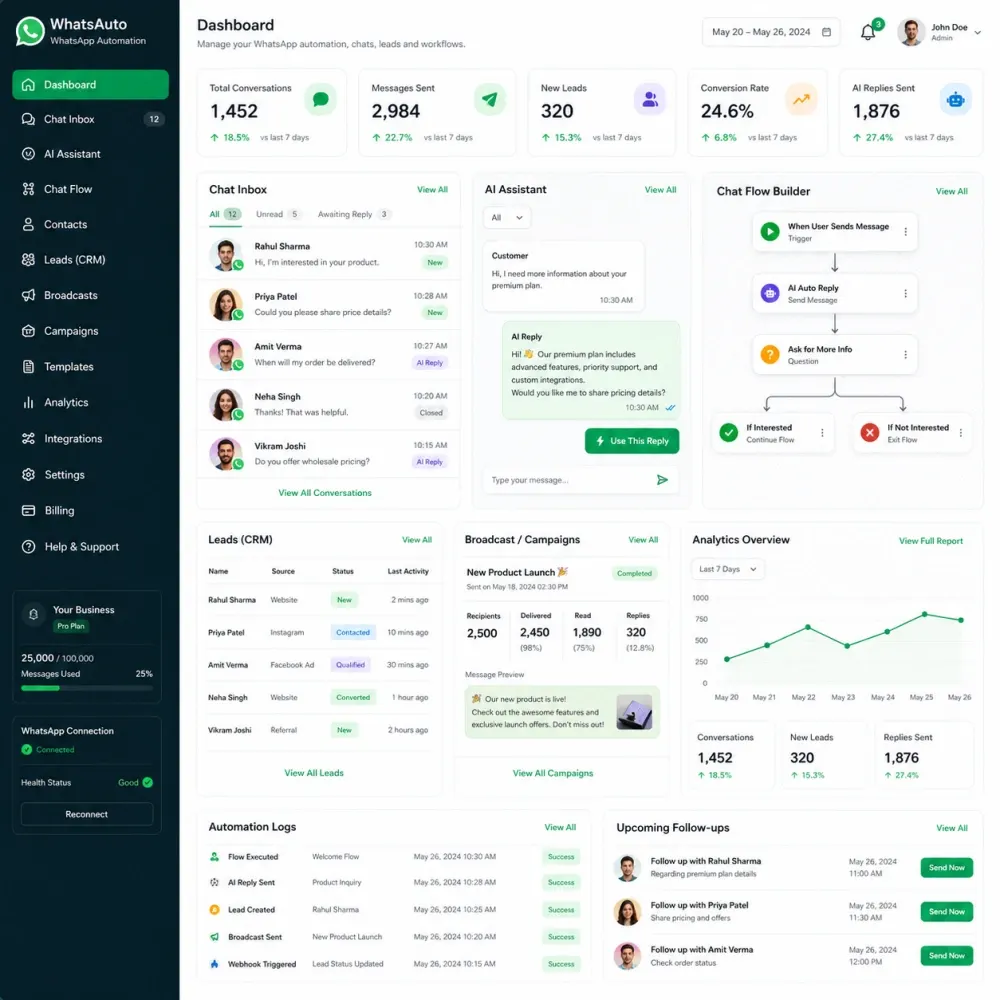
Auto replies, chatbots, order updates, broadcasts and CRM workflows built for real business operations.


























WhatsApp Business automation, planned around real conversations
Most businesses receive WhatsApp enquiries but lose time replying manually, collecting the same information and following up without a clear system. We plan automation flows that greet customers, ask the right questions, qualify leads, assign chats and push important details into your CRM or dashboard.
- Customer journey mapping for WhatsApp conversations
- Auto reply scripts for sales, support and booking enquiries
- Lead qualification flows with name, phone, service and budget capture
- CRM, Google Sheet, dashboard or webhook integration planning

Building the chatbot: flows, replies and handover points
We create practical automation systems that match how your team works. Whether you need a simple WhatsApp auto reply bot or a complete WhatsApp Business API setup with templates, CRM, follow-ups and internal notifications, the system is designed for clarity, speed and scalability.
- WhatsApp chatbot flow design and implementation
- Automated replies for FAQs, pricing, bookings and order updates
- Lead routing to sales agents, support teams or departments
- Testing, documentation and handoff for your team
A complete WhatsApp setup for sales, bookings and support
We build automation around your business goals, customer behaviour and team process, so WhatsApp becomes an organised sales and support channel instead of a manual inbox.
WhatsApp Chatbot Development
Custom chatbot flows for greetings, FAQs, pricing questions, service selection, appointment requests, order support and customer qualification.
Chatbot 02Auto Reply Workflows
Automated responses for business hours, missed messages, instant enquiry replies, catalogue guidance, service menus and next-step instructions.
Auto Reply 03Lead Capture System
Collect customer name, phone, email, service interest, location, budget and requirements directly from WhatsApp conversations.
Lead Capture 04CRM Integration
Send WhatsApp leads and chat data to CRM tools, Google Sheets, dashboards, email alerts, webhooks or custom admin panels.
CRM 05Sales Follow-Up Automation
Create follow-up reminders, quote follow-ups, abandoned enquiry recovery and automated nurturing flows for warm prospects.
Sales 06Support Automation
Route support issues, answer common questions, collect complaint details, create ticket-style workflows and notify your team instantly.
SupportWhy WhatsApp automation pays off when replies are fast and organised
Customers expect quick answers on WhatsApp. Automation helps your business respond instantly, collect clean data, reduce repetitive work and give sales or support teams the context they need before they take over.
Instant Response
Welcome messages, FAQs and service menus reduce waiting time and improve the customer experience.
Better Lead Quality
Structured questions collect the information your team needs before starting the sales conversation.
Less Manual Work
Automation handles repetitive replies, routing and reminders so your team can focus on serious buyers.
Organised CRM Data
Leads, chat details and customer requests can be stored in your preferred CRM, sheet or dashboard.
From conversation map to tested WhatsApp launch in five steps
Discovery
We understand your business, customer questions, sales process and current WhatsApp workflow.
Flow Planning
We map chatbot paths, auto replies, lead fields, routing logic and escalation points.
Automation Build
We implement the WhatsApp automation, CRM connection, webhooks or dashboard logic based on scope.
Testing
We test messages, forms, triggers, notifications and handover behaviour before launch.
Launch Handoff
You receive usage guidance, flow notes and support for future updates or improvements.
What you receive with WhatsApp Automation.
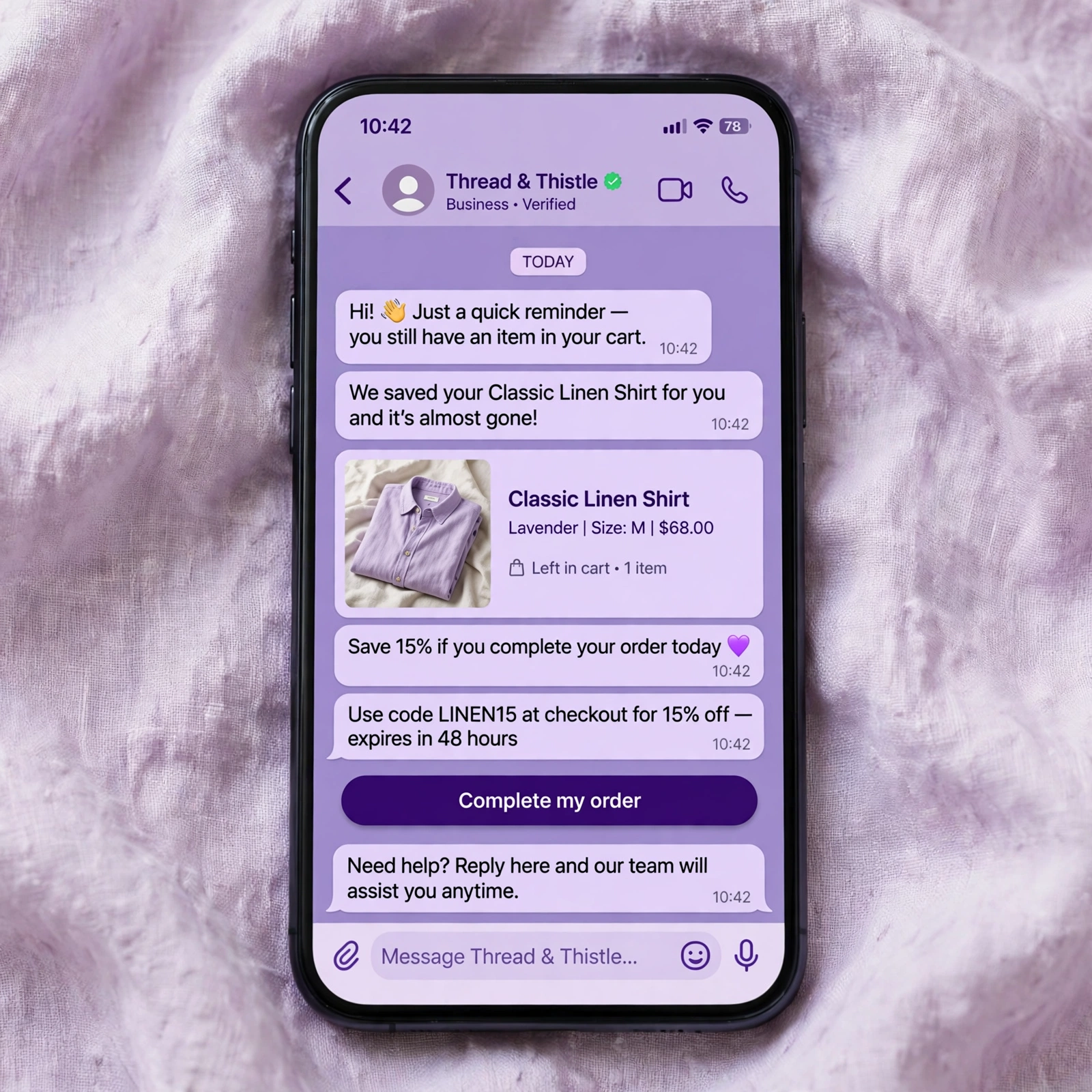
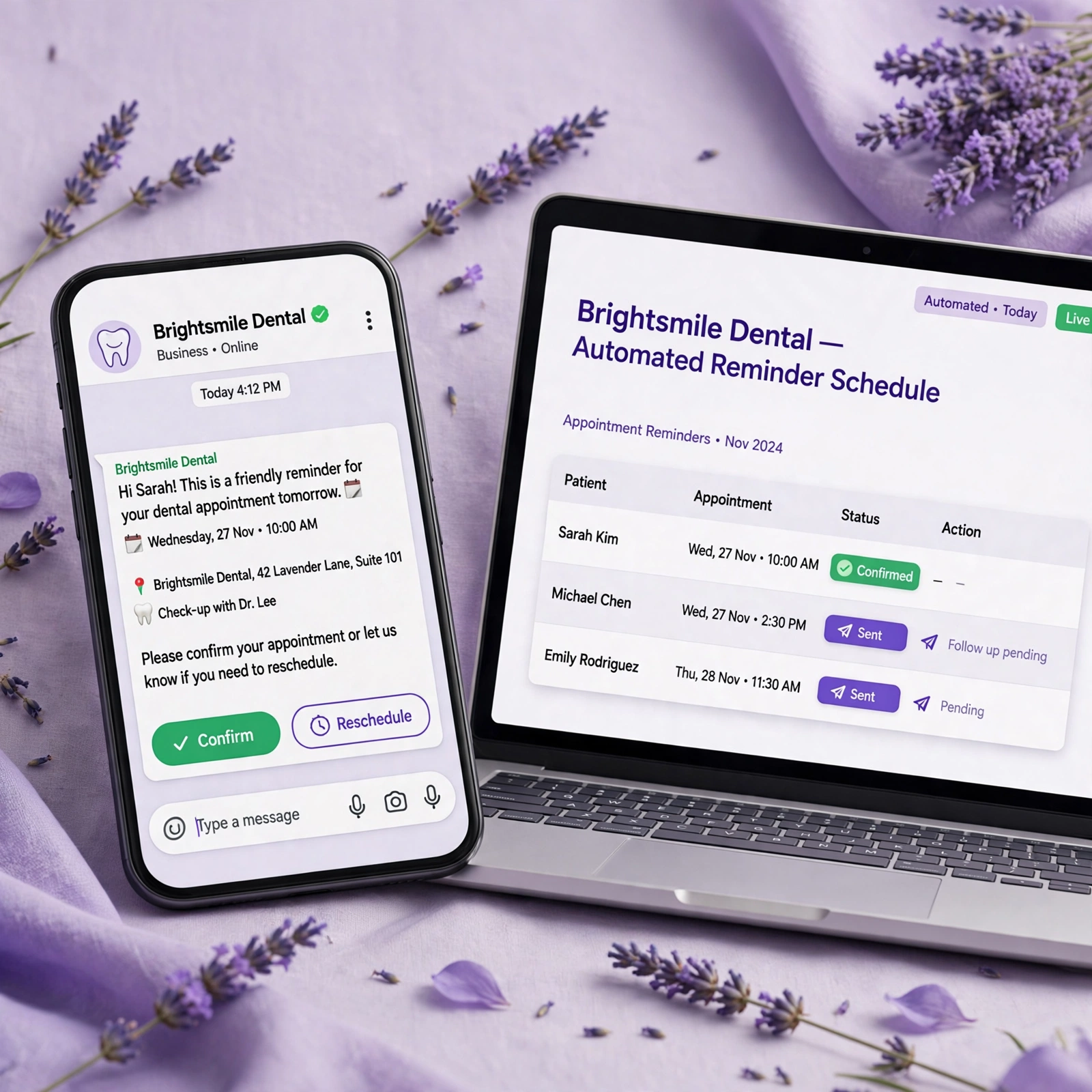
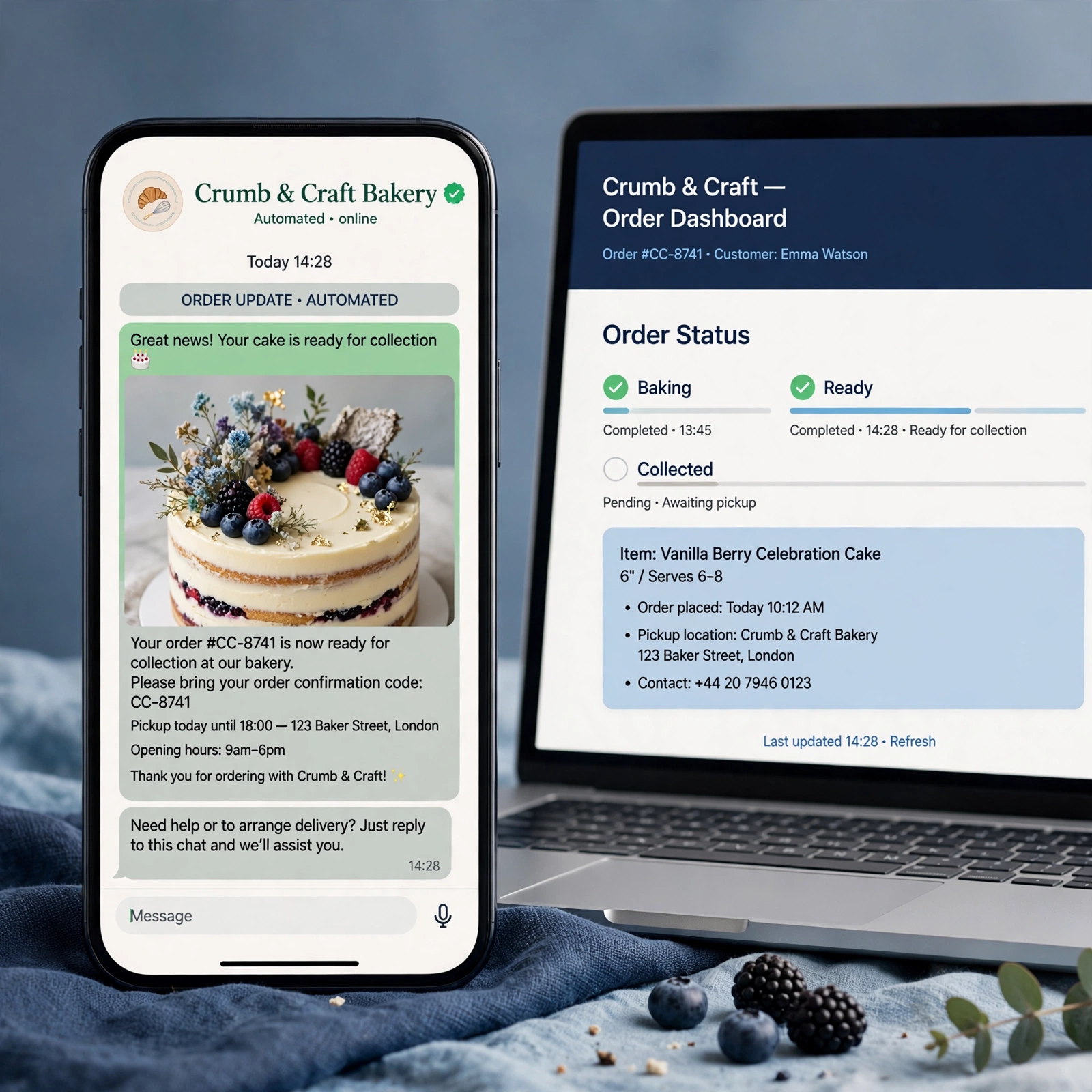
Sample WhatsApp flows for carts, appointments, orders and broadcasts
These are sample concepts showing the kind of WhatsApp automation we build — chatbots, reminders, order updates and broadcasts for fictional businesses, created to show what is possible for yours.


WhatsApp Automation FAQs.
Answers to common questions businesses ask before automating WhatsApp sales and support — including the Business API, templates, broadcasts and human handover.
It depends on the scale. The WhatsApp Business app suits simple auto replies and small volumes. For chatbots, message templates, multi-agent workflows, broadcasts and reliable CRM connections, WhatsApp Business API is usually recommended — usually set up through an approved provider, with your business number verified.
Templates are pre-approved message formats used to start a conversation outside the 24-hour customer-service window — for example order updates, appointment reminders and delivery notices. They must be approved before use, and they cannot be used for unsolicited marketing to people who have not opted in.
The chatbot follows handover rules agreed in advance: a customer asking for a person, a complaint, an unusual request, or a high-value enquiry triggers a transfer. The chat is assigned to the right team member with the full conversation and the details already collected, so the customer does not have to repeat anything.
Yes, but only to customers who have clearly opted in to receive messages from your business, and only with approved templates for marketing-style messages. We set up opt-in collection, clear unsubscribe options and sensible sending limits, so broadcasts reach people who want them without risking the number.
Yes. Once an order or booking is created in your system, the automation can send confirmation, preparation, dispatch and delivery updates — or appointment reminders with reschedule options — using approved templates. The customer can reply in the same chat if something changes, and the conversation routes to your team.
Ready to automate your WhatsApp sales and support?
Share your current WhatsApp process and DesignBub will plan a clear automation system — chatbots, templates, order updates and CRM connections — for faster replies, better leads and organised customer workflows.