">

UX Research

User interviews, usability testing and journey mapping that show how real people use your product before design decisions are made.

InterviewsReal users, real words
Usability TestsTasks, not opinions
FindingsWhat to change, and why
UX Research by DesignBub
UX research project preview
UX Research

Evidence before pixels — interviews, tests and maps that replace assumptions with what users actually do.

Selected Brands & Businesses We Have Designed For
Asset 38 brand logo Asset 4 brand logo Asset 45 brand logo Asset 46 brand logo Asset 47 brand logo Decent Solar logo Dentesthetix logo Gazal Lounge logo GH Landscape logo Asset 38 brand logo Asset 4 brand logo Asset 45 brand logo Asset 46 brand logo Asset 47 brand logo Decent Solar logo Dentesthetix logo Gazal Lounge logo GH Landscape logo
Ghazoor logo Goodluck Trader logo Kingsley logo Lahoris logo MOI logo Naqaa Salt logo Nature Hug logo Netsole logo Ghazoor logo Goodluck Trader logo Kingsley logo Lahoris logo MOI logo Naqaa Salt logo Nature Hug logo Netsole logo
Nexcell Energy logo Roots logo Sheikh logo Shellbee logo Softcore logo Solvac Lifesciences logo Trendex logo Zameenex logo Nexcell Energy logo Roots logo Sheikh logo Shellbee logo Softcore logo Solvac Lifesciences logo Trendex logo Zameenex logo
UX research project essentials

Who benefits most from UX Research

A UX research project is a promise to its users: it will be there, it will work, and it will keep their data safe. We take that promise seriously in UX Research, which is why the boring parts — backups, monitoring, updates — are set up from day one.

Your audience is product teams making decisions about real users, and they will judge the UX research project in the first minute. If the first task feels easy, participants stay engaged; if it confuses them, they drift away without saying why — which is exactly what research catches. So in research we test that first task before anyone polishes anything else.

A good UX research project respects the user's time. In a test session, screens should load quickly, forms should ask only for what is needed, and the next step should be obvious — we note every place that is not true. We look for steps to remove, because every extra click in a task is a chance to lose a user.

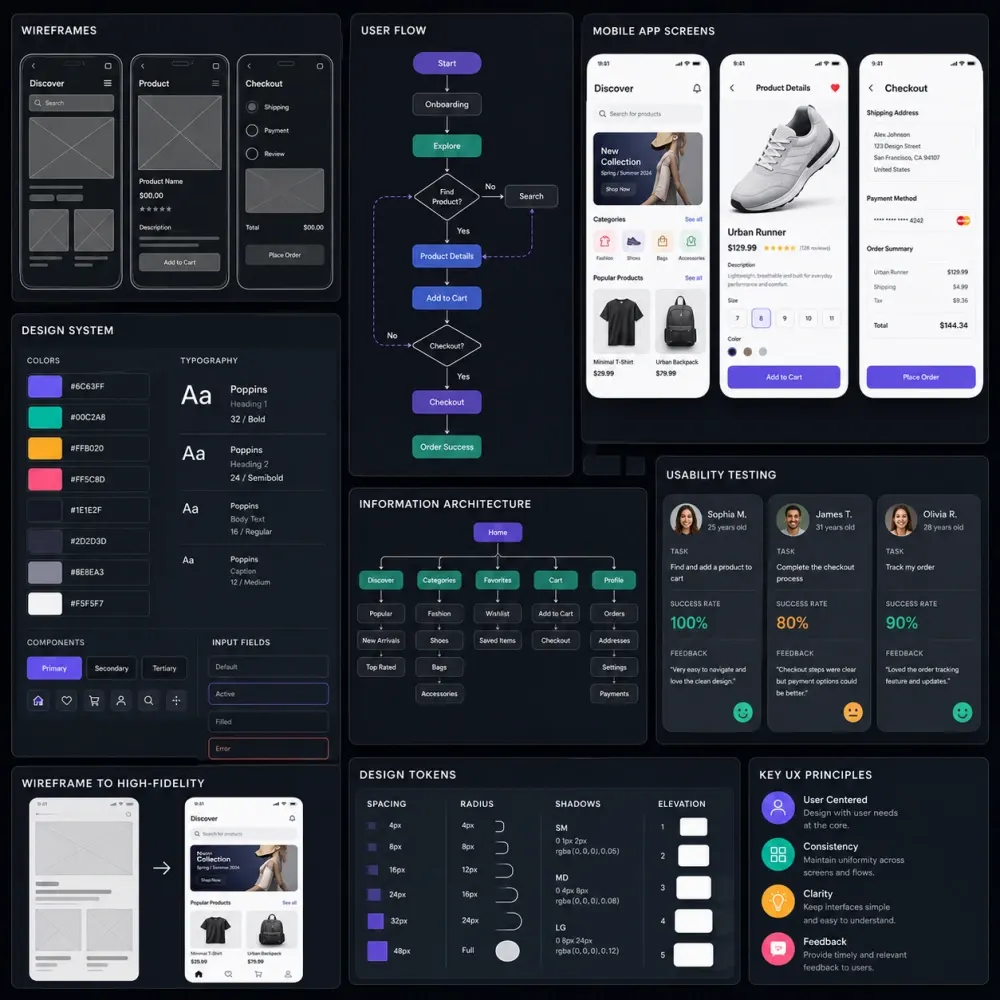
UX Research overview

The questions that shape UX Research

Journey Mapping and Personas are the tools we reach for most on UX Research projects, but the tool is never the point. What matters is whether the UX research project does the job your team needs it to do, every day, without fuss. We only settle the research tools once we understand the workflow being studied, never before.

Where UX Research saves the most time

Communication is part of UX Research, not a layer on top of it. You get one named researcher to talk to, a clear plan, and review sessions you can join and steer. Surprises are bad news in a research project; the only welcome one is finishing ahead of schedule.

How UX Research grows with you

If opinions winning over evidence is the risk you are worried about, say so early. We would rather design around a known risk than discover it in testing, and most risks in UX Research have a boring, proven answer once they are named.

UX Research for product teams making decisions about real users

a product that fits real behaviour is the outcome we design UX Research around. Everything else — the screens, the features, the integrations — exists only to serve the outcome the research is testing. If a feature does not serve it, the research will question it.

Inside UX Research

Making UX Research easy to run

The sign-off for UX Research is not a meeting; it is your team using the UX research project without us in the room. The work is done when your users can do their jobs with the product. Until that point, the work is not done.

A UX research project that works for product teams making decisions about real users has to work on a bad connection, on an old phone, in a hurry. We design research around those real, untidy moments, not around a perfect demo. Everyday life is the real test environment.

Why UX Research

The UX research project worth investing in

We ask awkward questions at the start of UX Research: who will maintain this, what happens when the data is wrong, what does the user do when this fails? An awkward finding now is far cheaper than a rebuild later.

DesignBub works with product teams making decisions about real users who need UX research that actually ship. We keep the research visible: regular reviews, early findings shared as they arrive, and honest answers about what is and is not ready. You should never have to chase us to find out where your research stands.

The UX research project difference

The UX research project that does not get in the way

Users forgive a UX research project that is plain, but they do not forgive one that is confusing. Clarity comes first in UX Research: clear labels, clear next steps, clear errors. Polish comes only after the findings are clear — never before.

We test UX Research with real tasks, not with a checklist of features. Can a brand-new user finish the core task on their own? Can your team answer the question every user asks first? Those are the tests that count most.

Where designing for an imagined user is handled

UX Research from the user's point of view

We test UX Research on the devices your users actually own. An old Android phone, a slow office laptop, a tablet in a warehouse — that is the real environment, and the UX research project has to work there.

We start UX Research by watching the current process, not by reading a brief about it. A brief says what people think happens; watching them work shows what actually happens. The gap between the two is usually where the real work of the project lives.

UX Research process

What we check before UX research project goes live

We build UX Research so that decisions backed by evidence is not a hope but a result you can check. The research goal is agreed at the start, checked as we go, and reviewed honestly at the end. That is how a research project turns into a product people can use.

We do not disappear after UX Research launches. The first month is when the real feedback arrives, and we plan for it: a review of the findings, a list of fixes, and the next release. Research is never finished either; it keeps informing the product.

UX Research, step by step

The parts of UX Research we handle

We build UX Research in short cycles so you see progress every week. You get working software with real screens and real data to test, not a slide deck about next month. If something is off, the research finds it in days, not at the end.

01

User Interviews

Structured conversations with real users that reveal needs, language and frustrations in their own words.

Interviews
02

Usability Testing

Moderated tests where users complete real tasks while we observe where they succeed and where they struggle.

Testing
03

Journey Mapping

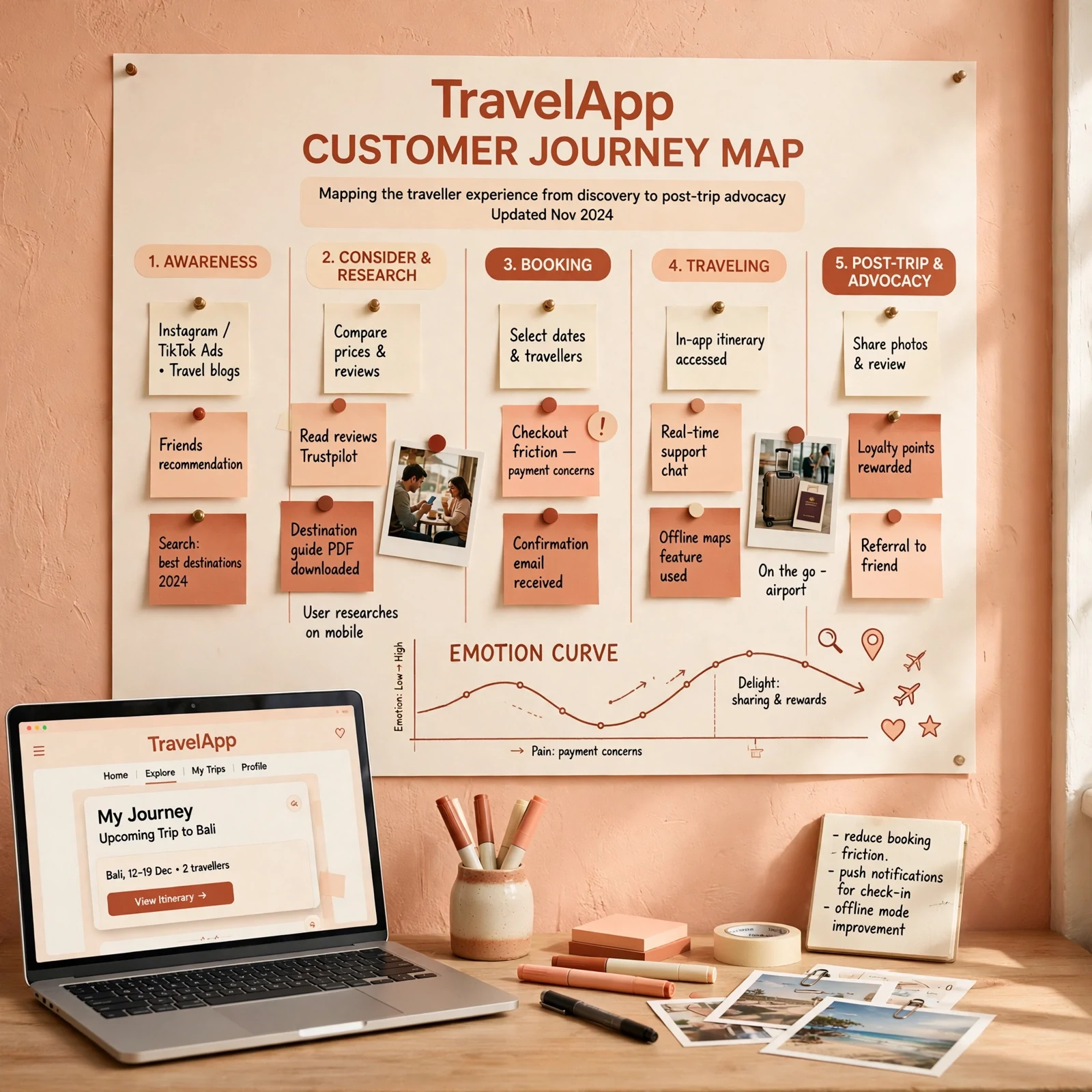
End-to-end maps of how users reach, use and leave your product — and where the journey breaks.

Journeys
04

Personas

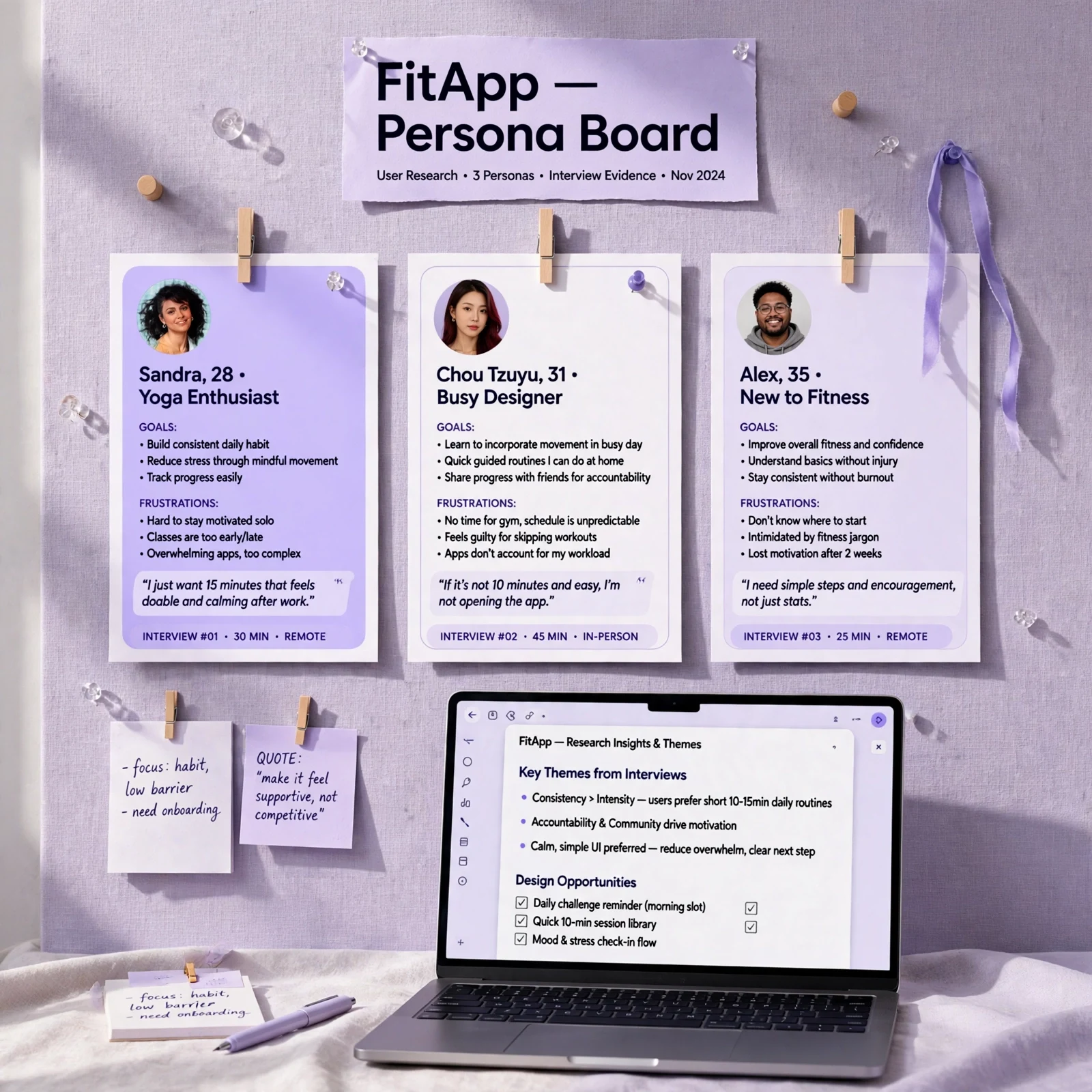
Evidence-based user profiles that keep design decisions anchored to real people, not imagined ones.

Personas
05

Surveys & Feedback

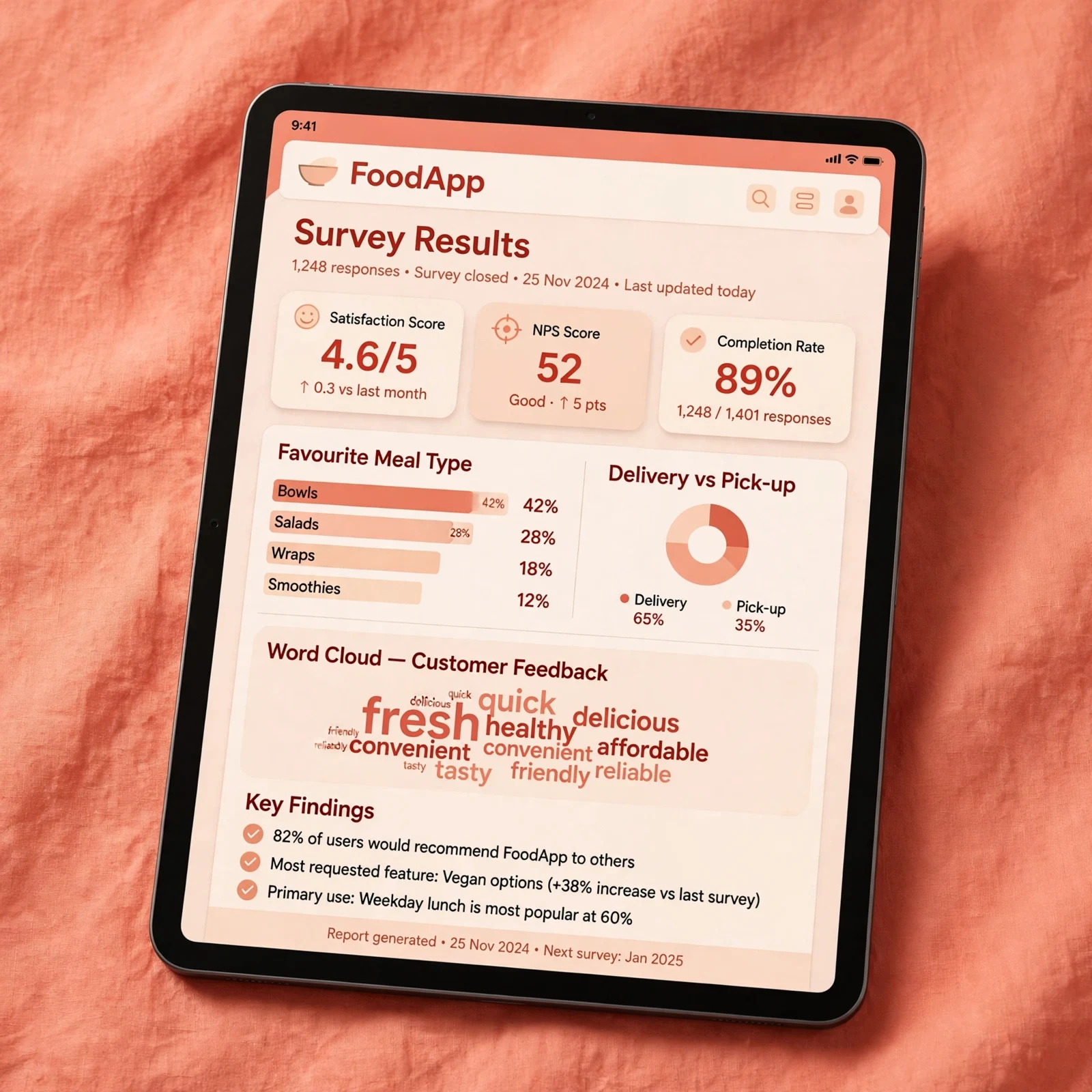
Well-written surveys that measure what matters, without leading questions or vanity metrics.

Surveys
06

Card Sorting

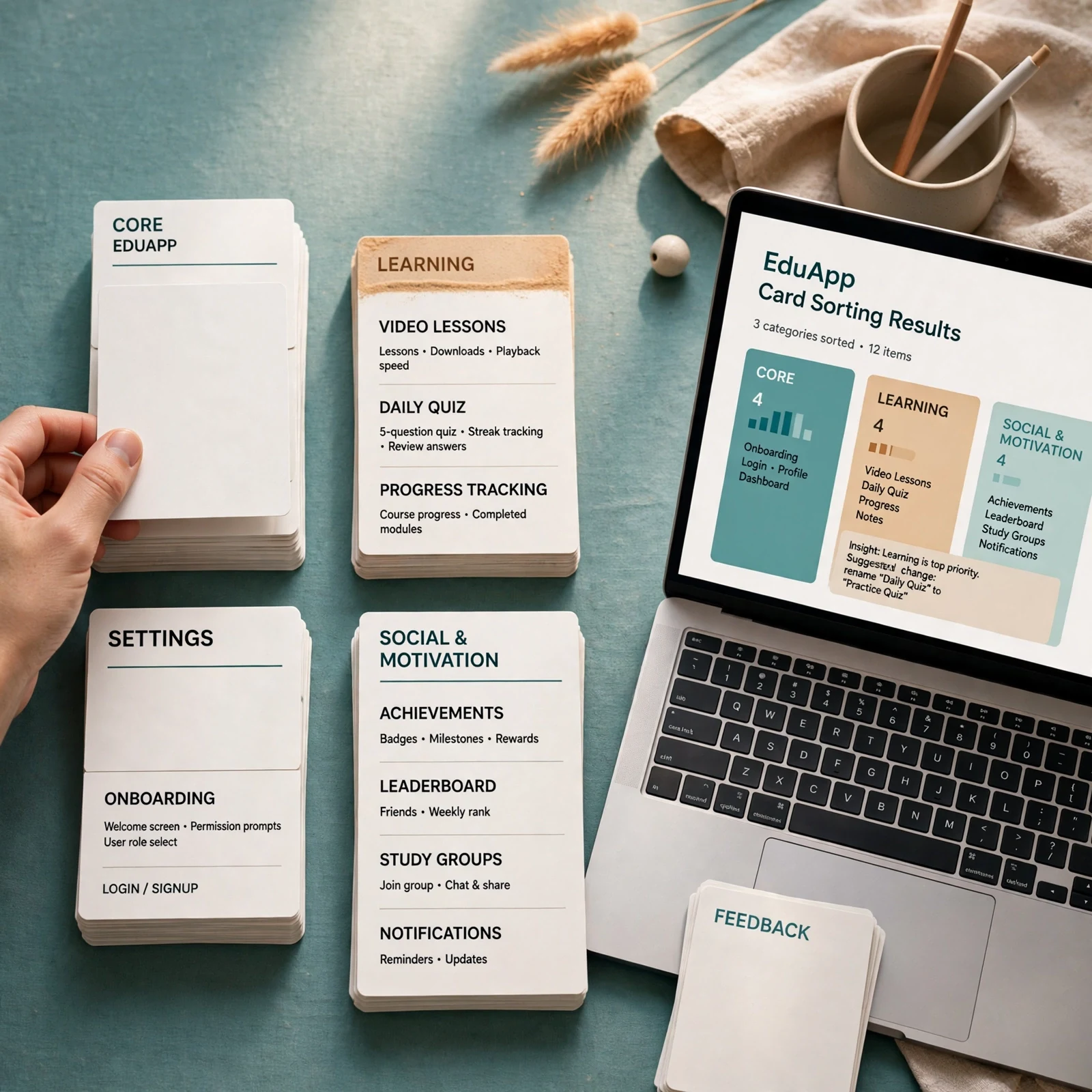
Exercises that show how users group and label information, so navigation matches their mental model.

Sorting
UX Research at a glance

UX Research that your team can run

We choose User Interviews for UX Research because it fits this UX research project, not because it is popular this year. Research tools are chosen on evidence: what the study needs, what your team can keep using, and what will still be supported in three years.

The UX research project we build for product teams making decisions about real users has to work for the least technical person who will use it. If the least confident participant can finish the task unaided, everyone can. That is the standard every test session is judged against, and it is stricter than it sounds.

UX Research for your team

Why teams choose UX Research from DesignBub

We document UX Research as we go, not at the end when everyone has forgotten the details. Every decision, trade-off and setup step is written down while it is fresh. Your future team will be glad that record exists.

The admin side of UX research project gets the same attention as the customer side. Your team needs to update content, manage users and see what is happening, without waiting on a developer. A UX research project you cannot operate is a UX research project you do not own.

UX Research in detail

Why UX Research is not a commodity

User Interviews keeps the data behind UX Research honest. Research is the least showy part of a project, yet it decides whether your reports are true and your users' details stay safe.

A UX research project built for product teams making decisions about real users should feel like it was made for them, not adapted from someone else's product. We shape the study around the actual jobs your users do, which is why the findings look nothing like a generic report.

The Usability Testing side of UX Research

Planning UX Research around real work

The first release of a UX research project is a question, not a statement. The research asks one question throughout: does this solve the problem well enough for people to keep using it? We build it so the answer is easy to read — in task success rate, in usage, in what users say — and then we act on it.

After launch, the UX research project is yours. We hand over the research findings, the session recordings and the written notes, and we walk your team through all three. You should never be locked in to us, or to anyone, for your own research.

How UX Research is built

UX Research that fits the way you work

task success rate is the number we watch most closely on UX Research projects, because it tells us whether the UX research project is actually being used. A beautiful product nobody opens is still a failure, however polished it looks.

A UX research project that is hard to change is a UX research project that will be replaced. We build UX Research so that new fields, new steps and new reports are small changes, not projects. Your business will change, and the research should keep informing the product as it does.

UX Research and a product that fits real behaviour

The UX research project your users will actually notice

The teams that get the most from UX Research are the ones that stay involved. We share early findings often, because feedback on something real beats a month of meetings about something imagined. Your reactions to the findings shape what happens next.

Every UX research project we ship is tested on the devices and browsers your users actually have, not on the newest hardware in our office. Real usage is untidy, and the product has to be ready for that untidiness.

The way we do UX Research

The details that decide whether UX Research succeeds

Surveys handles the front of the UX research project, Card Sorting the back, and User Interviews keeps the data honest. Each has a job, and each is chosen because it fits this particular UX research project, not because it is fashionable this year. For research we favour well-tested tools and methods over fashionable ones.

We do not hand over UX research project and disappear. The real questions arrive in the weeks after launch, and we stay available for them. Launch is the start of the product's life, not the end of our work with you.

The interface of UX research project should make the right action obvious and the wrong action hard. We think carefully about defaults, confirmations and destructive actions in UX Research, because a misclick should never be a disaster.

UX Research essentials

What UX Research includes — and what it leaves out

We keep the UX research project fast. Slow screens lose users, and no amount of design rescues a product that keeps people waiting. Performance is planned into UX Research from the first week, not bolted on at the end.

We measure the success of UX Research in task success rate. If that number improves, the UX research project is working. If it does not do its job, the research finds out why and we fix it. That, in truth, is the whole job.

What UX Research delivers

How UX Research stays useful over time

We keep the number of tools in UX Research small. Journey Mapping, Personas, Surveys — each chosen because it fits this UX research project, each one we can support properly. A study built on too many tools is a long list of things that can break.

A UX research project should load fast, work offline where it matters, and fail gracefully when it cannot. We design UX Research for the moments when things go wrong, because those moments are when users decide whether to come back.

Getting UX Research right

UX Research without the usual shortcuts

The users of UX research project are product teams making decisions about real users, and they have better things to do than learn your software. We design test tasks so the first one takes minutes, not a training session. If a participant needs a manual, we have made the task too complicated.

We would rather tell you that UX Research is not the right move than sell you something you do not need. If a simpler research method answers the question, we will say so. Clients come back to us because of that honesty.

The details of UX Research

The UX research project your business actually needs

The best compliment a UX research project can get is silence: users who simply get their work done and move on. We aim for research that disappears into the work, rather than demanding attention for itself.

We price UX Research on scope, and we agree the scope with you before work starts. If you want to change the scope midway, we talk about the cost first. Nobody enjoys a surprise invoice, least of all us.

UX Research with Surveys

The workflow behind UX Research

We plan UX Research around task success rate as much as around features. If the numbers do not move after a change, the feature did not work, and we say so. Honest measurement is what turns a project into a product that keeps improving.

UX Research projects fail most often on handover, not on code. So we build the handover into the plan: written findings, a walkthrough with your team, and a period where we are still there to answer questions. The UX research project should feel like yours on day one.

What UX Research really means

UX Research built around your customers

Support for UX Research does not end at launch. We offer ongoing help — fixes, small changes, the next release — because a UX research project that is never updated quietly becomes a risk.

The best UX Research projects have a small team and a clear decision-maker on your side. Decisions get made in hours, not weeks, and the UX research project moves forward. If slow decisions start holding the research back, we will say so plainly.

The UX research project approach

From first idea to working UX research project

When we talk about a product that fits real behaviour, we mean something specific and measurable. Vague promises help nobody plan, so before we start we agree what the research must prove, then check it honestly once the work is done.

We do not copy other UX research project products and change the colours. Your UX research project is designed around your workflow, your users and your business, which is why it looks and behaves differently from anything else out there.

Measuring time on task in UX Research

Our UX Research process, step by step

Security and privacy are designed into UX Research from the first week, not audited in the last. Access to participant data is limited to who needs it, sensitive details are handled with care, and the unglamorous safeguards — backups, logs, updates — are in place before launch, not after a scare.

01

Discovery

We review the product, the decisions research must inform, and what is already known.

02

Research Plan

Methods, participants and questions are chosen to fit the decision, not the fashion.

03

Recruitment

Participants are recruited and screened to match the real audience.

04

Interviews

Conversations are run with a clear guide, recorded and noted carefully.

05

Usability Tests

Users complete real tasks on prototypes or the live product while we observe.

06

Analysis

Sessions are reviewed for patterns, quotes and the issues that matter most.

07

Journey Maps

Findings are mapped onto the user journey so problems are seen in context.

08

Findings Report

A plain-language report lists what to change, in priority order, with evidence.

09

Recommendations

Each finding gets a concrete recommendation, not a vague observation.

10

Follow-Up

After changes are made, a short re-test confirms the fix actually worked.

UX Research in practice

Where UX Research goes wrong — and how we avoid it

Errors in UX research project should be helpful, not cryptic. We write error messages that explain what went wrong and what to do next, because a user who knows what to try next is a user who stays.

We measure UX Research by usability issues found and task success rate, not by how many screens we shipped. Numbers that improve mean the UX research project is doing its job; numbers that do not tell us what to fix next. Every round of research carries one question, and the answer decides the next step.

UI UX Design Pricing

Starting packages for different levels of product design.

These packages give you a clear starting point for the research and design work. Your final price depends on the number of screens or page templates, the complexity of the workflows, the responsive variants, the depth of research, what the prototype must show, and whether a larger design system is needed.

Focused interface

UI UX Starter

Starting from$660

For a focused website, landing page or small flow that needs clear structure and a polished interface, shaped by real user input.

  • Discovery and requirements review
  • Up to 5 key screens or page templates
  • Core user flow planning
  • Low-fidelity wireframes
  • High-fidelity UI design
  • Responsive direction for key layouts
  • Clickable prototype for main flow
  • Up to 3 revision rounds
  • Editable Figma source file
Choose UI UX Starter ↗
SaaS or mobile product

SaaS & App UI UX

Starting from$2,640

For a SaaS platform, dashboard or mobile product with deeper workflows, more states and fuller reusable interface needs.

  • UX planning for complex workflows
  • Up to 18 key screens
  • Role-aware flows where required
  • Wireframes and high-fidelity UI
  • Dashboard, web or mobile layouts
  • Loading, empty and error states for key flows
  • Interactive prototype
  • Starter design system
  • Up to 6 revision rounds
  • Developer handoff and design notes
Discuss SaaS / App UI UX ↗

Common standalone starting prices

ServiceStarting PriceTypical Scope
UX Audit$249A focused review of the interface, with usability recommendations listed in priority order.
Landing Page UI UX$299One responsive landing page, designed around a single conversion goal.
Website UI UX$599Up to five key templates for your website.
Mobile App UI UX$899Up to five key screens in your mobile app.
SaaS Dashboard UI UX$1,199Up to eight dashboard or web-app screens.
Design System Starter$599Core colours, type, spacing and the reusable components you use most.
Additional UI Screen$79A single extra screen in the design direction already agreed.

Pricing note: The prices shown are starting design fees, quoted in US dollars. Development, copywriting, paid research participants, testing incentives, licensed stock, premium fonts, third-party software and substantial new scope are billed separately unless your quotation includes them. “Screen” means a single unique interface screen or page template; simple state variations may be grouped where that makes sense.

UX Research for product teams making decisions about real users

The deliverables of UX Research

A UX research project is only as good as its data. Before a single screen is drawn we plan where the research data comes from, how it is checked, and what happens when it is wrong. Poor data in means poor decisions out — a real project risk, not a slogan.

Research Plan
Participant Recruitment
Interview Guides
Usability Test Sessions
Session Recordings
Journey Maps
Personas
Findings Report
Prioritized Recommendations
Re-Test Sessions
Research Plan
Participant Recruitment
Your UX research project, explained

The parts of UX Research people forget

We write documentation for UX Research that a new team member can actually follow. Setup, data, deployments, common tasks — all written down, because a UX research project that only one person understands is a risk to your business.

The first version of UX research project is deliberately small. It does the core job well, and it gives us something real to learn from. What happens next is decided by evidence from the research, not by a wish list.

One of the quiet risks in UX Research is designing for an imagined user. We design against misuse and data leaks from the start, because fixing them after launch costs far more than preventing them. Small decisions early — in structure, in access, in data — are what keep a UX research project reliable.

The practical side of UX Research

Questions before you start UX Research

Interviews, moderated usability tests, surveys, journey mapping, personas and card sorting — chosen per question, not per fashion. We use the lightest method that answers the question properly.

For usability testing, five users per round usually finds most problems; we run more rounds rather than more users per round. For interviews, eight to twelve conversations give a solid picture. We agree the number with you before we start.

Yes. We recruit from your customer base or from panels that match your audience, and we screen carefully so the sessions are with the right people — not whoever happens to be free.

A findings report in plain language: what users did, where they struggled, direct quotes, and a prioritized list of what to change and why. Plus recordings and raw notes, so nothing is hidden.

That is where it helps most. Testing an existing product shows exactly where users drop off and why — often a small change fixes what a redesign would have cost months to address.

Stop guessing what your users want.

Every product decision made on opinion is a bet. Research replaces the bet with evidence — usually for less than the cost of one wrong feature. Tell us the decision you are stuck on and we will design the smallest study that answers it.

WhatsApp DesignBubChat with us now