">

Custom CMS Development Services for Websites

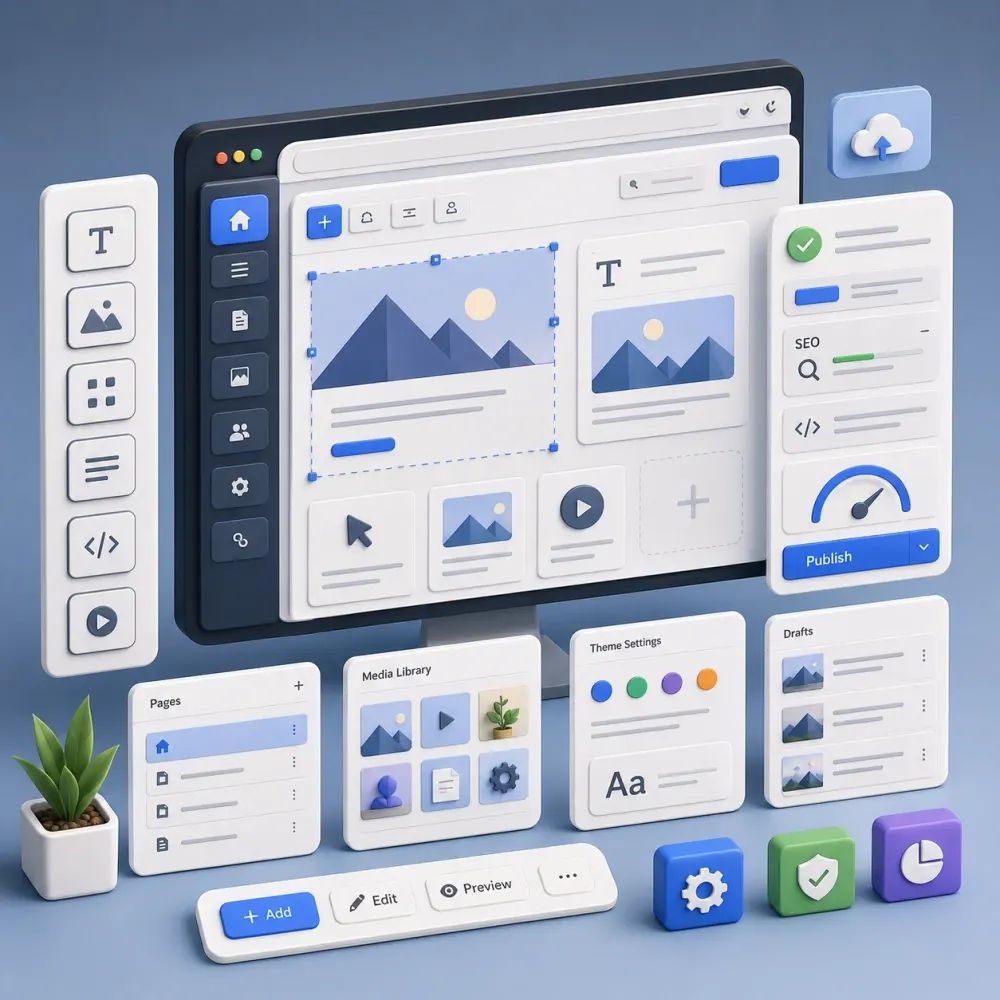
DesignBub provides CMS development services for businesses that need a structured, maintainable way to publish pages, products, resources and other content. We plan the content model, editing workflow, frontend templates, integrations and migration around the people who will actually manage the website after launch.

StructuredContent With Clear Fields
EditablePractical Admin Workflows
ConnectedAPIs & Integrations
Custom CMS development
CMS website development
Content first

CMS architecture shaped around what your team publishes, approves, reuses and needs to update later.

Selected Brands in Our Portfolio
Asset 38 brand logo Asset 4 brand logo Asset 45 brand logo Asset 46 brand logo Asset 47 brand logo Decent Solar logo Dentesthetix logo Gazal Lounge logo GH Landscape logo Asset 38 brand logo Asset 4 brand logo Asset 45 brand logo Asset 46 brand logo Asset 47 brand logo Decent Solar logo Dentesthetix logo Gazal Lounge logo GH Landscape logo
Ghazoor logo Goodluck Trader logo Kingsley logo Lahoris logo MOI logo Naqaa Salt logo Nature Hug logo Netsole logo Ghazoor logo Goodluck Trader logo Kingsley logo Lahoris logo MOI logo Naqaa Salt logo Nature Hug logo Netsole logo
Nexcell Energy logo Roots logo Sheikh logo Shellbee logo Softcore logo Solvac Lifesciences logo Trendex logo Zameenex logo Nexcell Energy logo Roots logo Sheikh logo Shellbee logo Softcore logo Solvac Lifesciences logo Trendex logo Zameenex logo
CMS Development Services

A content management system should remove routine friction, not create a new queue for developers.

Many websites become difficult to operate long before they look outdated. Marketing wants a new landing page but the layout can only be changed in code. A service appears in several places, so the same information is copied repeatedly. A content editor needs to update one date and ends up searching through a page builder full of unrelated blocks. Another team wants to launch a second language and discovers that the original structure never considered localization.

Good CMS development starts with those everyday publishing problems. The technology matters, but the editing experience matters too. We look at what content exists, who owns it, where it appears, how often it changes and which systems need to exchange data with the website. That gives the CMS a job to do instead of turning it into a generic admin panel.

DesignBub works on custom CMS development, CMS website development, headless CMS architecture, migrations, content modeling, reusable components, permissions, integrations, multilingual publishing and ongoing technical support. Some projects need an established platform configured carefully. Others need custom modules or a headless setup. The choice follows the publishing requirements rather than the latest development trend.

What CMS Development Covers

Plan the content system before filling it with pages.

A CMS is more useful when the information has a clear structure. A normal business website may contain services, projects, team members, articles and locations. A property platform may contain developments, units, agents and amenities. A software company may manage use cases, integrations, documentation and customer stories.

Those are not just pages with different titles. They are content types with their own fields, relationships and editing needs. CMS development can include content architecture, custom fields, taxonomies, reusable sections, templates, permissions, search, filtering, migration, APIs and technical SEO controls. We include only the parts the project actually needs.

Editing Experience

The admin side deserves design decisions too.

Visitors never see the CMS dashboard, but the quality of that dashboard affects every update they eventually see. Editors should know where information belongs, which fields are required and what a change will affect. A good interface reduces guesswork without giving every user unrestricted control over the presentation layer.

We prefer clear field labels, predictable content relationships and reusable patterns over a large collection of ambiguous options. A marketing team should be able to publish normal content without learning the technical history of the website first.

Custom CMS Development

Custom does not have to mean rebuilding everything from zero.

Custom CMS development can mean a tailored implementation on top of an established platform, custom content types, dedicated admin tools, platform extensions or a more specialized application for managing proprietary information. Building an entire content platform from scratch is only sensible when the requirements justify owning that extra software.

We first look for reliable platform capabilities that already solve the requirement. Custom code is most valuable when the workflow is genuinely specific, when existing extensions create more complexity than they remove, or when the organization needs tighter control over data and editorial behavior. That approach keeps the CMS easier to maintain while still giving the business the functions it actually needs.

CMS Website Development

The frontend and the editing model should agree with each other.

CMS website development connects the information stored behind the scenes to the public layouts customers use. If a case study has an industry, service, result and related team member, the frontend should be able to use those relationships automatically. Editors should not have to recreate the same associations manually on every page.

Reusable templates can support service pages, resource libraries, teams, product collections, directories and campaign pages while keeping the visual language consistent. The objective is controlled flexibility: enough freedom for normal publishing, with enough structure to prevent each new page from becoming a one-off design.

Content Modeling

Structure information so it can be reused instead of copied.

Content modeling defines what types of information exist and which fields belong to each type. A team-member entry, for example, can contain a name, role, department, biography, photograph and related services. The same person can then appear on a profile page, department page and service page without three separate versions of the biography.

This matters even more when a website grows. Products, locations, courses, events, projects and resources often need relationships that are difficult to maintain when everything lives inside generic text blocks. Structured content gives the system more context and gives editors more predictable forms.

We also avoid over-modeling. Every extra field creates another editorial decision. The content model should support reuse and consistency without turning a simple page update into a complicated data-entry exercise.

Reusable Page Components

Give editors useful choices without giving every page a different visual language.

Many marketing websites benefit from approved sections for testimonials, logos, comparisons, statistics, FAQs, images, calls to action and other recurring content. Editors can combine these blocks while typography, spacing and responsive behavior remain controlled by the design system.

A smaller set of well-planned components is usually easier to use than a library full of near-duplicates. We build around the patterns the website actually repeats, so the CMS stays flexible without feeling like an unrestricted page builder.

Headless CMS Development

Separate content from the frontend when there is a real reason to do it.

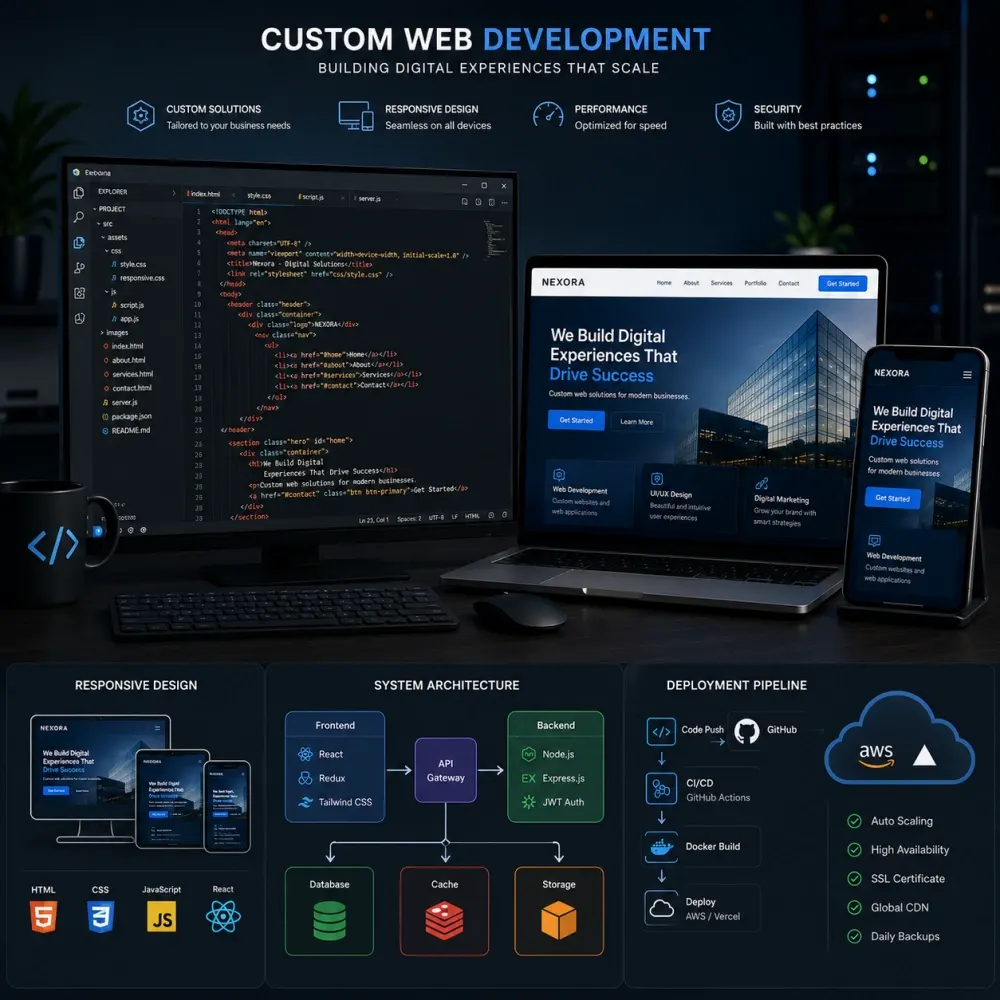
A headless CMS manages structured content and delivers it through APIs to another frontend. This can be useful when the same information needs to appear on a website, mobile app, product interface or another channel, or when the public experience requires a frontend stack that should evolve independently from the CMS.

Headless CMS development also adds responsibility. Preview, deployments, caching, API behavior, authentication and frontend hosting become separate parts of the architecture. We recommend this model when those tradeoffs create a meaningful advantage, not simply because β€œheadless” sounds more modern.

Traditional vs Headless CMS

The simpler architecture is often the better architecture.

A traditional CMS can be a strong choice when the website is the primary publishing channel and editors want an integrated preview and management experience. A headless setup can make more sense for multichannel publishing, application frontends or organizations with dedicated frontend teams.

There are hybrid options as well. The decision is based on content reuse, editorial workflow, frontend requirements, infrastructure and long-term ownership. We do not treat one architecture as the default answer for every business.

CMS API Integration

Connect content to the systems that already own important business data.

Modern websites frequently need to exchange information with CRMs, ecommerce platforms, product databases, marketing tools, search services or internal applications. CMS API integration can move selected information between those systems when suitable access exists.

Before an integration is built, we define the source of truth. If pricing belongs in an ERP, the CMS should not become a second place where someone can enter a conflicting value. If customer records belong in a CRM, the CMS may only need to send form data there. We also define sync direction, update timing, authentication and what should happen when an external service returns an error.

Third-party APIs can change, impose rate limits or require separate fees. Those dependencies are treated as part of the technical scope instead of being hidden behind the word β€œintegration.”

CMS Migration Services

Move the content model, not just the visible words.

A CMS migration may involve pages, media, authors, categories, metadata, redirects, internal links and structured records. The old system and the new system rarely describe content in exactly the same way, so migration begins with mapping.

We review what should move, what can be consolidated and which URLs need redirect planning. Large migrations can use scripts or import tools where the source data allows it, while unusual records may still need manual review. Source-system access and export quality affect the work, so migration scope is confirmed after the available data is inspected.

The objective is a cleaner destination, not a perfect copy of every structural problem that existed in the old CMS.
Multilingual CMS Development

Translation is only one part of a multilingual publishing workflow.

Multilingual websites may need localized navigation, metadata, forms, URLs, reusable sections and market-specific content. Some fields should be shared across languages; others need independent local versions. A CMS can also help editors see which translations are missing or need review after the source content changes.

Multilingual CMS development can include language relationships, locale-aware content models, translation workflows and frontend language switching. The CMS provides the framework, while linguistic accuracy still depends on appropriate translation and review.

Roles, Permissions & Editorial Workflow

Give people the access they need without making everyone an administrator.

A writer may need to create drafts. An editor may approve them. A marketing manager may publish campaign content. Technical settings may belong with an administrator. Role-based permissions can separate those responsibilities and reduce accidental changes.

Larger organizations may need scheduled publishing, approval stages or content status rules. Smaller teams often need much less. We shape the workflow around the people and risk involved instead of adding enterprise-style bureaucracy to a simple website.

CMS SEO Foundations

Make important search controls available without making editors touch code.

A CMS influences URLs, titles, canonical tags, sitemaps, archives and structured content. CMS development can include sensible URL behavior, metadata fields, redirect tools, sitemap support, image metadata, heading controls and structured data where appropriate.

Content types and taxonomies also affect indexation. Automatically creating empty archives or thin tag pages can create unnecessary URLs. We consider what editors need for organization and what search engines need to crawl. Technical setup can support SEO, but it does not guarantee rankings, traffic or revenue.

Performance & Reliability

Find the bottleneck before prescribing the fix.

CMS performance can be affected by templates, database queries, images, plugins, scripts, API requests, caching and hosting. Headless systems add frontend rendering and build behavior to that list. We diagnose the actual issue before deciding what needs optimization.

Performance work may include asset optimization, image handling, caching, query review, extension cleanup or frontend changes. Third-party scripts and infrastructure can influence results, so we do not promise a permanent perfect performance score.

Ecommerce, Portals & Content-Rich Platforms

CMS architecture becomes more important when content is only one part of the experience.

Ecommerce sites may combine product information, buying guides, collections, editorial content and campaign pages. Membership or customer portals may mix public content with authenticated information. Resource platforms may need search, filters and several related content types.

In these projects, the CMS should manage the information it is best suited to own while transactional or account data stays in the appropriate system. We can plan the boundary between the CMS, ecommerce platform, CRM or application so editors have a clear workflow without duplicating business-critical data unnecessarily.

CMS Maintenance Services

The content system changes because the business changes.

After launch, teams request new fields, APIs change, extensions receive updates and new content types appear. CMS maintenance services can cover bug fixes, compatibility checks, minor workflow changes, integration updates, performance work and selected enhancements according to an agreed support scope.

Managed SaaS CMS platforms may reduce infrastructure maintenance, while self-hosted systems usually create more responsibility for updates, backups and server configuration. Ongoing support is defined clearly so routine maintenance is not confused with unlimited feature development.

CMS Platform Selection

Choose the platform after the publishing requirements are visible.

Platform selection is part of CMS development services because the software affects the work editors will do for years. A business may be well served by WordPress, Drupal, Craft CMS, a hosted headless platform or another established system. Another project may need a more custom application because its content is tied closely to internal business logic.

We compare the options against the actual content model, editor experience, integrations, hosting preferences, multilingual needs, security responsibilities and available technical support. License cost matters, but it is only one part of ownership. A low-cost platform can become expensive if every routine change needs custom development, while a more structured platform may save time for a large publishing team.

The goal is not to sell a preferred CMS to every client. It is to select a foundation that the organization can realistically operate, maintain and extend.

Content Governance & Enterprise CMS Development

Large content teams need rules that remain understandable when more people start publishing.

Enterprise CMS development often involves more than additional templates. Several departments may own different sections, legal or brand teams may review selected content, and regional editors may need access only to particular markets. Governance defines those responsibilities before they become inconsistent permissions and informal workarounds.

We can plan ownership, approval stages, publishing rights, shared components and reusable content so the system reflects how the organization works. Where audit history, single sign-on, advanced access control or other enterprise requirements are important, the exact platform capability and infrastructure need to be confirmed during discovery rather than assumed.

These CMS development services are useful when the publishing challenge is organizational as well as technical: the CMS has to support many contributors without turning normal content work into a chain of manual handoffs.

CMS Development Process

Start with the content and finish with a system the team can operate.

Our CMS development process is designed to reduce surprises later by resolving content structure, editing rules and technical dependencies before the build becomes difficult to change.

01

Content Discovery

We identify the information the website manages, who owns it, where it appears and which updates happen most often.

02

Content Model

Content types, fields, relationships, categories and reusable modules are mapped around real publishing needs.

03

Architecture

We choose the CMS approach, frontend structure, permissions, integrations and migration plan that fit the requirements.

04

Development

Templates, components, admin controls, APIs and custom functionality are implemented against representative content.

05

Editor Testing

We test both the public website and routine admin tasks so normal updates do not depend on technical workarounds.

06

Launch & Handoff

Production settings, redirects and integrations are reviewed, followed by the agreed documentation and editor handoff.

CMS Development Pricing

Starting packages for clearly defined CMS projects.

Pricing depends on content types, templates, migration volume, integrations, editor roles and frontend requirements. These packages provide a practical starting point; unusually complex workflows, enterprise migration or custom application features are quoted after discovery.

Focused business website

CMS Website Foundation

starting at$799

For a compact business website that needs a structured editor experience and reusable content sections without a complex custom application.

  • Up to 6 core page templates
  • Core content model and fields
  • Reusable content sections
  • Blog or resource content type
  • Basic roles and editor setup
  • Technical SEO foundations
  • Responsive frontend integration
  • Admin handoff notes
Ask About $799 Package β†’
API-first / multi-channel

Headless & Advanced CMS

starting at$3,499

For headless, multilingual or content-rich builds that need API delivery, custom frontend integration and more involved publishing architecture.

  • Headless or advanced CMS architecture
  • Structured multi-type content model
  • Custom frontend CMS integration
  • API and webhook planning
  • Preview/publishing workflow setup
  • Advanced permissions
  • Migration planning and validation
  • Technical documentation
Ask About $3,499 Package β†’

Standalone CMS work

CMS Migration$499+
Content Model & Architecture$299+
API / CRM Integration$399+
Custom Module or Plugin$599+
Multilingual CMS Setup$499+
CMS Performance Review$299+
Editor Workflow / Permissions$249+
CMS Maintenance$199+/mo

Not included unless quoted: domain and hosting, paid CMS plans, premium plugins or extensions, third-party licenses, translation, copywriting, large manual data cleanup, paid search services, enterprise infrastructure, custom mobile apps and external API usage fees. Third-party services remain subject to their own pricing and terms.

Possible Deliverables

The scope is built around the publishing system, not a generic checklist.

CMS Architecture
Content Model
Custom Content Types
Reusable Components
Frontend Templates
Headless API Setup
Roles & Permissions
Editorial Workflow
CMS Migration
CRM / API Integration
Multilingual Setup
SEO Controls
Search & Filtering
Performance Review
Documentation
Editor Handoff
Why DesignBub

Design the public website and the publishing system as one connected product.

A CMS project can fail even when the frontend looks polished. If editors cannot understand the fields, content gets entered inconsistently. If the content model is disconnected from the design, reusable information still ends up copied into one-off pages. If the architecture is chosen without considering the team, the business can inherit a platform that is technically capable but awkward to operate.

DesignBub approaches CMS development services from both sides. We consider how information should appear to visitors and how the team should manage that information behind the scenes. We use existing platform capability when it solves the problem well and custom development where it adds a clear operational benefit.

We also avoid unsupported guarantees. No CMS is automatically secure, infinitely scalable or search-engine friendly simply because a particular platform was selected. Security, performance, SEO and maintainability depend on configuration, code, infrastructure, content and ongoing operations. The project is scoped around the level of control and review the business actually needs.

CMS Development FAQs

Questions businesses ask before rebuilding or replacing a CMS.

The answers below cover custom CMS work, headless architecture, migrations, integrations, maintenance and the pricing assumptions used on this page.

CMS development services cover the planning, implementation and customization of systems used to create, organize and publish digital content. Scope can include content modeling, templates, fields, integrations, permissions, migration, technical SEO controls and maintenance.

Custom CMS development tailors the content structure or editorial workflow to the project. It can involve custom content types, modules, admin tools, permissions and integrations without necessarily building an entire CMS platform from scratch.

Yes. Headless CMS development can be used when content needs to be delivered through APIs to a custom frontend or several digital channels. We recommend it when the architecture provides a practical benefit over a simpler traditional CMS.

Not automatically. Traditional CMS architecture can be simpler for a website-focused publishing team, while headless can be useful for multichannel content and custom application frontends. The decision depends on workflow, infrastructure and long-term ownership.

Yes. Existing UI designs can be developed into CMS templates and reusable components, with the content model planned around the information those layouts need to manage.

Yes. CMS migration services can include pages, media, structured fields, metadata and redirect planning. The exact migration method depends on source-system access, export quality and how closely the old and new content models match.

Often, yes. If both systems provide suitable access, we can plan API or webhook integrations. We first define which system owns each type of information and what should happen when a synchronization fails.

Yes, when custom functionality is justified and the selected CMS supports a suitable extension model. We first check whether reliable platform features or maintained extensions already solve the requirement.

Yes. Roles, permissions and editorial approval stages can be configured according to the CMS and the way the publishing team works. Smaller teams may need only simple access levels, while larger organizations may need more structured review.

A well-planned CMS can support SEO with sensible URLs, metadata controls, canonicals, redirects, sitemaps and structured content. These technical foundations support SEO work but do not guarantee rankings or traffic.

Yes. If the underlying platform is still suitable, restructuring fields, templates, permissions, components or integrations may be more sensible than migrating the whole website.

DesignBub's current starting packages are $799 for CMS Website Foundation, $1,699 for Custom CMS Build and $3,499 for Headless & Advanced CMS. Final cost depends on templates, content types, migration, integrations, multilingual requirements and custom functionality.

Unless included in a custom quote, hosting, domains, paid CMS plans, premium extensions, third-party software, translation, large manual content cleanup, copywriting and external API usage fees are separate.

That is a core part of CMS planning. Routine content is structured so authorized editors can update it without changing code, while technical and design-sensitive controls can remain restricted.

Yes. Maintenance can cover selected updates, bug fixes, integration changes, compatibility review, performance work and minor CMS improvements under an agreed monthly or project scope.

No. Security and reliability depend on code, hosting, credentials, dependencies, configuration and ongoing maintenance. We can implement appropriate safeguards and maintenance practices, but no CMS should be described as impossible to compromise or fail.

Give your content a clear home before the website grows around workarounds.

Show us what your team publishes today, which systems are involved and where the editing process becomes difficult. We can map the CMS around that real workflow.