Workflow Design
n8n workflow automation should mirror the process people actually follow.
The most useful automation usually begins with a process that already exists. We document what starts it, which information is required, who owns each decision and what the finished result should look like. That makes the workflow easier to reason about before any nodes are added.
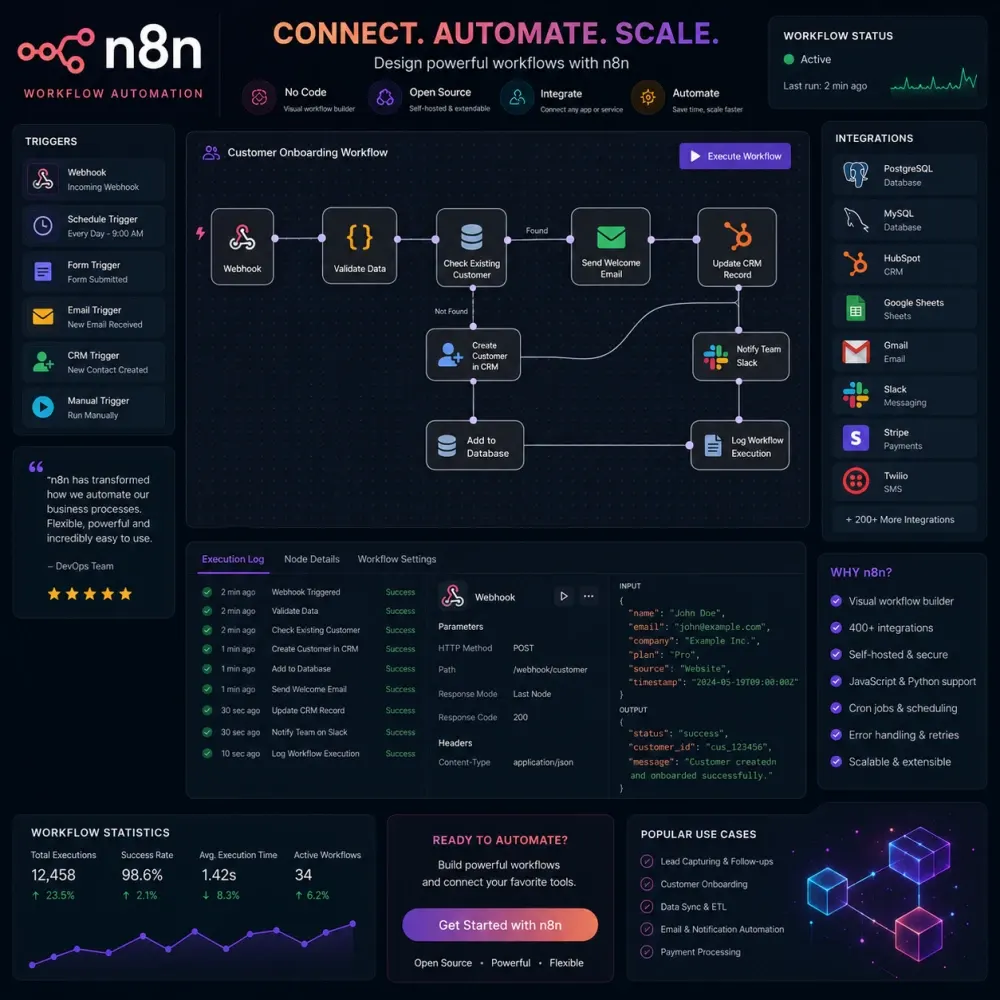
A simple flow might receive a form submission, normalize the contact fields, check whether the email already exists, create or update a CRM record, assign the enquiry and send an internal notification. A more advanced workflow can branch by service type, wait for an approval, call several APIs, retry a temporary failure and write a record to a database for later reporting.
We avoid hiding unrelated steps inside one enormous automation when smaller connected workflows would be easier to maintain. We also name important nodes and keep transformations explicit. A workflow should not require the original builder to remember what an unlabeled expression was supposed to do six months later.
Business Process Automation
Automation can coordinate a process without removing every human decision.
Business processes contain exceptions. A new customer may need an extra approval. A high-value enquiry may need to go to a senior salesperson. An invoice may be readable by a parser but still deserve review before the values enter an accounting workflow. Good business process automation recognizes those differences.
We separate predictable actions from judgment. Predictable steps can include creating records, moving data, sending reminders, preparing folders, changing statuses or notifying a team. Decisions with financial, legal, customer or operational consequences can remain behind a human approval step.
This approach is especially useful for onboarding, internal requests, sales operations, support routing, document handling and recurring administrative work. The aim is not to make a process completely invisible. It is to remove the repetitive parts while keeping responsibility clear.
Integrations
n8n integration services for systems that were never designed to work together.
Many businesses already have the right tools. The problem is the gap between them. The same pattern appears in ecommerce automation, sales operations and internal delivery workflows. A form captures the lead, a CRM stores the account, a spreadsheet holds operational data, a project tool manages delivery and an email platform handles follow-up. Staff become the integration layer by moving information between all of them.
We can connect suitable systems using n8n's native integrations, webhooks, databases or HTTP requests to documented APIs. Before connecting anything, we define the fields that actually need to move and which application owns each value. Copying every available field between two platforms often creates more maintenance than value.
Two-way synchronization needs extra care. If the same phone number can be edited in both systems, the automation needs a source-of-truth rule or a conflict strategy. We plan those relationships before development so the integration does not create a loop of competing updates.
Custom APIs
n8n API integration begins with the external platform's rules.
An API can make a custom system automatable even when there is no ready-made n8n node. The workflow may retrieve records, create an object, update a status, send a file, search a database or trigger an operation in another service.
The technical details matter. Authentication can use API keys, OAuth, signed requests or short-lived tokens. Responses may be paginated. Rate limits can restrict how often requests are sent. A successful request can still return incomplete data. Some APIs support reading but not the write operation the business expects.
We review the available documentation and build around what the platform actually exposes. API access, third-party account configuration and external service limitations remain dependencies of the automation. If a provider changes its endpoint or permission model later, the connected workflow may need to be updated.
Real-Time Events
Webhook automation can react when an event happens instead of constantly checking.
Webhooks are useful when an application can send data as soon as something changes. A form submission, payment event, CRM update, ecommerce order or support action can trigger an n8n workflow without waiting for a scheduled check.
A webhook endpoint should still be treated as an entry point into a real system. Incoming data may need validation. The sender may provide a signature or secret that should be checked. Sensitive workflows should not trust an arbitrary public request simply because the payload has the expected fields.
Duplicate events also need attention. Some platforms retry webhooks when they do not receive an acknowledgement quickly enough. If the same payment or order is processed twice, the workflow can create duplicate records or actions. Where this matters, we design idempotency checks or another method of identifying an event that has already been handled.
CRM & Sales
Lead automation is useful when a real enquiry reaches the right person with context.
An n8n CRM automation can collect leads from forms, chat systems or other sources, clean the information, check for existing contacts, create or update records and route the enquiry based on defined rules.
A simple routing rule may look at service interest, region, account type or budget range. The assigned salesperson can receive a notification with the useful details while the CRM stores the source, original message and relevant campaign information. Follow-up tasks can be created without relying on somebody remembering to do it later.
Lead qualification can also include AI-assisted interpretation when the input is unstructured, but the workflow should still have boundaries. A language model can help summarize a long message or classify a request; it should not be assumed to understand every business nuance correctly. Important sales decisions can be reviewed by a person before the automation takes a consequential action.
Email & Messaging
Email and WhatsApp automation need routing rules, not just automatic replies.
Inbox workflows can classify messages, extract attachments, create tickets, prepare tasks, update customer records or draft responses. The most useful design depends on what the team does with the message after it arrives.
A shared inbox might receive sales enquiries, billing questions and support requests. The workflow can identify the category, attach customer context and route the message to the correct queue. If AI is used to prepare a reply, the draft can wait for approval rather than being sent automatically.
WhatsApp automation with n8n is possible when the selected provider or official API supports the required actions. Account approval, templates, messaging policies, conversation charges and provider limitations are separate from workflow development. We scope the automation against the actual API instead of assuming that anything possible in the consumer app can be automated.
AI Workflows
n8n AI automation works best when models handle ambiguity and normal logic handles rules.
Language models are useful when the input is messy. They can classify a customer message, extract information from text, summarize a document, rewrite content into a defined format or prepare a draft for review. They are less useful for a decision that can be expressed as a simple and reliable condition.
We combine deterministic workflow steps with AI only where the model adds value. A workflow can receive a support message, clean the input, ask a model to categorize it, apply normal business rules to the category and then send the result into the correct team queue. The automation is easier to test because the uncertain step is contained.
Model output should also be treated as output that may be wrong. Where accuracy matters, we can add validation, confidence checks, constrained formats or human review. AI usage costs, provider accounts and model availability are external to the development fee unless stated otherwise.
AI Agents
n8n AI agent development should limit what an agent can see and what it can change.
An agent-style workflow allows a model to choose among approved tools. For example, an internal assistant might search a knowledge source, check CRM data and prepare a response. A scheduling assistant might read calendar availability and prepare a booking action.
Tool permissions matter more than the number of tools. An assistant that only needs product information should not receive permission to delete customer records. A system that can issue a refund or change an account should have stronger safeguards than one that only summarizes documents.
We can introduce human approval before selected tool calls, define fallback paths and route uncertain cases to a person. That keeps the workflow useful without pretending that an AI agent is a perfect substitute for judgment.
Reporting & Data
Recurring reports can be automated without hiding where the numbers came from.
Weekly and monthly reporting often follows the same pattern: export data, clean columns, combine sources, calculate totals and share a summary. n8n reporting automation can schedule that collection, transform the information and deliver it to a sheet, database, email or internal channel.
The logic should remain auditable. A missing API response should not quietly become a zero. A failed source should be visible. Metrics should have clear definitions so the team knows whether a value represents created leads, qualified leads, paid orders or something else.
If an AI summary is included, the raw data can remain available next to the interpretation. This allows the team to check the numbers instead of treating a generated paragraph as the source of truth.
Deployment
Self-hosted n8n offers control, but it also creates infrastructure responsibility.
Some businesses prefer a managed n8n cloud plan. Others want a self-hosted instance because they need a particular network setup, internal connectivity or greater control over the environment. Both approaches can be appropriate.
Self-hosting means somebody must take responsibility for the server, database, HTTPS, updates, backups, secrets, access control, monitoring and recovery. It should not be treated as a zero-maintenance alternative simply because the software can be deployed on your own infrastructure.
DesignBub can support self-hosted n8n setup as part of an automation project. Hosting fees, cloud resources, external databases, backups and ongoing server administration are quoted separately when they are needed.
Reliability
Error handling is part of the workflow, not something added after a failure.
External systems do not behave perfectly. An API can time out. A token can expire. A field can be empty. A service can rate-limit requests. A payload can arrive in a format the workflow has never seen before.
Depending on the process, we can add validation, retries, error branches, notifications, logs or a queue for manual review. The correct response to failure depends on the business impact. A missed marketing update does not need the same escalation path as a workflow that processes orders or payment-related records.
Retries also need boundaries. Repeating the same action indefinitely can cause duplicates or make an external outage worse. We design retry and alert behavior around the actual operation rather than adding generic retry nodes everywhere.
When Not to Automate
n8n is not the right answer for every repeated task.
A workflow can be technically possible and still be poor value. If a task happens twice a year and takes five minutes, the time required to build and maintain an automation may exceed the benefit. If a process changes every week, stabilizing the process may be more useful than automating it immediately.
Some systems also do not expose the required API or allow the type of access a workflow needs. In other cases, an existing feature inside the software already solves the problem with less maintenance. We would rather recommend the simpler path than build a custom workflow only to make the project look more advanced.
The strongest automation opportunities are usually predictable, repeated, measurable and annoying enough that the team already knows them by name.