Website Speed and Performance Optimization Services
DesignBub improves website performance by finding the technical work that creates real delay: oversized media, render-blocking files, heavy scripts, slow server responses, inefficient fonts, poor caching and unstable layouts. We optimize the parts that matter without treating a test score as the only goal.
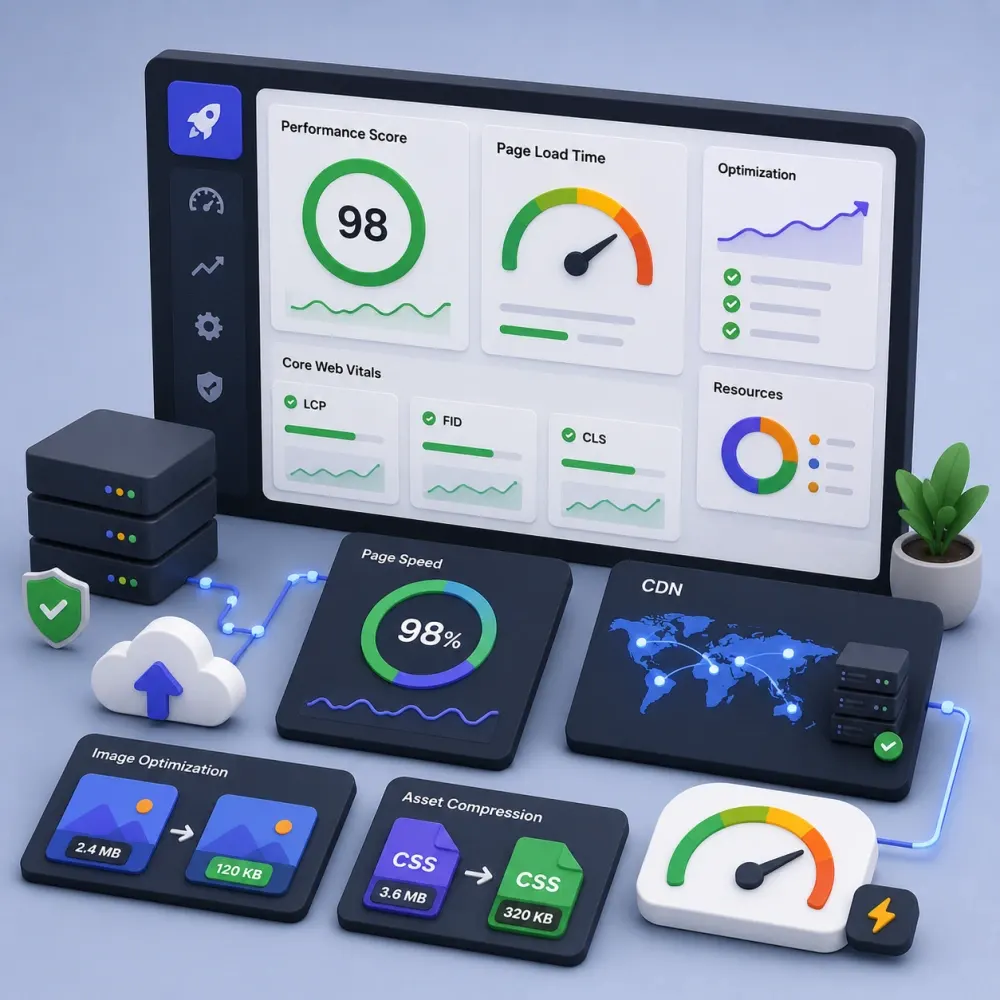
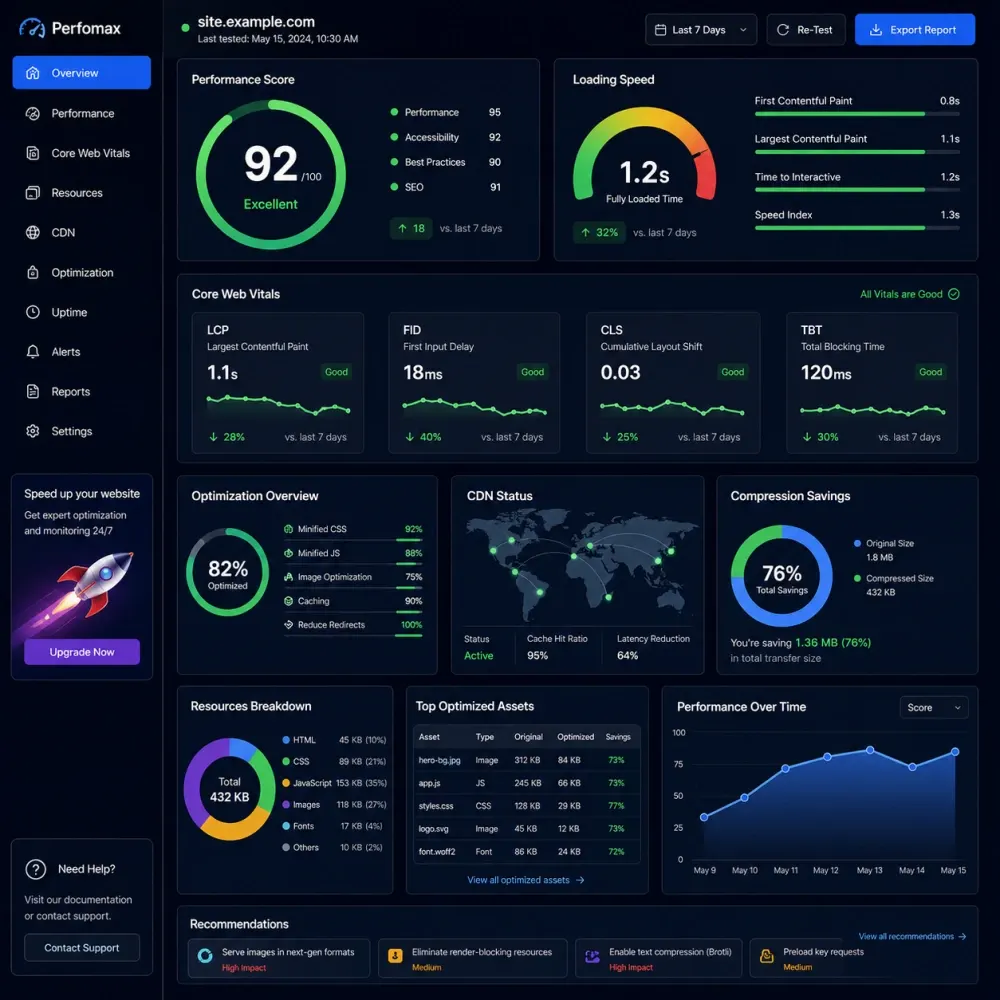
Measure first. Fix the highest-impact bottlenecks. Test again after implementation.

























What Website Speed Optimization Actually Covers
Website speed optimization is the process of finding technical delays and reducing the work a browser, server, or application performs before a page becomes useful. The problem may sit in one large hero image, but it can also come from several smaller issues working together. Slow hosting, late resource discovery, heavy JavaScript, unused CSS, too many font files, third-party widgets, database work, app scripts, and poor caching can all contribute to the same slow experience.
A useful optimization project starts with measurement. We look at important page types, compare mobile and desktop behavior, inspect the resources a browser downloads, and identify the steps that delay visible content or interaction. We then rank changes by likely impact and risk instead of applying every possible optimization setting at once.
Performance Is Part of the User Experience
Visitors do not think about request waterfalls, render queues, or main-thread work. They experience a site as responsive or frustrating. A page that stays blank too long, shifts while someone is reading, or delays a menu after a tap creates friction even when the visual design looks strong.
Speed also varies by device and connection. A fast office computer can hide problems that become obvious on a mid-range phone using mobile data. That is why mobile performance deserves its own attention rather than being treated as a smaller version of desktop testing.
For a lead-generation site, slow service pages can delay the moment a visitor reaches the offer or enquiry form. For ecommerce, customers move through categories, product pages, cart actions, and checkout. Every step can have different bottlenecks. For a publishing site, heavy ads, embeds, and media may affect the reading experience in different ways.
Website performance optimization works best when it follows the journeys that matter to the business. We prioritize representative templates and important interactions instead of improving only the homepage while leaving product, landing, category, or checkout pages untouched.
Find the Bottleneck Before Changing the Website
A website speed audit creates the baseline for the project. We review how important pages load, what resources block rendering, which files are unusually large, which scripts keep the browser busy, and whether server response contributes to the delay. We also look for layout movement, unnecessary requests, third-party dependencies, font loading issues, and image delivery problems.
The audit helps separate symptoms from causes. A hero image may appear late because the file is too large, but it can also appear late because the browser discovers it after JavaScript runs. A page may contain compressed images and still feel slow because the server takes too long to respond. A site may use caching but invalidate it too often or exclude important resources.
We use the findings to build a priority list. High-impact issues come first. Lower-value score improvements can wait until the main loading and interaction problems are under control.
Core Web Vitals Optimization for Loading, Interaction and Stability
Core Web Vitals focus on three parts of the page experience. Largest Contentful Paint, or LCP, looks at when the main visible content becomes available. Interaction to Next Paint, or INP, focuses on responsiveness after a visitor interacts with the page. Cumulative Layout Shift, or CLS, measures unexpected movement of visible content.
These metrics describe outcomes, not single fixes. Poor LCP can come from slow server response, render-blocking styles, late image discovery, client-side rendering, fonts, or an oversized hero asset. Poor INP often points to excessive JavaScript work, long tasks, heavy event handling, or third-party code. CLS can come from images without reserved space, late fonts, ads, banners, embeds, or interface elements inserted after the page begins rendering.
Our Core Web Vitals optimization work traces the metric back to the page behavior causing it. We avoid generic advice when the actual bottleneck can be measured.
Use Performance Scores as Diagnostics, Not Promises
PageSpeed Insights and Lighthouse can reveal useful performance opportunities, but the headline score does not explain every issue by itself. Two pages with the same score may need completely different work. One may have a slow LCP image while another spends too much time executing JavaScript. A third may be limited by third-party advertising or analytics that the business still needs.
Laboratory tests are useful because they create repeatable conditions. Real-user or field data, when available, shows what visitors have actually experienced across devices and networks. We consider both types of information where practical and avoid judging an entire website from one isolated test run.
We also explain remaining constraints. If a required third-party service, hosting platform, theme, or application creates a limit, the report should make that clear rather than pretending every recommendation can be solved through front-end settings.
Mobile Website Speed Optimization
Mobile pages can download the same heavy resources as desktop pages while running on less powerful hardware and less predictable networks. Responsive layouts do not automatically create responsive performance. A mobile visitor may still receive oversized images, multiple font weights, large JavaScript bundles, embedded videos, tracking scripts, and interface code that is not needed immediately.
Mobile website speed optimization looks at what the browser needs first and what can wait. We review responsive image delivery, above-the-fold assets, navigation, fonts, scripts, sliders, embeds, popups, and other components that affect loading or interaction. We also test touch-based controls because a page can appear visually complete while menus, filters, forms, or buttons remain slow to respond.
The goal is not to strip the site down until it loses its brand. We look for avoidable weight and inefficient delivery while protecting the content and functionality users actually need.
Website performance work adapted to the stack you actually use
A WordPress site, Shopify storefront, WooCommerce store and custom application do not share the same technical limits. We adjust the review and implementation around the platform instead of applying one checklist to every project.
WordPress Speed Optimization
Review themes, plugins, page-builder assets, images, caching, fonts, database behavior, third-party scripts and hosting limits.
Elementor Speed Optimization
Reduce unnecessary widget output, heavy media, extra add-ons, inefficient asset loading and other issues while protecting the approved layout.
WooCommerce Performance
Focus on product, category, cart, account and checkout flows with careful caching rules and functional testing for dynamic store behavior.
Shopify Speed Optimization
Review theme code, app scripts, images, sections, fonts, tracking tags and third-party widgets while respecting platform-controlled infrastructure.
Custom Website Performance
Trace front-end, API, server or application bottlenecks on custom stacks according to the access and architecture available for the project.
Landing Page Optimization
Prioritize hero rendering, marketing scripts, forms, media and above-the-fold resources on pages where paid or organic traffic needs a fast first experience.
Image, Font, CSS and JavaScript Optimization
Images are often some of the largest page resources. We review actual display dimensions, compression, responsive variants, format, lazy loading, and loading priority. Content below the fold can often wait. A hero image that contributes to LCP usually needs a different strategy because delaying it can make the first view slower rather than faster.
Fonts also add network and rendering work. A brand may load several families, weights, and styles even though only a smaller subset appears on most pages. Font optimization can involve reducing variants, improving delivery, using modern formats, adjusting preload decisions, and creating better fallback behavior.
JavaScript can make a page feel slow after it already looks loaded. We inspect heavy bundles, duplicate libraries, long tasks, third-party tools, and code that runs on pages where it is not needed. Some scripts can load later; others may need refactoring or page-level conditions. We test changes because aggressive delaying can break menus, forms, tracking, ecommerce features, and other interactions.
CSS can also delay rendering when a theme or builder ships more style rules than the page needs. We look for practical reductions and better delivery without turning the codebase into something difficult to maintain. The smallest possible file is not always the best long-term result if future edits become fragile.
Caching, CDN and Compression Configuration
Caching can reduce repeated work, but the right strategy depends on how dynamic the website is. A static service page can often use more aggressive page caching than a shopping cart, account area, membership page, or personalized dashboard. Browser caching, page caching, object caching, and CDN caching solve different parts of the delivery path.
We review what the platform already does before stacking more caching layers on top. Misconfigured caching can create stale pages, incorrect cart states, missing updates, or hard-to-diagnose conflicts. Ecommerce and membership websites need particularly careful exclusion rules for dynamic content.
A CDN can improve asset delivery and sometimes provide compression, caching, image, or security features. It does not automatically repair inefficient code or a slow application. We use CDN optimization as one part of the performance system and keep any paid CDN subscription or usage charge separate from DesignBub's service fee.
Server Response Time and Database Optimization
The browser cannot render useful content until the server begins responding. If backend processing is consistently slow, image compression alone will not solve the complete problem. Server response time can be affected by hosting capacity, PHP or application configuration, database queries, uncached dynamic work, remote API calls, and platform-specific limitations.
Some issues can be improved inside the website. Others require hosting changes or support from the infrastructure provider. We identify that distinction so the project does not spend time optimizing the wrong layer.
Database cleanup can also help in selected dynamic websites, but it should not become a ritual. A large database is not automatically a slow database. Query behavior matters. When database work is justified, we recommend backups and platform-specific precautions before removing revisions, transients, logs, sessions, or plugin data.
Control the Performance Cost of Marketing and Business Tools
Analytics, ad pixels, chat widgets, review tools, booking systems, CRM scripts, consent platforms, video embeds, heatmaps, social widgets, and other external services can add network requests and JavaScript work. Many are valuable, so the answer is not to remove everything until the score improves.
Third-party script optimization looks at where each tool loads, whether it needs to run on every page, whether it can wait until interaction, and how much work it adds. Sometimes a service can load only on the templates where it is used. In other cases, the business may decide that a feature creates enough commercial value to justify its performance cost.
We make those trade-offs visible. A useful performance project helps the business understand which delays are avoidable and which are tied to tools it intentionally chooses to keep.
Optimization at the Metric Level
LCP optimization begins by identifying the actual element and the steps that must happen before it appears. If the element is an image, we look at file size, discovery, priority, server response, CSS, and rendering dependencies. If it is text, fonts and stylesheet delivery may matter more. The fix comes from the loading chain, not from the metric name alone.
INP optimization focuses on interaction. Long JavaScript tasks, heavy event handlers, large frameworks, complex filters, and third-party code can keep the main thread busy when a visitor taps or clicks. We look for opportunities to reduce, defer, split, or simplify that work while protecting the feature itself.
CLS optimization focuses on unexpected movement. Reserving image and embed space, handling banners carefully, stabilizing fonts, and controlling dynamically inserted content can reduce shifts. User-triggered animation is different from unexpected movement, so we focus on layout changes that make the interface difficult to follow or click.
Website Speed Optimization for SEO Without Ranking Guarantees
Website speed and Core Web Vitals can contribute to page experience, but performance should not be presented as a guaranteed ranking shortcut. Search visibility also depends on whether the content satisfies the query, technical crawlability, internal linking, competition, authority, and many other factors.
A fast page with weak information does not automatically become the best search result. At the same time, useful content should not sit behind avoidable delays, unstable layouts, or unresponsive interactions when those problems can be improved.
We treat website speed optimization for SEO as technical quality work. The objective is to remove unnecessary friction and strengthen the technical foundation while leaving content relevance and wider SEO strategy in their proper roles. We do not promise a specific ranking, traffic increase, conversion rate, or revenue result from speed work alone.
Optimize the Full Shopping Journey, Not Only the Homepage
Ecommerce websites contain several performance environments inside one store. Category pages may load many product images and filters. Product pages may include galleries, reviews, recommendations, variation logic, subscriptions, or video. Cart and checkout can depend on payments, analytics, shipping, taxes, inventory, and third-party services.
Our ecommerce website speed optimization work reviews representative parts of that journey. We prioritize the pages and interactions customers actually use to browse and buy. Dynamic functions receive extra testing because caching or script changes that look fast on a static page can create problems in cart, account, variation, or checkout behavior.
For WooCommerce and other self-hosted stores, backend and database behavior may become part of the scope. For Shopify, more of the work sits in the theme, apps, tracking, media, and storefront code because the platform controls core infrastructure.
Lab Tests, Field Data and Before-and-After Comparison
Performance changes should be measured against a baseline. We test representative pages before implementation and use the same page types again after changes where possible. This helps show whether the work improved the bottleneck we intended to address rather than merely changing a different number.
Lab testing gives us controlled diagnostics. Field data, when available, reflects real visitors across different devices and networks. Both can be useful, but they should not be confused. A lab test can react immediately to a change, while real-user datasets may need time and enough traffic before they reflect a new experience.
We document important remaining limits as well. If a page remains constrained by hosting, a required marketing script, a complex app, or an architectural decision outside the project scope, the client should know that instead of receiving an unexplained score.
From baseline testing to controlled implementation and retesting
Performance work is safer when each change has a reason and a way to verify it. We use a staged process so optimization does not become a collection of untracked plugin settings.
Baseline Measurement
Test representative pages, mobile and desktop behavior, key resources, Core Web Vitals indicators and server response.
Bottleneck Prioritization
Separate high-impact problems from low-value score chasing and note platform, hosting or third-party constraints.
Safe Implementation
Apply the approved image, caching, CSS, JavaScript, font, CDN or platform changes within the agreed scope.
Functional QA
Retest navigation, forms, responsive layouts, analytics and important ecommerce or interactive functions after changes.
Performance Retest
Compare representative before-and-after measurements and review whether the targeted bottlenecks improved.
Handoff & Next Steps
Document remaining limits, optional improvements and any work that needs a hosting provider, developer or third-party vendor.
What We Need Before Starting
Send the website URL, platform, and the pages or functions that matter most to the business. A lead-generation website may prioritize the homepage, major service pages, campaign landing pages, and forms. An ecommerce store may prioritize category, product, cart, account, and checkout flows.
Access depends on the selected package. WordPress projects may require administrator access and sometimes hosting, CDN, or server access. Custom websites may need repository or deployment access. Shopify work needs the appropriate store permissions for theme and app review. We define access before implementation instead of asking for credentials that are not needed.
Tell us about features that must remain unchanged, including analytics, advertising, CRM tools, booking, forms, membership functions, payments, or custom integrations. A safe backup or staging route is strongly preferred when meaningful code, cache, database, or configuration changes are involved.
Choose the level of performance work your website actually needs
These are DesignBub service fees for audit, implementation and QA within the stated scope. Hosting upgrades, premium caching tools, paid CDN plans, third-party apps, licenses and external usage charges are separate unless a quotation says otherwise.
Speed Audit & Quick Wins
For smaller websites that need a technical baseline plus selected low-risk improvements.
- Audit of up to 5 representative pages/templates
- Mobile + desktop performance review
- Core Web Vitals diagnostic notes
- Image, font, caching and resource review
- Implementation of agreed low-risk quick wins
- Before-and-after summary
- 1 QA/review round
Performance Optimization
For business websites that need hands-on optimization across the main performance layers.
- Audit of up to 10 representative pages/templates
- Image and responsive media optimization
- CSS and JavaScript delivery improvements
- Font-loading and third-party script review
- Caching configuration within platform limits
- Core Web Vitals-focused implementation
- Functional QA + before/after report
- 2 QA/review rounds
Advanced Performance
For WooCommerce, Shopify or integration-heavy sites where performance touches dynamic business functions.
- Expanded audit across key customer journeys
- Product/category/cart/checkout review where relevant
- Plugin, app and third-party script assessment
- Advanced caching/CDN/server coordination
- Database/backend review where accessible and relevant
- Staging-based implementation where appropriate
- Functional regression testing
- Detailed before/after and remaining-constraints report
Package comparison
| Scope | $199 Audit & Quick Wins | $500 Performance | $799+ Advanced |
|---|---|---|---|
| Representative pages/templates | Up to 5 | Up to 10 | Expanded journey-based scope |
| Core Web Vitals review | Yes | Yes + implementation focus | Yes + complex flows |
| Images / fonts / caching | Review + quick wins | Deeper implementation | Advanced implementation |
| CSS / JavaScript work | Basic review | Included | Included + complex dependencies |
| Ecommerce flow testing | — | Limited if applicable | Included where relevant |
| Backend / database review | — | Basic diagnostic | Where accessible and relevant |
| Before / after reporting | Summary | Detailed | Detailed + constraints |
Extend the optimization scope when the site needs more
Important: package prices do not include hosting upgrades, premium WordPress plugins, paid CDN subscriptions, Shopify apps, analytics tools, developer licenses or other third-party charges. We also do not guarantee a specific PageSpeed score, Core Web Vitals pass, ranking position, traffic level or conversion result.
What Changes the Website Speed Optimization Cost
The website speed optimization cost depends on the technical condition of the site, platform, number of important templates, required access, and depth of implementation. A small service website with oversized images and basic caching issues needs a different scope from a WooCommerce store with many plugins, large product data, custom filters, marketing scripts, and slow server-side work.
Cost can also increase when the project needs staging, custom code changes, server configuration, CDN migration, database work, app or plugin replacement, complex testing, or coordination with a hosting provider or external developer. Those tasks require more care because performance changes can affect business-critical functions.
We prefer to price the technical work that can actually be identified rather than selling the same checklist to every site. The packages create a starting structure, while unusually complex websites can receive a custom quotation after review.
What to Ask a Website Speed Optimization Company
Ask how the provider measures the site before making changes. Ask whether mobile receives the same attention as desktop. Ask whether the work focuses only on a PageSpeed score or also investigates real loading, interaction, layout stability, server response, and third-party code.
For WordPress and ecommerce sites, ask how forms, analytics, carts, payments, account functions, tracking, and other important features will be tested after optimization. Aggressive minification or script delay can create a faster-looking report while quietly breaking functions the business needs.
Also ask how the provider handles limitations. A useful website speed optimization agency should be able to explain when a required app, hosting platform, theme, plugin, or business tool remains the main constraint. Clear technical boundaries are more valuable than a score guarantee that cannot be controlled.
Common questions before starting performance work
Clear answers about scores, Core Web Vitals, WordPress, ecommerce, access, SEO expectations and what the optimization fee actually covers.
The scope can include performance auditing, image optimization, caching, JavaScript and CSS improvements, font loading, Core Web Vitals work, third-party script review, CDN configuration, backend investigation, database cleanup where appropriate, and before-and-after testing. The exact work depends on the bottlenecks found on your website.
No. PageSpeed results vary with device, network conditions, hosting, third-party scripts, page complexity, test location, and platform limits. We focus on measurable technical improvements and user-facing performance instead of promising one fixed laboratory score.
Yes. WordPress and Elementor projects can involve image delivery, caching, plugin and theme output, JavaScript, CSS, fonts, database behavior, third-party tools, and hosting constraints. We review the actual stack before deciding which changes are safe and useful.
Yes. WooCommerce optimization can cover product and category pages, images, scripts, plugins, cart behavior, caching rules, database performance, and other store-specific issues. Dynamic cart, account, checkout, and payment functions require additional testing after changes.
Yes. Shopify optimization usually focuses on theme code, app scripts, images, sections, fonts, tracking tags, videos, and third-party widgets. Shopify controls parts of the infrastructure, so we clearly separate storefront changes from platform-level limits that cannot be changed from the theme.
Core Web Vitals are performance metrics focused on loading, responsiveness, and visual stability. The current metrics are Largest Contentful Paint, Interaction to Next Paint, and Cumulative Layout Shift. We use them together with other diagnostics rather than treating one metric as the full definition of site quality.
We aim to preserve the approved design and required functionality. If a heavy visual component, plugin, app, animation, or third-party tool is a major bottleneck, we explain the performance trade-off before recommending a visible or functional change.
Speed and Core Web Vitals can support a better page experience, but speed work alone cannot guarantee rankings, traffic, leads, or sales. Search performance also depends on relevance, content quality, technical SEO, competition, authority, and many other factors.
Access depends on the platform and scope. We may need CMS or admin access, hosting or server access, CDN access, analytics, a code repository, or a staging environment. We define the required access before implementation and recommend a safe backup path for meaningful changes.
Send the website URL, platform, important page types, and any performance concerns you already know about. Tell us which business functions must remain unchanged, such as forms, analytics, ecommerce, membership tools, booking, CRM integrations, or payment systems. We can then define the right audit and implementation scope.
Make the website faster without breaking the business behind it
Send us your website URL, platform and the pages or functions that matter most. DesignBub can audit the loading path, identify the main bottlenecks and recommend or implement the performance work that fits the real technical environment.