Professional Business Presentation Design Services

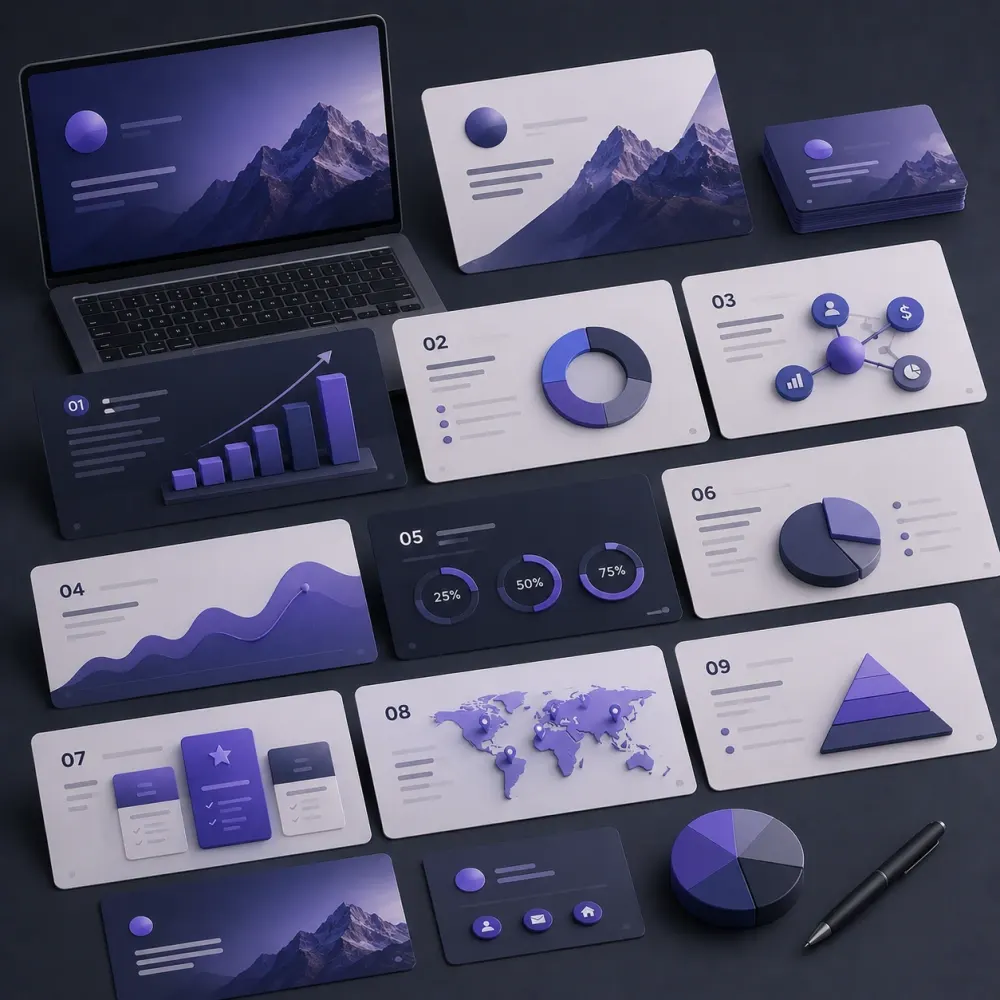
DesignBub creates presentation design for pitches, sales meetings, proposals, company introductions, webinars, reports and executive communication. We turn supplied content into a clearer story with deliberate hierarchy, branded layouts, charts, diagrams and editable slide files that are practical after the meeting is over.

EditableWorking Slide Files
Brand-ledConsistent Visual System
PurposefulStory Before Decoration
Professional presentation design
Business presentation slide design
PowerPoint Β· Slides Β· Keynote

Presentation systems built for the audience, the speaker and the people who need to edit the file later.

Selected Brands in Our Portfolio
Asset 38 brand logo Asset 4 brand logo Asset 45 brand logo Asset 46 brand logo Asset 47 brand logo Decent Solar logo Dentesthetix logo Gazal Lounge logo GH Landscape logo Asset 38 brand logo Asset 4 brand logo Asset 45 brand logo Asset 46 brand logo Asset 47 brand logo Decent Solar logo Dentesthetix logo Gazal Lounge logo GH Landscape logo
Ghazoor logo Goodluck Trader logo Kingsley logo Lahoris logo MOI logo Naqaa Salt logo Nature Hug logo Netsole logo Ghazoor logo Goodluck Trader logo Kingsley logo Lahoris logo MOI logo Naqaa Salt logo Nature Hug logo Netsole logo
Nexcell Energy logo Roots logo Sheikh logo Shellbee logo Softcore logo Solvac Lifesciences logo Trendex logo Zameenex logo Nexcell Energy logo Roots logo Sheikh logo Shellbee logo Softcore logo Solvac Lifesciences logo Trendex logo Zameenex logo
Presentation Design Services

A presentation can contain the right information and still be difficult to understand.

A crowded slide makes the audience hunt for the point. A weak chart hides an important result. A pitch deck can contain everything an investor asked to see while still feeling disjointed. A sales presentation can describe a strong offer but spend too much time on the company before the prospect understands why the offer matters.

That is why professional presentation design is not simply the act of making PowerPoint look attractive. The work begins with communication. What does this audience already know? What should they understand by the end? Which ideas need evidence? Which details belong on the screen, and which are better explained by the speaker or placed in supporting notes?

DesignBub provides presentation design services for founders, companies, consultants, agencies and internal teams that need information shaped into a visual sequence. We work with complete decks, rough outlines, documents, reports, spreadsheets and existing presentations that have grown inconsistent over time.

Some assignments need a complete redesign. Others need content edited down and reorganized before visual work begins. A reusable corporate template has a different objective from a one-time investor pitch. We define that difference before choosing layouts, graphics or transitions.

What the service covers

Presentation design is structure, hierarchy and visual explanation working together.

Depending on the brief, a project can include storyline refinement, slide layouts, typography, color, diagrams, charts, tables, icons, photography, image treatment, branded master layouts and final file preparation. The exact mix depends on what the presentation is expected to do.

A client may provide a finished 40-slide PowerPoint that needs visual consistency. Another may provide a Word document and several spreadsheets that first need to be shaped into a logical deck. A startup may need a concise investor presentation. A corporate team may need a master template that employees can reuse without breaking the brand.

Not decoration

Every slide should have a communication job.

Before styling a slide, we ask what should be noticed first and what the audience needs from it. A process may be clearer as a sequence. A comparison may work better as a simple table. A slide full of prose may need one sentence and a visual. A detailed financial slide may need to stay detailed because exact values matter.

Good presentation design does not force every page into the same amount of content. It creates enough consistency for the deck to feel connected while allowing different ideas to use the format they need.

PowerPoint Presentation Design

Editable slides should remain useful after the designer leaves the project.

Microsoft PowerPoint is still widely used for meetings, proposals, sales conversations, board updates and investor presentations because teams can present, edit and reuse the same file. Our PowerPoint presentation design work can include a complete deck, an existing-deck redesign, charts, timelines, diagrams, slide masters and reusable content layouts.

Where the client expects to update numbers, names, screenshots or case studies later, editability matters. A polished presentation should not turn routine changes into another design project. We therefore keep common elements editable when the agreed design allows it and structure repeating pages around practical layouts rather than flattened screenshots.

Fonts, premium images and third-party assets can have their own licensing requirements. Those dependencies are clarified during the project so the handoff reflects the software and resources the client can actually use.

Google Slides & Keynote

The design system should respect the platform where the deck will live.

Google Slides is useful for teams that collaborate online and need several people to review or update the same presentation. A Google Slides design can use the same strategic approach as PowerPoint, but browser-based editing and cross-device use influence some visual decisions. We avoid assuming that every effect available in another application will transfer perfectly.

Apple Keynote can work well for product talks, executive presentations and image-led storytelling. Keynote projects can include custom layouts, diagrams, product screens and restrained transitions. If the final deliverable will also be shared as a PDF, the static version still needs to communicate clearly without animation.

Pitch Deck Design

Investor decks need a clear business argument, not an impressive-looking sequence of unrelated slides.

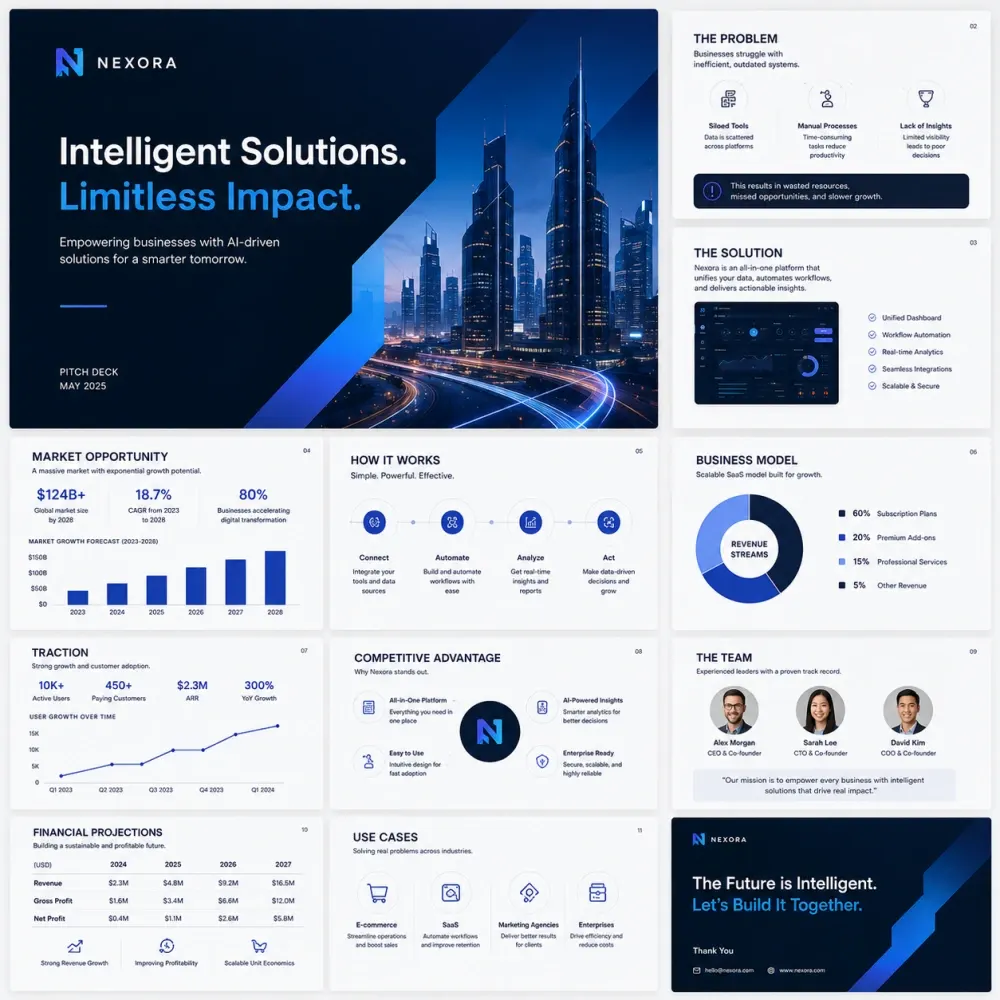
A pitch deck usually has limited time to explain what the company does, why the opportunity matters and what evidence supports the story. Pitch deck design can help organize supplied material around the problem, solution, product, market, business model, traction, competition, team, financial context and funding request when those subjects are relevant.

There is no universal slide order for every company. A mature business raising expansion capital may need a different emphasis from an early-stage startup that is still proving demand. We do not invent market-size figures, financial performance, customer numbers or other evidence. The client remains responsible for the accuracy of business claims. Our job is to make supported information easier to follow and easier to discuss.

Investor presentation design often combines narrative with data. Historical results, forecasts and assumptions should remain visually distinguishable where the source content makes that distinction. Important numbers should not disappear under decorative graphics. The deck can support a stronger meeting, but design cannot guarantee funding or investor interest.

Startup Presentation Design

One startup may need several decks for completely different conversations.

Founders use presentations for fundraising, accelerators, partnerships, sales, demos and internal planning. Reusing the same deck for all of them can create an unfocused message. We can establish one visual language and adapt the structure to the audience instead of forcing every conversation into the investor version.

Startup content also changes quickly. Product screens, milestones, hiring plans and commercial figures may evolve between meetings. Editable files and repeatable layouts are especially useful in that environment because they allow updates without losing the approved visual rhythm.
Sales & Business Presentations

A sales deck should help the prospect understand the offer before it asks for a decision.

Sales presentation design can organize customer problems, service value, process, evidence, scope and next steps into a more useful conversation. The deck should not spend most of its time introducing the seller if the prospect still has not understood why the solution is relevant.

The delivery method also matters. A deck presented live can rely on the speaker for context. A presentation emailed after a meeting needs to stand on its own more effectively. A proposal used in procurement may require detailed scope, assumptions and commercial information. We design around the way the material will actually be reviewed.

Business presentation design covers an even wider range of use cases: strategy updates, executive summaries, client proposals, project reviews, quarterly reporting and internal planning. A strategy slide may need a framework and supporting data. A proposal may need clear deliverables. An executive update may need a short headline with deeper detail later in the deck. The visual system should make those differences feel intentional.

Corporate & Company Profile Presentations

Corporate decks often need to simplify a large amount of information without making the company look generic.

Corporate presentation design can cover company overview slides, capabilities, business units, services, leadership, operating regions, milestones, case studies, performance and contact information. These files are often assembled by several departments, which means terminology, layout and chart styles may already be inconsistent before redesign starts.

We establish a common visual hierarchy and identify where repeated or dense material can be reorganized. The final presentation can stay formal without feeling like a written report copied into slides.

A company profile presentation is related but often more outward-facing. It may be sent to clients, partners or procurement teams. Printed company profile content can be a useful source, but it should not always be transferred slide for slide. Presentations are consumed differently, so long sections may need shorter statements, visual proof and a clearer sequence.

Proposal Presentation Design

Important scope and commercial information should be easy to find after the meeting as well as during it.

A proposal presentation can explain the client's situation, recommended approach, deliverables, process, project stages, team, assumptions and commercial terms. These decks need strong section boundaries because the audience may return later to check a specific commitment.

Pricing, scope and exclusions should not be hidden inside decorative layouts. If contractual or legal text must remain exact, we can design around that requirement without rewriting approved wording. Visual improvement should never change the meaning of a commitment.

Presentation Redesign

An existing deck can be improved without pretending every old slide is unusable.

Presentation redesign services are useful when a deck has accumulated different fonts, old brand colors, copied slides, inconsistent charts and pages that became crowded after repeated edits. We review the file page by page instead of applying a new background to everything.

Some slides may only need alignment and typography. Others may need content regrouped. Two repetitive slides may be combined. One overloaded slide may become two. Existing diagrams that already explain the idea well can be preserved and restyled. The objective is a better system, not change for the sake of change.

Presentation Template Design

A reusable template should solve the slides your team actually builds.

A useful PowerPoint template is more than a cover page and one bullet layout. Depending on the organization, it may need title slides, section dividers, image pages, comparisons, charts, timelines, team slides, case studies, process diagrams and other recurring patterns.

We base presentation template design on real use. A consulting team may rely heavily on frameworks and data. A property company may need project photography and specification layouts. A software business may need product screenshots, roadmap pages and feature comparisons. The template should reflect those recurring tasks instead of providing dozens of decorative options nobody uses.

Too much flexibility can be as problematic as too little. If every layout exposes unlimited choices, brand consistency quickly disappears. We aim for a system that is easy to reuse while still giving teams enough room for new content.

Data Visualization, Charts & Tables

Numbers need the right visual form, not the most elaborate one.

Presentation data visualization can include charts, tables, scorecards, timelines and simplified business graphics. The choice depends on what the audience needs to understand. If exact values matter, a table may be better than a chart. If the point is a trend, a chart may reveal it faster. If one number is the message, a large figure with context may be enough.

We can restyle supplied charts so labels, axes, typography and emphasis fit the deck. Where source data is available, selected visuals can be rebuilt in an editable format according to scope. The underlying figures remain the client's data. We do not manipulate scales or remove inconvenient information simply to make a result look stronger.

Financial and analytical slides often need more density than marketing slides. That is acceptable when hierarchy remains clear. Design should help the audience inspect the information rather than hiding detail under oversized decorative elements.

Infographics & Diagrams

Relationships are often easier to understand when the structure becomes visible.

A process can become a sequence. An organization can become a hierarchy. A product ecosystem can become a diagram. A customer journey can be shown as stages. Presentation infographic design turns suitable information into a visual structure while keeping the meaning intact.

We avoid adding icons only because a slide has empty space. Every visual element should help identify, compare, connect or explain information. The strongest diagram often looks simple because unnecessary detail has been removed carefully.

Conference, Webinar & Training Slides

The viewing environment changes what a presentation needs from the design.

A conference presentation displayed on a large screen can rely on shorter phrases, bigger imagery and the speaker's explanation. Slides may appear for only a few seconds, so a dense report-style page is rarely appropriate. If the audience also needs a leave-behind document, a separate PDF or more detailed version may make sense.

Webinars are usually viewed on smaller screens, sometimes beside chat panels or other interface elements. Text that appears comfortable on a designer's monitor can become too small in that setting. Webinar presentation design therefore needs strong hierarchy, clear section changes and layouts that survive reduced viewing size.

Training presentation design has another requirement: learning. Definitions, examples, process steps, exercises and recap slides may all deserve space. A training deck can contain more information than a keynote, but it still needs deliberate pacing. Supporting detail may belong in speaker notes or a workbook when those materials are part of the project.

Brand Consistency

Presentation files are often where a brand system starts to drift.

Teams copy slides from old decks, choose a similar-looking font, introduce another shade of the brand color and borrow an icon from the internet because the meeting is tomorrow. Over time the presentation no longer feels connected to the identity.

We translate brand rules into practical slide behavior: typography, color roles, image treatment, icon usage, chart styling, spacing and recurring components. A brand system created for packaging or social media may need adaptation before it works in a data-heavy presentation. The identity should remain recognizable without getting in the way of the information.

Images, Icons & Assets

Visual assets should add context instead of making the deck look generically β€œcorporate.”

Client-owned photography, product images, project visuals and interface screenshots can often make a presentation feel more authentic than generic stock imagery. Stock assets, icons or illustrations can still be useful where appropriate, but licensing and source requirements are part of the scope.

Image resolution also matters. A visual that appears acceptable inside an email may look soft on a large display. We prepare assets for the expected delivery format rather than treating every presentation as a laptop-only document.

Animation, Transitions & Readability

Movement should clarify sequence, not become another thing the presenter has to manage.

Basic animation can be useful when elements need to appear in a controlled order or when a diagram is easier to explain step by step. It is less useful when every object flies onto every slide. We use transitions selectively and make sure the static deck remains understandable if the presentation is exported to PDF.

Complex motion graphics, video production and advanced animated sequences can be scoped separately. They require different production effort from normal PowerPoint transitions.

Readability is equally practical. Font size, contrast, line length, chart labels and spacing affect whether an audience can understand a slide from the back of a room or on a small webinar screen. Formal accessibility requirements vary by organization. When a project needs a specific accessibility standard, the testing and compliance scope should be agreed explicitly rather than assumed from visual design alone.

Our Process

From raw material to a deck that is ready to present and practical to edit.

The workflow changes with the project, but the sequence below keeps decisions in the right order.

01

Purpose & Audience

We confirm who will see the presentation, how it will be delivered and what the audience should understand or decide.

02

Source Review

Existing decks, notes, documents, spreadsheets and brand assets are reviewed before slide production begins.

03

Storyline

We identify repetition, weak sequence and places where the content needs a clearer visual or explanatory structure.

04

Visual Direction

Typography, colors, imagery, chart treatment and representative layouts establish the look before the full deck expands.

05

Slide Production

The remaining slides are designed within the approved system, including diagrams and data visuals included in scope.

06

Review & Handoff

Revisions are applied, consistency is checked and the agreed editable file and exports are prepared for delivery.

Possible Deliverables

The final scope follows the presentation, not a generic checklist.

A project can include presentation structure, PowerPoint design, Google Slides design, Keynote design, pitch deck design, sales deck design, proposal presentation design, company profile slides, executive presentations, presentation redesign, master layouts, charts, tables, process diagrams, roadmaps, timelines, product screenshots, case-study pages, team slides, branded icons, basic transitions, PDF exports and editable source presentation files.

Not every deck needs all of those items. A 12-slide investor pitch and a 60-slide training program are different assignments. We confirm slide count, source-content condition, platform, design depth and revision expectations before the project begins.

Presentation Design Pricing

Starting prices for common presentation scopes.

Pricing is based on slide count, content readiness and visual complexity. These packages assume the core business information is supplied by the client. Research-heavy writing, complex animation, custom illustration, licensed stock, urgent production or major data cleanup can be scoped separately.

Focused redesign

Presentation Refresh

Starting at$299

For a short existing deck that already has usable content and needs stronger visual consistency.

  • Up to 10 slides
  • Existing content supplied
  • Brand-aligned redesign
  • Basic chart and table styling
  • Editable final presentation
  • 2 revision rounds
Choose Presentation Refresh β†’
Pitch / leadership use

Pitch & Executive Deck

Starting at$999

For investor, strategic or high-stakes business presentations with deeper narrative and visual-development needs.

  • Up to 30 slides
  • Deeper narrative restructuring
  • Custom data visualization
  • Process and concept diagrams
  • Reusable master slide styles
  • 4 revision rounds
Choose Pitch & Executive Deck β†’

Standalone presentation design pricing

Additional redesigned slide$35+
Complex chart / infographic slide$55+
Branded presentation template$399+
10-slide pitch deck redesign$449+
20-slide company / sales deck$599+
Google Slides or Keynote adaptation$149+

Pricing note: All prices are starting USD fees. Final pricing depends on content readiness, slide count, custom illustration, data complexity, animation, turnaround and licensing. Copywriting, original business research, financial modeling, custom video, paid stock assets and rush delivery are not automatically included. Presentation design does not guarantee investment, sales, approval or any other business outcome.

Why DesignBub

The deck is treated as business communication first and a design file second.

Presentation work often fails when design and content are handled as unrelated tasks. A designer can create a beautiful page without deciding whether the slide has a clear point. A writer can produce accurate content that becomes unreadable when placed on a screen. We bring those decisions together.

Our presentation design services also consider what happens after the final review. If a sales team changes client names weekly, the presentation should support that. If a founder sends the PDF without presenting it live, the deck needs enough context to stand alone. If leadership updates numbers every quarter, charts and text areas should remain practical to edit.

That operational detail is part of presentation design. The finished deck should look deliberate during the meeting and remain useful when the next meeting requires an update.

Presentation Design FAQs

Questions clients usually ask before a deck project starts.

Scope, editability and content condition have a large effect on presentation pricing and workflow.

Presentation design services turn supplied business information into structured, visually consistent slides. A project can include PowerPoint, Google Slides or Keynote design, pitch decks, sales presentations, company decks, templates, charts, diagrams, infographics and presentation redesign.

Yes. We can work from notes, a Word document, an existing deck, spreadsheets or other supplied material. The amount of content restructuring required is confirmed before the project is priced.

Yes. We can preserve useful content and rebuild weak layouts, typography, charts and visual consistency rather than starting over without a reason.

Yes. We can design startup and investor decks around the supplied business story, product, market, traction, model, team and financial information. We do not invent unsupported business claims or investment metrics.

Yes when editable delivery is included in the selected scope. We can provide the agreed PowerPoint, Google Slides or Keynote file with supported text, charts and common presentation elements remaining editable.

Yes. The platform is confirmed at the start so layouts and effects are designed for the environment in which the presentation will actually be used.

Yes. A presentation template can include practical master layouts for covers, dividers, text, images, charts, comparisons, timelines, case studies and other recurring slide types.

Yes. Supplied data can be presented through clearer charts, tables and business graphics. The client remains responsible for the accuracy and approval of the underlying figures.

Light restructuring and editing can be included. Full original copywriting, research, financial modeling or market analysis should be scoped separately because those tasks are different from slide design.

Basic transitions and reveal animations can be included where useful. Complex motion graphics, animated video and advanced sequences require a separate production scope.

DesignBub packages currently start at $299 for a short presentation refresh, $599 for a business presentation and $999 for a more involved pitch or executive deck. The final quote depends on slide count, content readiness, visual complexity and turnaround.

No. Good presentation design services can improve clarity, consistency and delivery, but investment and sales outcomes depend on the business, offer, audience, evidence, pricing and many other factors outside the slide design.

Useful starting material includes the current presentation or content, brand assets, audience, purpose, preferred software and any references or deadline constraints that affect the scope.

Turn the deck into something the audience can actually follow.

Send the existing presentation, rough outline or source material. We can review the slide count, content condition and intended use, then recommend the right design scope.