">

UI/UX Design Services for Websites and Mobile Apps

DesignBub plans and designs websites, mobile apps, SaaS platforms and dashboards around real user tasks. From UX structure and wireframes to polished interfaces, clickable prototypes and developer-ready Figma files, we create digital experiences that are clear, consistent and practical to build.

UXFlow Before Polish
UIReusable Components
FigmaClear Handoff
UI UX design for digital products
Responsive digital product interface design
Research β€’ Structure β€’ Interface

User flows, wireframes, responsive screens, prototypes, components and developer handoff organized around the product you need to build.

Selected Brands & Businesses We Have Designed For
Asset 38 brand logo Asset 4 brand logo Asset 45 brand logo Asset 46 brand logo Asset 47 brand logo Decent Solar logo Dentesthetix logo Gazal Lounge logo GH Landscape logo Asset 38 brand logo Asset 4 brand logo Asset 45 brand logo Asset 46 brand logo Asset 47 brand logo Decent Solar logo Dentesthetix logo Gazal Lounge logo GH Landscape logo
Ghazoor logo Goodluck Trader logo Kingsley logo Lahoris logo MOI logo Naqaa Salt logo Nature Hug logo Netsole logo Ghazoor logo Goodluck Trader logo Kingsley logo Lahoris logo MOI logo Naqaa Salt logo Nature Hug logo Netsole logo
Nexcell Energy logo Roots logo Sheikh logo Shellbee logo Softcore logo Solvac Lifesciences logo Trendex logo Zameenex logo Nexcell Energy logo Roots logo Sheikh logo Shellbee logo Softcore logo Solvac Lifesciences logo Trendex logo Zameenex logo
Clear Before Clever

Good digital design is more than attractive screens.

A website, mobile application, SaaS platform or dashboard needs to help people understand where they are, what they can do and what should happen next. Visual polish matters, but it works best when the underlying experience is already clear.

DesignBub provides UI UX design services for businesses, startups and product teams that need digital interfaces built around real users and practical product goals. Depending on the project, this can include UX research, information architecture, user flows, wireframes, high-fidelity UI, responsive layouts, interactive prototypes, design systems and developer-ready handoff.

Some clients already have a working product but know the experience feels confusing or dated. Others are starting with a new idea and need help turning a feature list into a clear product structure. In both cases, we begin by understanding the user and the task before deciding how the interface should look.
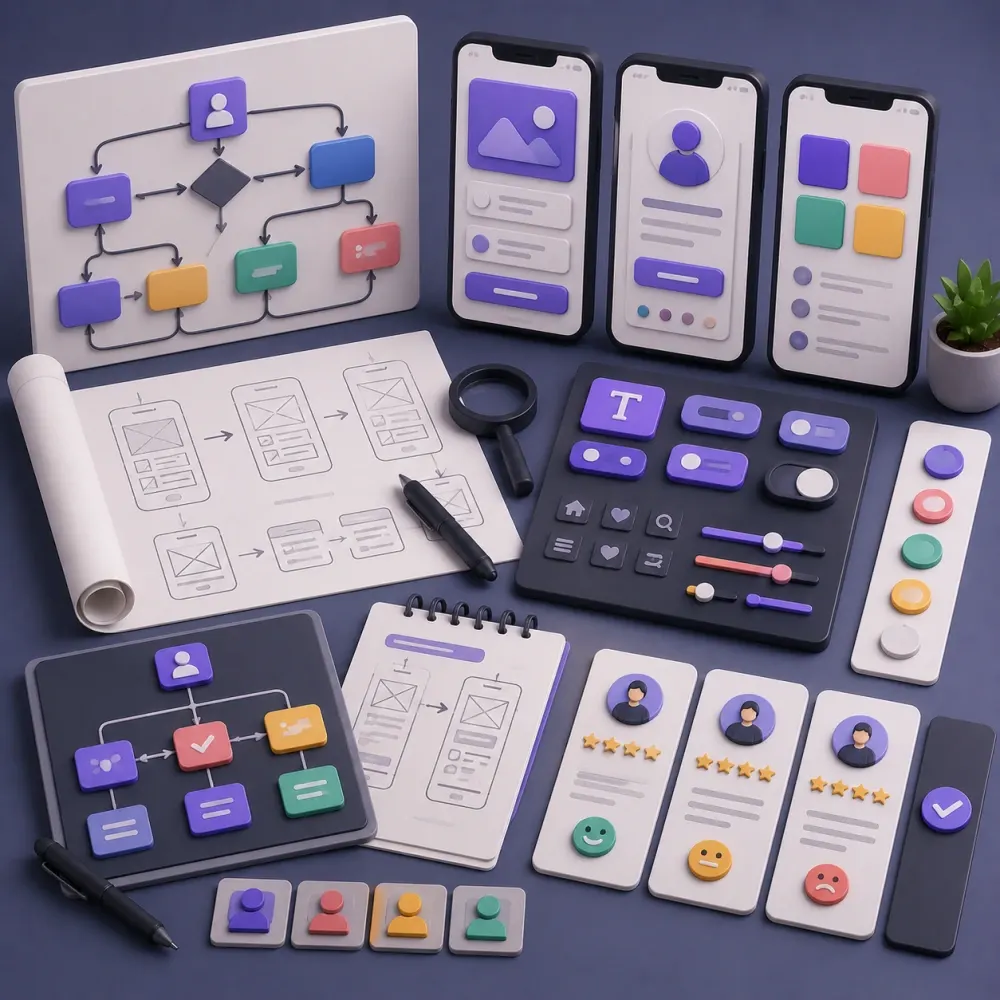
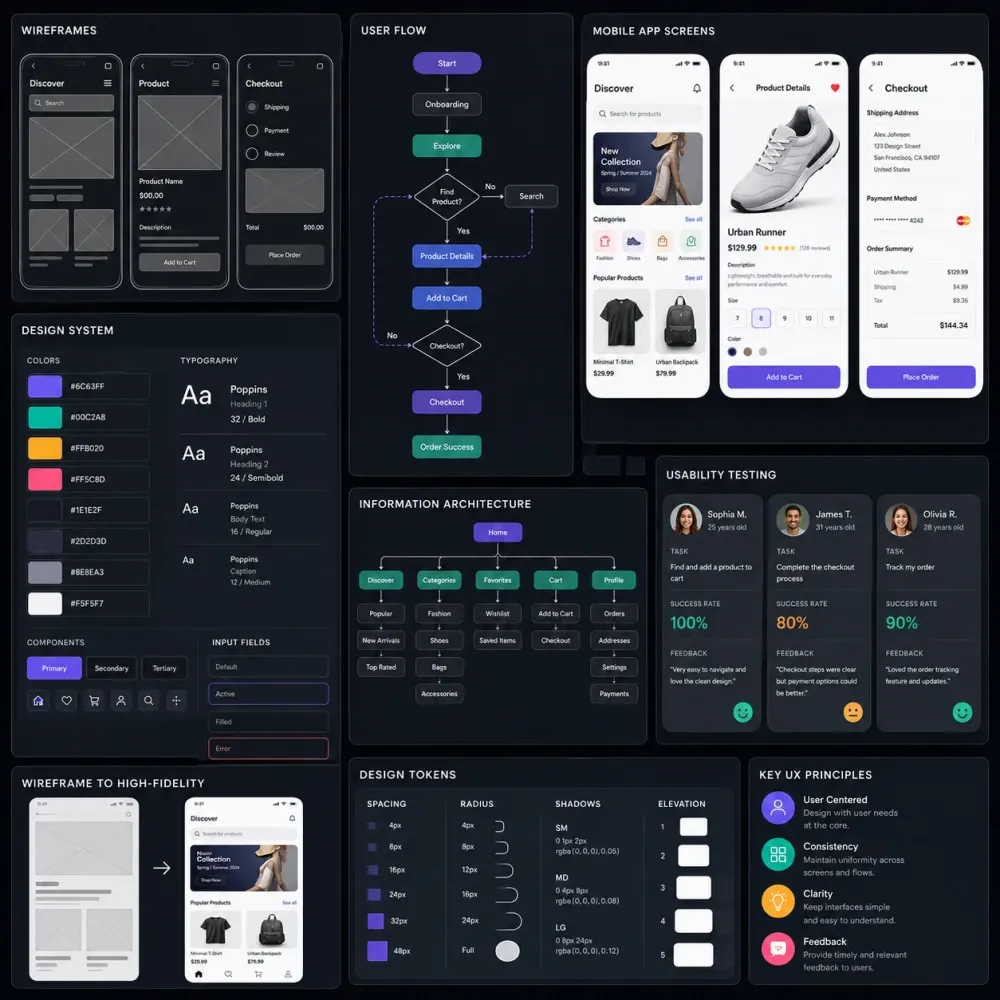
UI + UX

What are UI UX design services?

UI UX design services combine user experience planning with user interface design to create digital products that are easier to understand and use.

User Experience Design

UX focuses on how the product works from the user's point of view. It considers the journey, structure, navigation, information, decisions, feedback and friction involved in completing a task. A useful UX process asks what people are trying to achieve and removes unnecessary obstacles between the user and that result.

User Interface Design

UI focuses on how those decisions are presented visually and interactively. This includes typography, color, spacing, buttons, forms, cards, menus, tables, icons, states and other components. The interface should communicate hierarchy and make important actions easier to recognize.

Why Both Matter

A polished interface cannot fix a confusing workflow, and a logical workflow can still feel difficult when visual hierarchy is weak. Our UI UX design process connects structure and presentation so the final product is not only attractive in a portfolio but understandable in normal use.

UX Research

Research reduces assumptions before they become screens.

UX research can help clarify users, goals, pain points, existing behaviour and product constraints. The depth depends on the project. Some products may benefit from stakeholder interviews, competitor reviews, analytics, user interviews or usability testing. Other projects already have customer feedback and support requests that clearly reveal where the experience is difficult.

Research should not become an academic exercise simply to make the project appear sophisticated. Its job is to improve decisions. If a team believes users abandon checkout because a button is hard to see, evidence may show the actual issue is unclear delivery information much earlier in the journey. We try to understand the cause before redesigning the symptom.

Information Architecture

Organize the product around the user's mental model.

Information architecture determines how content, features and navigation are grouped. It matters for business websites, ecommerce stores, mobile apps and particularly SaaS products with many modules or user roles.

The goal is to organize information in language and categories users can understand without learning the company's internal terminology. This can influence menus, page hierarchy, labels, breadcrumbs, dashboard navigation and the relationship between screens. If the underlying structure is confusing, visual improvements alone usually will not solve the problem.

User Flows

Map the task before styling the screen.

A user flow maps the steps someone takes to complete a task. It can show how a visitor becomes a registered user, how a customer books a service, how a buyer completes checkout or how a SaaS account owner upgrades a subscription.

User flows also reveal missing decisions. What happens if payment fails? What if the person already has an account? Can the action be cancelled? Does an administrator need to approve it? Where does the user return after completion? Solving these questions before high-fidelity design makes later screens more consistent.

Wireframes

Review hierarchy before investing in visual polish.

Wireframe design turns product structure into screen layouts while keeping the focus on information and functionality. Wireframes help define navigation, content order, important actions and the relationship between screens.

For websites they may cover the homepage, service templates, contact journeys or ecommerce pages. For digital products they may cover onboarding, dashboards, forms, detail views, settings and account flows. Structural changes are usually easier to make here than after a complete visual system has been applied.

Prototype Design

See how important journeys work before development starts.

A static screen explains how a page looks. An interactive prototype can demonstrate how the experience behaves. Prototype links can connect key screens so stakeholders or users can click through onboarding, navigation, booking, checkout, account management or the product's primary workflow before engineering begins.

A prototype is not the final application. It is a communication and validation tool. It can reveal confusing transitions, missing states or unclear actions while changes are still relatively inexpensive. It also helps developers understand the intended screen relationships more clearly than a folder of disconnected images.

UI UX Design Services

Design support for websites, apps, SaaS platforms and digital products.

The right scope depends on the product. A marketing website does not need the same UX depth as a multi-role SaaS platform, and a mobile app may need interaction states that are less important on a simple landing page.

01

Website UI UX Design

Navigation, page hierarchy, lead journeys, responsive layouts, service discovery and conversion-focused interface design for business and ecommerce websites.

Website
02

Mobile App UI UX

Onboarding, navigation, dashboards, profiles, booking, ecommerce, forms and everyday app flows for iOS and Android experiences.

Mobile
03

SaaS UI UX Design

Product onboarding, dashboards, data tables, filters, settings, billing, team management and multi-role software experiences.

SaaS
04

Dashboard UI Design

Operational, analytics and management interfaces that prioritize useful information instead of filling screens with decorative metrics.

Dashboard
05

UX Audit & Redesign

Structured review of an existing product with recommendations for navigation, hierarchy, consistency, forms, mobile usability and important workflows.

Audit
06

Design Systems

Reusable typography, colors, spacing, buttons, forms, cards, tables, states and components that help a product remain visually consistent.

System
Website UI UX

Help visitors understand the business without forcing one path.

Website UI UX design should help different visitors find the information relevant to them. Some arrive knowing exactly which service they need. Others compare providers, look for pricing, review previous work or need reassurance before contacting anyone.

Navigation, page hierarchy, internal links, calls to action and content layout should support these different research paths. The visual interface then reinforces that structure through consistent typography, spacing, imagery and reusable sections. The aim is clarity, not a homepage that tries to show every possible message at once.

Mobile App UI UX

Design for repeated use in a smaller space.

Mobile app UI UX design can include onboarding, navigation, dashboards, search, booking, checkout, messaging and profile management. Touch targets should be usable, important actions should remain reachable and long forms may need to be divided into manageable steps.

The experience should also consider interruptions. A user may leave the app halfway through a process, lose network access or enter from a notification. These states are part of product design, not problems that should be left entirely for developers to solve later.

SaaS UI UX

Make complex software understandable without hiding useful power.

SaaS UI UX design often needs to manage more information than a marketing website. The product may include onboarding, dashboards, data tables, search, filters, forms, reports, settings, billing and team management.

Different roles can require different experiences. A company owner may need billing and permissions, while a team member only needs the main workflow. Good SaaS product design balances capability with clarity. The solution is not always to hide every feature; it is to organize functionality so users can find what matters without feeling that every screen is competing for attention.

Dashboard UI UX

Show information that helps someone make a decision.

Dashboards can become overloaded when teams try to display every metric simply because the data exists. Good dashboard UI design starts by asking what the user needs to decide or do.

A sales dashboard may prioritize pipeline activity and follow-ups. An operations dashboard may emphasize outstanding tasks and exceptions. Cards, tables, charts, filters and status indicators are used when they improve understanding. Sometimes a clear number or table communicates information more effectively than an elaborate visualization.

Ecommerce UX

Support product discovery and checkout without unnecessary friction.

Ecommerce UX design can cover categories, search, filters, product pages, variations, cart, checkout and account management. Product information should help people compare options, filters should reflect meaningful buying decisions and checkout should clearly communicate what information is required.

Mobile ecommerce deserves particular attention because product grids, variation controls and checkout forms can become difficult to use on smaller screens. Promotional elements should support rather than compete with the buying journey.

B2B Product Design

Keep professional workflows powerful and efficient.

B2B interfaces often contain tables, reports, approval steps, account controls and detailed information. B2B UI UX design should not oversimplify the product until important functionality becomes difficult to reach.

Experienced users may repeat the same tasks many times each day, so efficiency matters. Clear hierarchy, progressive disclosure, shortcuts and consistent patterns can help manage complexity while keeping the workflow learnable for new users.

UX Audit & Redesign

Improve the parts that are actually causing friction.

Not every project needs a completely new interface. A UX audit can review an existing website, app, SaaS platform or dashboard for issues with navigation, hierarchy, forms, mobile usability, consistency and common user journeys.

We separate visual problems from experience problems. A UI redesign may improve typography, spacing, components and visual consistency. A UX redesign may change navigation, workflow structure, information hierarchy or interaction logic. Many projects need a combination of both.

Recommendations should be connected to a real product problem rather than personal preference.

Design Systems

Create reusable rules instead of redesigning the same control repeatedly.

A design system can include typography, color, spacing, buttons, form fields, cards, navigation, modals, tables, alerts and other reusable interface elements. Larger products benefit because the same decisions appear across many screens and teams.

Shared components can also improve designer-developer collaboration. Instead of specifying every button from the beginning on every screen, both teams can work from agreed patterns. The size of the system should match the product; a small marketing site does not need the same documentation as a complex SaaS platform.

Responsive UI Design

Adapt the task, not just the pixel width.

Responsive UI design defines how layouts change across desktop, tablet and mobile. Navigation may change, columns may stack, tables may need a different presentation and controls may need larger touch targets.

For complex products, not every desktop feature has to appear in exactly the same form on mobile. The important requirement is that users can still complete the task clearly. Responsive decisions should therefore be planned during design rather than left entirely for development interpretation.

Interaction Design

Give users clear feedback after every important action.

Interaction design covers what happens when users engage with interface elements. Buttons need active or disabled states, forms need validation, menus need predictable behaviour, uploads need progress feedback and saving data should confirm whether the action succeeded.

These details support confidence. Without feedback, users may press a button several times because they are unsure whether anything happened. Motion can help explain relationships, but animation should serve the interaction rather than slowing down routine tasks.

Usability Testing

Observe whether people can complete the task, not whether they like the colors.

Usability testing allows representative users to attempt important tasks while the product team observes where they hesitate, misunderstand or fail. Testing can happen with prototypes or existing products.

The purpose is not simply to ask whether the design looks nice. It is to understand whether people can use it. Even focused testing can reveal labels, actions or steps that the internal team assumed were obvious because they already knew how the product worked.

Accessibility

Design decisions should not create avoidable barriers.

Accessibility considerations can include readable text, sufficient contrast, understandable labels, visible focus states and avoiding interactions that depend entirely on color. The exact requirements vary by product, audience and jurisdiction.

Design can support accessible implementation, but final compliance also depends on development, content and testing. Projects with formal accessibility obligations should define the target requirements early so the design and technical implementation can be evaluated appropriately.

UX Writing

The words inside the interface are part of the experience.

Buttons, field labels, instructions, empty states, notifications and error messages affect usability. UX writing should tell people what an action does, what information is required and what happened after submission.

The interface needs useful text at the right moment, including clear actions and helpful error messages.

Real Content

Design for real data, not only perfect mockup text.

Digital products are less predictable than presentation screens. Names can be long, some users have no data, tables can contain hundreds of rows, descriptions vary in length and images may be missing.

Where possible, we test important layouts with realistic content. This helps identify problems before development. A card that looks balanced with two short words may fail when the real title wraps to three lines. A dashboard designed around five sample records may need different filtering or pagination when customers manage thousands.

UI UX Design Process

A structured path from product problem to developer-ready interface.

The exact depth changes by project, but the process keeps product decisions ahead of visual decoration.

01

Discovery

We understand the product, users, goals, current problems and project stage.

02

Research

Where useful, we review competitors, feedback, analytics or user evidence.

03

Architecture

Content, features and navigation are organized into a clear product structure.

04

User Flows

Important journeys are mapped step by step, including key alternatives and states.

05

Wireframes

Screen hierarchy and functionality are reviewed before detailed styling.

06

UI Design

Approved structures become polished, brand-aligned interface screens.

07

Prototype

Critical screens can be connected to demonstrate navigation and interaction.

08

Responsive

Required desktop, tablet and mobile behaviour is defined where appropriate.

09

Refinement

Feedback is applied consistently across flows, components and repeated patterns.

10

Handoff

Final Figma files, components, states and agreed notes are prepared for development.

Figma UI UX Design

Organized files make the handoff easier to understand.

Figma can be used for wireframes, high-fidelity interfaces, components, prototypes and developer handoff. The tool itself does not create good UX; product thinking still comes from understanding users, workflows and content.

File organization matters. A project can contain excellent screens and still create development problems if final versions, states and components are difficult to identify. We organize the agreed design deliverables so developers can see which screens belong together, which components repeat and which behaviour needs clarification.

UI UX Design Pricing

Starting packages for different levels of product design.

These packages provide a clear starting point. Final pricing depends on the number of unique screens or page templates, workflow complexity, responsive variants, research depth, prototype requirements and whether a larger design system is needed.

Focused interface

UI UX Starter

Starting from$660

For a focused website, landing experience or small product flow that needs clear structure and polished UI.

  • Discovery and requirements review
  • Up to 5 key screens or page templates
  • Core user flow planning
  • Low-fidelity wireframes
  • High-fidelity UI design
  • Responsive direction for key layouts
  • Clickable prototype for main flow
  • Up to 3 revision rounds
  • Editable Figma source file
Choose UI UX Starter β†—
SaaS or mobile product

SaaS & App UI UX

Starting from$2,640

For SaaS platforms, dashboards and mobile products with deeper workflows, states and reusable interface requirements.

  • UX planning for complex workflows
  • Up to 18 key screens
  • Role-aware flows where required
  • Wireframes and high-fidelity UI
  • Dashboard, web or mobile layouts
  • Loading, empty and error states for key flows
  • Interactive prototype
  • Starter design system
  • Up to 6 revision rounds
  • Developer handoff and design notes
Discuss SaaS / App UI UX β†—

Common standalone starting prices

ServiceStarting PriceTypical Scope
UX Audit$249Focused review with prioritized interface and usability recommendations.
Landing Page UI UX$299One conversion-focused responsive landing page design.
Website UI UX$599Up to 5 key website page templates.
Mobile App UI UX$899Up to 5 key mobile app screens.
SaaS Dashboard UI UX$1,199Up to 8 dashboard or web-app screens.
Design System Starter$599Core colors, type, spacing and common reusable components.
Additional UI Screen$79One additional screen within an existing approved design direction.

Pricing note: Prices are starting design fees in USD. Development, copywriting, paid research participants, user-testing incentives, licensed stock assets, premium fonts, third-party software and substantial new scope are separate unless specifically included in the quotation. β€œScreen” means a unique interface screen or page template; simple state variations may be grouped where appropriate.

Project Deliverables

What you can receive from a UI UX design project.

Not every project needs every deliverable. The final scope should reflect the size of the product, its current stage and what the development team actually needs.

Product Discovery
UX Research
Information Architecture
User Flows
Wireframes
High-Fidelity UI
Responsive Layouts
Figma Prototype
UI Components
Design System
Interaction States
Developer Handoff
Why DesignBub

Design the product as a connected experience, not a collection of isolated screens.

A screen can look excellent on its own and still fail once it becomes part of a larger workflow. DesignBub approaches UI UX design services as product work rather than only screen decoration.

We consider navigation, information hierarchy, user tasks, component consistency and responsive behaviour alongside the visual identity. This is particularly important when a project later moves into website, app or SaaS development, because the design has to be realistic enough for developers to implement.

We avoid adding complexity only to make an interface appear more sophisticated. The interface should support the task rather than compete with it.

UI UX Design FAQs

Questions clients commonly ask before starting.

UI UX design services cover the planning and visual design of digital experiences. A project can include UX research, information architecture, user flows, wireframes, interface design, interactive prototypes, responsive layouts, design systems and developer handoff. The exact scope depends on the product.

UX design focuses on how the product works and how users move through it. UI design focuses on how the interface looks and communicates actions visually. Strong digital products normally need both areas to work together.

Yes. DesignBub can create UI UX design for business websites, ecommerce experiences, portals, dashboards and custom web applications. The level of UX planning depends on the complexity of the project.

Yes. Mobile app design can include onboarding, navigation, dashboards, booking, ecommerce, account management and other product flows for iOS and Android experiences.

Yes. SaaS UI UX design can include onboarding, dashboards, user roles, data tables, filters, forms, billing, team management, settings and other product modules.

Yes, where wireframes add value to the project. They help establish structure, content hierarchy and user flows before detailed visual decisions are made. For smaller or already well-defined projects, the process can be lighter.

Yes. Interactive prototypes can be included to demonstrate important user journeys and allow stakeholders to review the experience before development.

Yes. We can review an existing website, mobile app, SaaS platform or dashboard and improve the UI, UX or both. The scope depends on whether the main problem is visual, structural or functional.

A UX audit is a structured review of an existing digital product. It can identify problems with navigation, hierarchy, workflows, consistency, forms, mobile usability and other experience issues, with recommendations connected to user tasks.

Yes. Design systems or component libraries can be created for products that need reusable interface patterns across multiple screens. The depth of the system depends on the size and complexity of the product.

Figma can be used for wireframes, UI screens, components, prototypes and developer handoff. Final tools, file structure and handoff requirements are confirmed as part of the project scope.

Responsive behaviour can be included for the screen sizes required by the project. Desktop, tablet and mobile layouts may be designed separately where the interface needs different arrangements.

No responsible designer can guarantee a specific conversion increase from design alone. UI UX improvements can reduce friction and improve clarity, but results also depend on the offer, traffic, pricing, trust, content and other business factors.

DesignBub's UI UX design packages start at $660 for a focused website or product interface, $1,320 for a larger product design package and $2,640 for SaaS or app UI UX with deeper flows and a starter design system. Final cost depends on the number of screens, user flows, responsive variants, research depth and design-system requirements.

The timeline depends on the number of screens, workflow complexity, research requirements, prototype depth and feedback process. A focused website interface requires less work than a multi-role SaaS platform or complete mobile app. The schedule is confirmed after scope review.

Editable Figma files can be included according to the agreed project scope. Final handoff can also include components, prototypes, exported assets and relevant design notes where required.

Design a product users can understand before they have to learn it.

Start with the product, the users and the problem they need to solve. DesignBub can help turn that into user flows, wireframes, polished interfaces, responsive layouts, prototypes and a development-ready design system appropriate for the project.